
Full notes
Full Cacildes Adventure update
Read the full published notes in a cleaner layout. The original post stays linked below.
What changed
- Gameplay
- UI and audio
Cacildes Adventure changes
Hey everybody! After a long hiatus, I'm back at full speed to resume work on the game—with plenty of improvements and new content hopefully on the horizon.
Kicking things off with this update: a long-requested feature—proper UI icons for keyboard, PS4, and Xbox controllers!
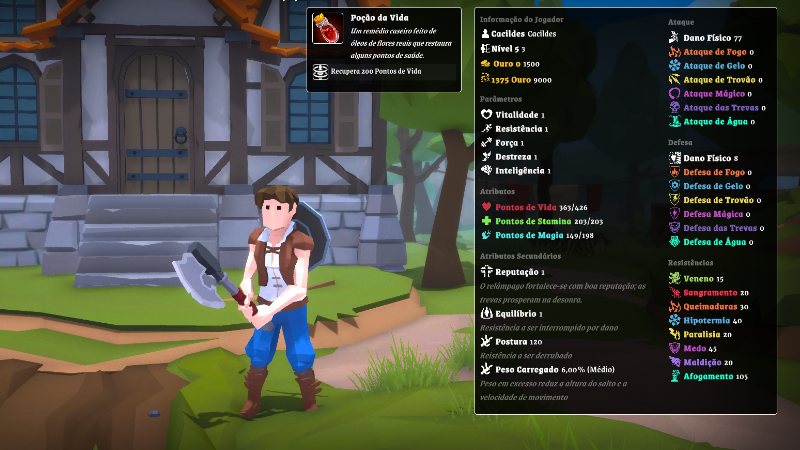
But that's not all. I also took the opportunity to improve the UI more broadly, making a number of small tweaks, such as adjusting font sizes, along with some more significant enhancements:
The main menu has received a general overhaul:
A new footer now displays contextual commands for each screen.
Player attribute information is better organized, making more efficient use of space.
Buttons and input fields now provide clearer feedback.
The missions screen has been redesigned with a fresh new layout.
The options screen is now divided into categories for easier navigation, instead of everything being lumped together.
On the gameplay side, you can now:
Zoom the camera in and out using the mouse scroll wheel.
Invert the camera’s Y-axis.
This is just the first of many updates coming your way. Expect new content and plenty more improvements soon!
Development is alive and well—and it’s only getting better. 🙂
Source
Changelog.gg summarizes and formats this update. How we read updates.