
In this update4
Full notes
Full Space Worthy update
Read the full published notes in a cleaner layout. The original post stays linked below.
What changed
- Gameplay
- Performance
- Maps
- Fixes
Space Worthy changes
I was actually able to build some things in the editor. I built bathroom and some other small stuff in the new builds showcase area.
I also expanded what can be achieved with decor shapes: better workflow, expanded system, and simply having more shapes to work with
New Items
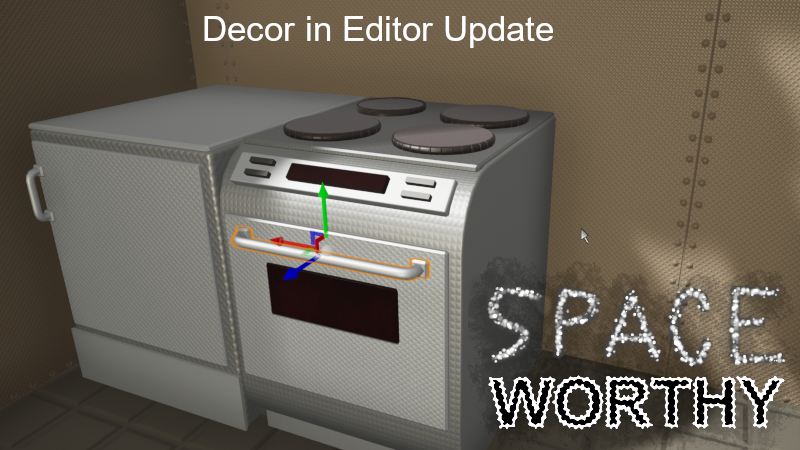
New type of parts added: "decoratioinal" machines, like washing machine, oven, dishwasher, they are register by type in games logic, so I could easily add functionality if it becomes priority or I simply feel like it. (These machines are experimntal, built only from decorational parts( downside is that if they were craftable, you end up with invisible part that has collision box. I would like to add default decor blueprint spawn for these))
Tens of new decor meshes
Improvements:
I remade most of the existing decor parts with better edges and consistent UVs
Huge under the hood change: colors were picked from my "color palette texture" in material shaders, now I store pseudo RGB in one float number and unpack it in material shader. Objects can be colored to way more colors! From roughly 1000 to 98x98x98 . (I have to revisit everything and change colors ,I am glad I finally made this change, impact would be worse later. (loading old saves will look horrible)
Decor meshes system can have variety of patterns, normal strength, UV Scale
My default editor map was expaned to explain new features, There is also a showcase room with some examples and plenty of room for your creation. If you run out of room, make the room
Editor:
Catalog of decorational meshes added! You can place them, set color, material, secondary texture pattern and more. You can also spawn array of them, with editable offset rotation, step rotation, endpoint scale. They are attached to nearest "actual part" on TestPlay or you can define parent part manually.
These working decor parts can be captured on blueprint and show in the preview,
You can also remove decorations from existing part or make them editable
You can copy color from other decors or from parts or even blueprint previews! using eye drop select.
Blueprints can directly reference and copy some local "Blueprint Capture" object, so there is no need to save blueprint (or more importantly no need to come up with names of these blueprints, it sure kills creativity to me). After you are done with your creative session you may choose to name and save some of them. (also keeps blueprint folder cleaner)
Coloring Tab is gone, now you can see and edit colors of selected parts in right menu. Eyedrop copy is there too.
- Finer selecting experienceWhen selecting an object, physics collision box is now completly ignored, detail object shape is used instead (it really become an issue when decors were added)
Groups are now working as a list and each group has own buttons for add and remove. Groups that contain selected objects are highlighted.
Duplicating objects now selects new objects . Also "Duplicate selected objects" is now done with CTRL + D
Bugs Fixed:
Editor: Storage Utility: remove storage or pawn reference was not working
- EditorBlueprints were not updated, when Blueprint capture updated the blueprint
Editor: "Eliminate pawns" quest object had wrong icon and name
Editor: search in catalog now works for everything, not just blueprints
Editor: Nothing was selected after duplicating parts
When decor mesh had mesh thats mainly used in normal parts, nearby normal parts with that mesh got changed material.
I cannot rember when it started to happen, but Some quest on main map were broken and editor quest too. Now Fixed
Share your creations on Blueprint, Use blueprint capture, name your creation, save it, you will find it in Use>Appdata>Local>SpaceWorthy folder called "B"
Source
Changelog.gg summarizes and formats this update. How we read updates.