
In this update15
Full notes
Full Devices Tycoon update
Read the full published notes in a cleaner layout. The original post stays linked below.
What changed
- Gameplay
- UI and audio
- Store
Devices Tycoon changes
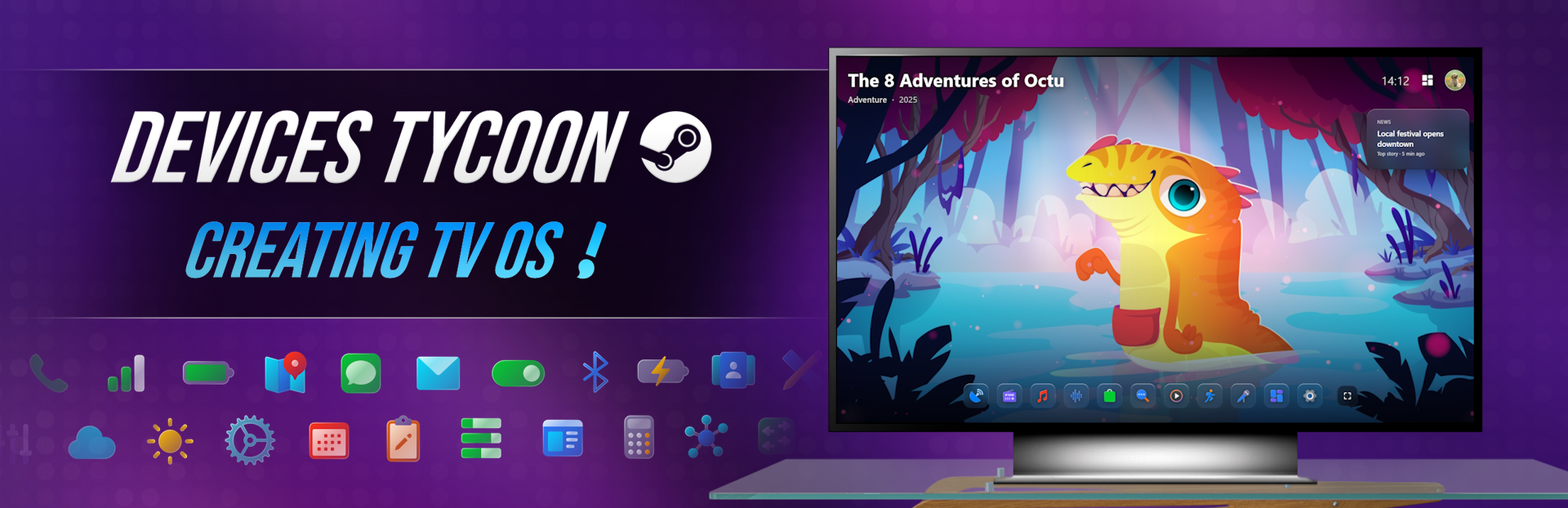
Introducing OS Editor for TVs!
As many of you already know, in previous news I talked in detail about operating system editors for various devices. Today I'm excited to introduce a brand new operating system editor for TVs!
You will be able to create a fully functional TV OS from scratch, and after development is completed, not only see what it looks like, but also fully use it, checking the operation of the interface, built-in applications and system functions.
OS loading
The first thing the user will see after turning on the TV is the loading screen of your operating system. You can customize almost every detail: logo, loading screen type, loading indicator, animations and much more.
Profile selection screen
As with modern TV OSes, users will be able to select a profile when the system starts. You will have access to a detailed profile design editor, as well as animations for appearance, hover, selection and other interface elements.
Home screen
The main screen is the place from which the user’s full interaction with the system begins. You can customize the bottom bar, main menu, element layout, styles, animations and many other details.
Control Center
Control Center provides quick access to the TV's main functions. Create your own design, customize button layout, styles, animations and other interface elements.
TV channels
It is impossible to imagine television without television channels. You can change the appearance of the channel list, switching menu, TV channel viewing window and many other elements.
Media Settings
The system provides settings for displaying media content. You can change the design of the media player, apply different styles and visual filters for TV channels and other applications.
Adjust volume and notifications
Customize the appearance of the volume control panel and toast notifications. Choose location, design styles and various animations.
Media player
Modern TVs allow you to store photos and videos in the built-in memory. You can completely change the appearance of the media player, playback window, controls and other application components.
Sport
The system provides a separate “Sports” application, which combines sports TV channels and broadcasts. Edit the appearance of the application, interface styles and animations of each element.
Music
Music lovers will be able to use a separate music player. You can change almost every detail of this application's interface.
Radio
Your OS will also have a full Radio app. Customize its appearance, styles, animations and design of all elements.
Karaoke
The Karaoke application will help make TV even more attractive to buyers. A detailed interface editor with a lot of customization options awaits you.
App Store
Any modern TV OS needs its own application store. You can completely change its design, from the general style to the smallest interface details.
Application menu
The application menu is one of the most important elements of any operating system. Customize the appearance of the application list, the layout of elements, styles, animations and ease of navigation.
Voice assistant
Almost every modern TV is equipped with a voice assistant. It will also be present in your OS, and you can completely change its design and interface.
Search and keyboard
As the system evolves, search becomes an indispensable function. That's why you can customize the appearance of the search interface and completely customize the built-in on-screen keyboard.
Settings
Each TV OS includes a large number of system settings. You can change the design of the settings application, and many of the parameters will actually affect the operation of the TV, and not be purely decorative.
Turning off the TV
Even the shutdown screen can be made unique. Customize the design, background, animations, and appearance of the system shutdown window.
Icons and logos
You can choose your own icons for almost every application and most interface elements, giving your operating system a personal touch.
The TV OS editor is another big step towards Devices Tycoon allowing you to create not just devices, but full-fledged software ecosystems with deep customization and a fully working interface.
Thanks to everyone who adds Devices Tycoon to their Steam wishlist! ❤️ Your support incredibly motivates me to continue working on the game. You are the best!
My social networks
YouTube: View store page
Instagram: https://www.instagram.com/roasterygames
X: https://x.com/roasterygames
TikTok: https://www.tiktok.com/@roasterygames
Telegram: https://t.me/roasterygames
Twitch: View store page
Facebook: https://www.facebook.com/roasterygames
Source
Changelog.gg summarizes and formats this update. How we read updates.