
In this update15
Full notes
Full Devices Tycoon update
Read the full published notes in a cleaner layout. The original post stays linked below.
What changed
- Gameplay
- UI and audio
- Maps
- Balance
- Store
Devices Tycoon changes
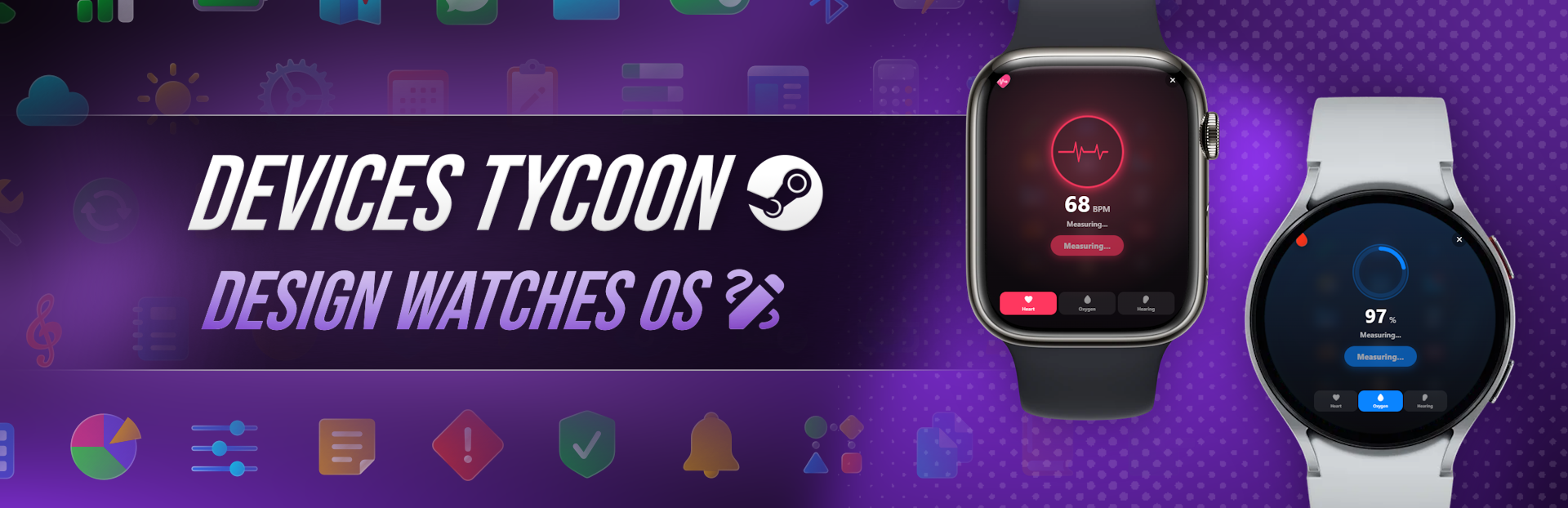
Today I’m happy to present one of the new features of Devices Tycoon — the operating system editor for smartwatches.
This is a full-featured editor that lets you create your own modern operating system almost from scratch. You can change the look of almost every screen, app, and interface element to make the OS truly unique.
Most importantly, after you finish editing, you will be able to launch your operating system at any time and use it, as if it were a real smartwatch OS.
System Boot
Every operating system starts with a boot screen.
Create your own splash screen, choose the boot style and animations, as they will be the user’s first impression of your operating system.
Watch Face
The watch face is the main screen of any smartwatch.
You can create a wide range of visual styles: choose analog or digital clocks, change hands, background, colors, widgets, animations, and many other elements to create your own signature style.
Home Screen
Customize the home screen exactly the way you like it.
Use an app grid, scrollable lists, or other icon layout options. Almost every element can be adjusted to match your design.
Control Center
Create your own Control Center.
Change button placement, switch appearance, slider style, transparency, animations, and other interface elements.
Volume Control and Notifications
Notifications are an important part of any modern operating system.
Customize notification cards, their animations and appearance, and completely change the design of the volume control scale.
Calls
Your operating system will be able to sync with the user’s smartphone.
If the smartwatch has a speaker and microphone, the user will be able to make calls directly from the watch. Otherwise, calls will work through smartphone synchronization.
You can change the incoming call screen, dialer window, recent calls list, and other parts of the app.
SMS and Keyboard
Create your own messaging app.
Edit the appearance of SMS messages, the compact keyboard, buttons, animations, colors, and other interface elements.
Sports
The Sports app supports dozens of different activities.
Each sport has its own pages, interface, and color palette. You can change the appearance of workout screens, progress indicators, charts, statistics, animations, and much more.
Weather and Calendar
View the weather forecast and calendar right from your smartwatch.
Each page of these apps can be customized separately: change the layout of elements, styles, colors, animations, and interface design.
Maps
Create your own maps app.
Choose a light or dark theme, change the interface, navigation panels, buttons, and other design elements.
Gallery and Music
Your operating system will be able to sync photos and music with the user’s smartphone.
As a result, you can customize the appearance of the Gallery and Music apps by changing buttons, control panels, animations, and almost every interface element.
Calculator, Wallet, and Clock
Even basic apps have a full-featured editor.
Customize button design, corners, borders, colors, icons, animations, and other interface elements to create a unified style for the entire operating system.
Sleep
Modern smartwatches can track sleep quality, so a similar feature will appear in your operating system too.
You can change the design of daily stats, sleep charts, notifications, result cards, and the rest of the app.
Please note that this feature is purely virtual and demonstrative. It is not intended to assess real health conditions.
To-Do
Create your own to-do list app.
Change every page, animations, buttons, cards, and other elements, turning an ordinary to-do list into a unique app.
Health
The Health app will virtually display heart rate measurement, blood oxygen level, hearing checks, and other indicators.
Each section of the app can be designed separately by choosing its own interface style, color palette, animations, and element layout.
All indicators are virtual and are used solely as part of the game’s operating system editor.
Settings
Of course, you will be able to completely change the Settings app.
Edit the main menu, categories, switches, sliders, animations, buttons, and the entire app interface.
At the same time, settings will not be only visual. Changes actually affect how the operating system works. For example, if you change the volume level in settings, you will immediately hear the change throughout the OS.
Icons
You can choose custom icons for almost every app and interface element.
All changes are displayed in real time, so you will immediately see what the finished operating system will look like.
This is only part of what the operating system editor can do, and it continues to actively evolve. My goal is to let you create not just a beautiful interface, but a fully working operating system that is genuinely interesting to use.
Thank you to everyone who adds the game to their wishlist! Your support is what helps make Devices Tycoon bigger and bigger. ❤️
My Social Media
YouTube: View store page
Instagram: https://www.instagram.com/roasterygames
X: https://x.com/roasterygames
TikTok: https://www.tiktok.com/@roasterygames
Telegram: https://t.me/roasterygames
Twitch: View store page
Facebook: https://www.facebook.com/roasterygames
Source
Changelog.gg summarizes and formats this update. How we read updates.