
In this update8
Full notes
Full Devices Tycoon update
Read the full published notes in a cleaner layout. The original post stays linked below.
What changed
- Gameplay
- Balance
- Performance
- Maps
- Security
- Store
Devices Tycoon changes
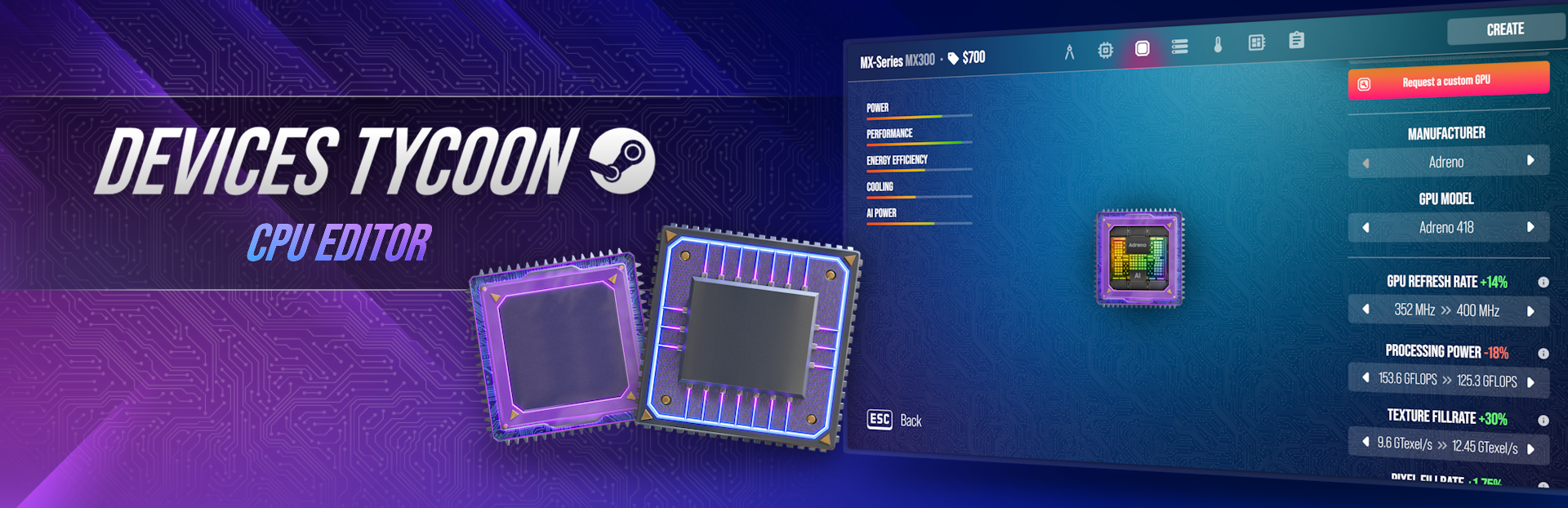
Today I want to share news about a brand-new CPU Editor! As you may remember, the mobile version already includes a processor editor. However, the new editor features hundreds of new functions and is a fully standalone tool — similar to other devices with numerous characteristics and deep customization.
Before creating a processor, you must choose which device it is intended for. Each device type has its own thematic features and balance specifics. At launch, the editor will allow you to create processors for the following device types: mobile devices, laptops, gaming consoles, and VR devices.
Processor Series
The first thing you will need to do is specify the processor name and choose a series. If you do not yet have any processor series, you will be able to create a new one: set a name, choose a logo, and select its color.
Processor Design
The editor includes a comprehensive design system with extensive customization options. You will have access to more than 100 base processor styles, as well as additional visual editing features such as logos, on-chip text, and unique patterns. Laptop processors also include a dedicated laptop sticker design option.
Core Processor Specifications
The first technical tab includes key processor parameters such as clock speed, core count, architecture, manufacturing process, and other characteristics. You will have to make complex decisions — some parameters may increase performance but reduce energy efficiency.
Graphics Processor
The next step is selecting a graphics processor. You can choose a ready-made GPU from a manufacturer with fixed characteristics or request a custom version with adjusted parameters. However, any custom solutions will cost more.
Memory Subsystem and GPU Interaction
One of the most important parts of a processor is how it works with memory. On a separate page, you will be able to configure characteristics responsible for memory interaction: cache memory, connection speed between CPU, GPU, and RAM, memory bandwidth, and other parameters.
Power Consumption and Cooling
Power consumption and cooling are among the key aspects of a processor. If you are creating a gaming CPU, you will need to carefully design the cooling system or sacrifice some specifications. Severe overheating is the main cause of throttling. For clarity, the game features a thermal map that shows which components heat up the most and how this affects performance.
Architectural and Technological Capabilities
On this tab, you will choose the final architecture of your processor, which determines the overall parameters. For example, the type of hardware security or the data prefetching system for cache.
License
The final step is choosing a license. Two types will be available: business license and private license.
A business license allows you to sell your processors to other companies or users (for example, like Intel) and earn additional income. You will be able to set your own price. However, this may accelerate the development of competitors.
A private license keeps the processor exclusive to your company (for example, like Apple), making your devices more unique and potentially more powerful compared to competitors.
Thank you to everyone who adds the game to their wishlist — I truly appreciate it. You are the best!❤️
My social media:
YouTube: View store page
Instagram: https://www.instagram.com/roasterygames
X: https://x.com/roasterygames
TikTok: https://www.tiktok.com/@roasterygames
Telegram: https://t.me/roasterygames
Twitch: View store page
Facebook: https://www.facebook.com/roasterygames
Source
Changelog.gg summarizes and formats this update. How we read updates.