
In this update15
Full notes
Full Devices Tycoon update
Read the full published notes in a cleaner layout. The original post stays linked below.
What changed
- Gameplay
- UI and audio
- Security
- Store
Devices Tycoon changes
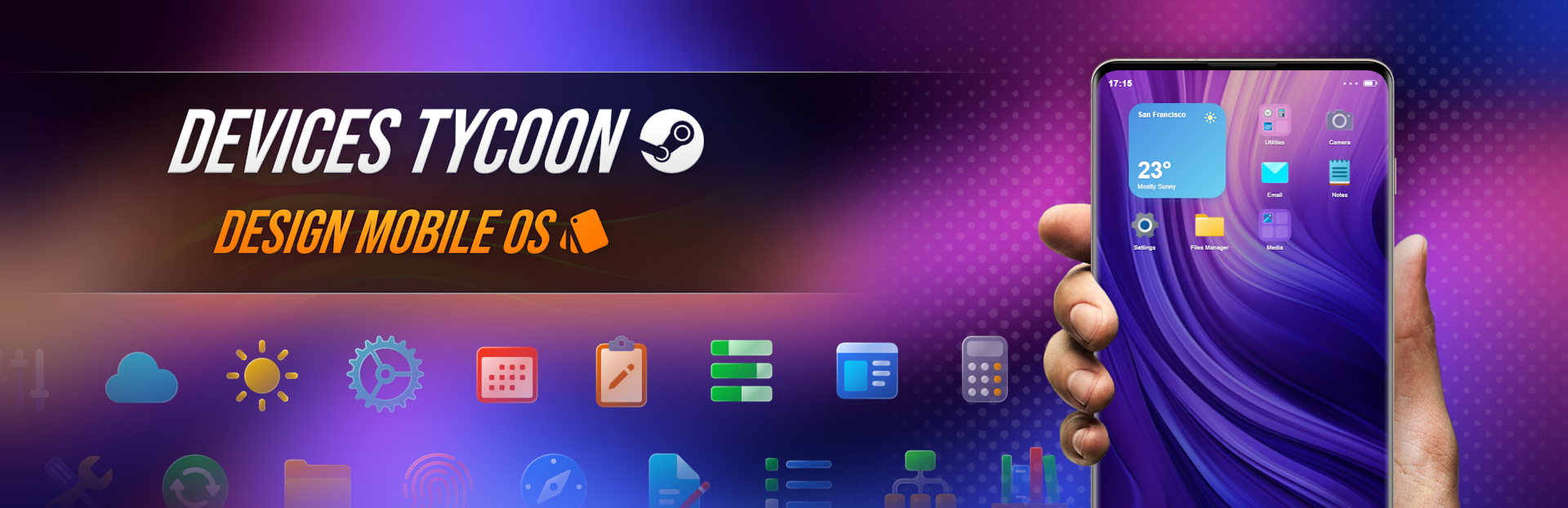
In previous news posts I told you about the OS editor for PC. Today I would like to introduce a completely new editor for mobile OS in Devices Tycoon!
This is a full appearance editor for your mobile operating system, allowing you to deeply change the design down to the smallest details. You will be able not only to customize your OS, but also to fully test it and use it!
OS boot and sign-in
The first thing you see in the mobile OS editor is your operating system booting and signing in with a password. You will be able to fine-tune the OS boot screen: from the progress bar to the animated splash screen, the choice is yours.
You will edit every visual element of the boot and sign-in screens: the style of password input buttons, background, color palette, and much more.
Desktop and app menu
The desktop and app menu are where the user spends most of their time, so it is important to create not only a beautiful look, but also a convenient interface.
I have implemented a very detailed editor that will help you choose the main direction and style of your OS: similar to iOS, Android, a hybrid of these systems, or a completely unique operating system with its own style.
You will define the core design principles and interaction mechanics: icon placement, the style of the bottom app dock, system navigation, and much more.
Icons and folders
Of course, you will be able to fine-tune the appearance of icons and folders on the desktop or in the app menu.
You will configure icon backgrounds, folder backgrounds, the style of opened folders, OS search styles, icon press animations, file, folder, and app opening animations, and much more.
Lock screen
You will also be able to edit the appearance of the lock screen yourself.
You will have many customization features: lock screen style, widgets, notifications, sliders and unlock methods, lock and unlock animations, and much more.
Notifications
Your OS will show notifications that you can customize yourself for both the locked and unlocked screen.
Choose styles, placement, color palettes, shapes, and many other parameters to personalize notifications.
Confirmation, warning, and loading windows
The editor will include separate pages for configuring confirmation windows, warnings, and loading wait windows.
Choose different visual styles, from restrained to attention-grabbing. Customize windows, buttons, styles, and animations in a huge number of variations.
Volume control panel
Just like in a real mobile OS, you will be able to customize the volume control panel.
You will have a wide set of customization parameters: from the panel position to animations for volume level changes.
Control center
The control center is one of the most convenient solutions in modern mobile operating systems, so its customization is one of the editor's key features.
You will have a broad set of settings: styles for active and inactive buttons, various animations, control center background styles, and much more.
Calendar and calculator
I decided to add basic apps that are often found in mobile operating systems.
Now you will be able to customize the design of these apps yourself. You will have a wide choice of customization tools. You can keep a single style for all apps or choose a unique design for each one.
Clock
The Clock app is a classic app made up of several sections: timer, stopwatch, alarm, and world clocks.
You will be able to edit not only the overall appearance of the app, but also the style of each section separately.
Notes
Notes is another classic mobile OS app, so I decided to add a full editor for it as well.
You will be able to customize literally every detail of the text editor: text style, selection, delete and appearance animations, and much more.
Keyboard
Of course, the virtual keyboard also received a full editor.
You will be able to customize every individual key to your taste. The editor offers many styles and features: keyboard background, key styles and outlines, press animations, and emoji.
Gallery
Each of you creates photos and videos that can be viewed in the Gallery app.
So I am happy to present a full editor for the media viewer app. You will be able to fine-tune every part of it: element placement, styles, outlines, animations, and so on.
Email is a classic preinstalled app whose appearance you will customize yourself.
You will be able to customize not only the entire app, but also each individual window, such as the screen for composing a new email.
By the way, files can be attached to emails through the gallery I mentioned above.
Camera
An operating system, of course, should have a camera app.
A wide set of settings will be available for customizing the main and front cameras. You will be able to edit photo and video modes, as well as configure different filters and styles, from classic to modern.
File manager
One of the essential parts of any operating system is the file manager.
You will be able to customize its appearance and visual styles. You can create both a simple amateur file manager and an advanced professional version.
Choose the placement of elements, styles, outlines, and color palettes for folders and files that millions of your future users will use.
Music player
I believe that an app for listening to music deserves its own editor.
So I am happy to introduce a full music player editor. This is a fully working app where you will actually be able to listen to music.
Naturally, you will have a large choice of settings for customizing different functions and interface elements.
Wallet
The Wallet app is one of the most popular apps for NFC payments and NFC services, such as electronic transit passes.
It is preinstalled in the system, and separate customization will make it even more professional and attractive.
You will be able to customize not only the appearance of cards, but also animations for successful and failed payments.
Antivirus
To improve the security of the devices you create, I added a built-in antivirus app.
I believe an antivirus should be not only reliable, but also beautiful. How attractive the app becomes depends only on you.
So I am happy to present the Antivirus app editor.
Settings
In the mobile OS editor, you will be able to customize the Settings app.
It is important to note that any changes really affect the device and are fully synchronized with other apps.
For example, changing the volume in settings will affect the music volume in the music player.
Calls and SMS
The Calls app includes several categories: recent calls, contacts, and dialing.
You will be able to edit the appearance of the whole app and each category separately. A wide set of styles and animations for the real-time call mode will also be available.
The SMS app also has many features and customization options. You will be able to customize the appearance of chats, write messages, and change almost every detail of the interface.
App switcher
As in many modern operating systems, going to the desktop does not close an app, it minimizes it.
So I implemented a full appearance editor for the app switcher, which is completely functional.
You will be able to customize its appearance, functions, and animations almost without limits.
Icon selection
Of course, for apps, files, folders, and other interface elements, you will be able to choose icons that best match the style of your operating system.
All changes will be displayed in real time directly while editing, allowing you to immediately see the final result.
Thank you to everyone who adds the game to their wishlist. I really appreciate it. You are the best! ❤️
My social media:
YouTube: View store page
Instagram: https://www.instagram.com/roasterygames
X: https://x.com/roasterygames
TikTok: https://www.tiktok.com/@roasterygames
Telegram: https://t.me/roasterygames
Twitch: roasterygames
Facebook: https://www.facebook.com/roasterygames
Source
Changelog.gg summarizes and formats this update. How we read updates.