
Full notes
Full Ars Notoria update
Read the full published notes in a cleaner layout. The original post stays linked below.
What changed
- Gameplay
- UI and audio
- Balance
Ars Notoria changes
Hi everyone,
Since the start of testing, we’ve made significant updates to the building system in Ars Notoria, and in this dev log we’d like to share its current state and walk you through the progress so far.
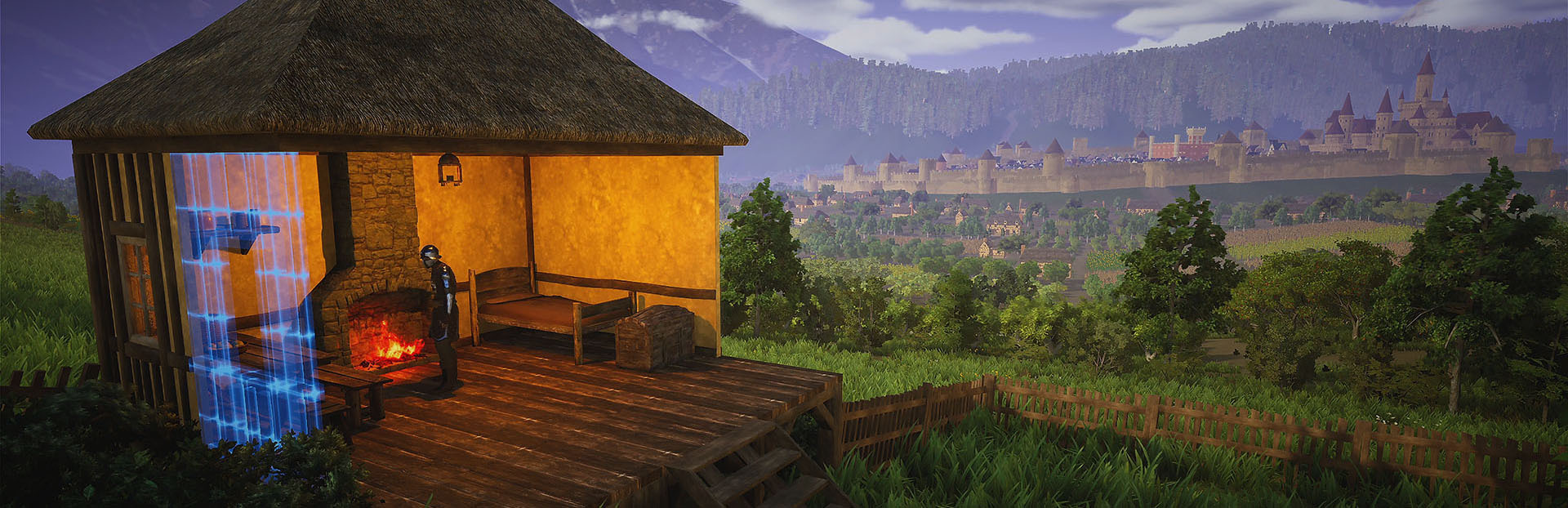
Building is one of the core systems in the game and is available from the very beginning. It provides essential benefits for your character, ranging from simple shelters and campfires to tools for harvesting and processing resources, and eventually sturdy dwellings and larger structures. As you gather your first materials like wood and stone, you’ll gradually unlock new building recipes and expand your options.
We’ve prepared two interface options for the Building Menu: Radial and Grid, so you can choose whichever feels more convenient. The radial menu follows the classic survival building style, with categories and sub-menus where you can browse available parts. The grid menu offers a more condensed layout, replacing multiple sub-menus with a single page that displays a much larger number of recipes at once. You can freely switch between these two modes at any time in the settings.
Currently, there are six main categories available in the building system:
Encampment – the first category to unlock, offering elements for temporary shelters such as tents, bedding, campfires, and simple wooden defenses.
Construction – includes the core pieces for building houses, from foundations, walls, and roofs to doors, windows, and other structural parts.
Furniture – provides all types of furnishings for your home, ranging from chairs and tables to cupboards and decorative stands.
Harvesting – contains equipment for gathering, processing, and storing the resources you find during exploration.
Production – features workbenches and tools for crafting advanced equipment, including weapons, armor, jewelry, and more.
Farming – lets you plant trees, bushes, and flowers, as well as construct a variety of outdoor utilities.
At the start of the game, most resources are gathered manually with tools like the axe, pickaxe, or sickle. As you progress, however, you can construct advanced harvesting and processing equipment to gradually automate the entire process.
Basic processing tools, such as the Circular Saw or Bloomery, can be connected to Auto-Loaders, which pull raw materials directly from your global storage and feed them into the machines. Once processing is complete, the loaders return the refined resources back to storage. In addition, you can build Auto-Harvesters, which automatically collect raw resources from deposits within a large radius.
By combining these tools, you can set up full resource production chains that supply everything needed for building while you focus on exploring the world.
With resource chains in place, gathering and processing materials becomes far more efficient, giving you the freedom to focus on expanding your settlement. Once you have the necessary supplies, the next step is placing building parts to begin shaping your homes and settlements. To make this easier, the building system features a grid-snapping mechanic that automatically aligns selected parts to compatible structures. For example, foundations include snap points for walls and stairs, while walls have slots for windows, doors, and roof modules. This helps keep your constructions organized and stable, while also speeding up the entire building process.
We’ve recently expanded the range of available snapping options: foundations can now be aligned with flat ground modules, and fences can now snap to grids on both foundations and ground modules. Looking ahead, we’ll continue refining snapping behavior, while also adding an option for free placement. This will allow you to ignore grids entirely and even overlap certain structures, giving you much greater freedom in how you design your settlements.
To further improve building part placement, we added a Quick Menu, which can be opened by aiming at a structure and pressing the Q key. This menu provides several useful options, such as moving a part to another location, dismantling it to salvage resources (returning 100% of the materials used), or toggling the display radius for resource processing and automation tools.
One of the latest additions to the building system is Basements. They begin with an entrance module placed on a foundation, which leads underground into a cellar. From there, you can expand further by constructing additional modules, creating extra storage space and opening up new possibilities for how you design your buildings.
We’ve also introduced Fortifications in the most recent update, allowing you to defend your encampment with palisade walls, gates, and towers. Unlike other building parts, these defenses are unlocked by completing a quest in the Training Camp. Fortifications provide protection against enemy ambushes, and later on you’ll be able to assign faction members as guards to man the towers and gates, keeping your settlement safe even when you’re away.
Storage Platforms are one of the features we added based on your feedback to make organizing resources more efficient. Each platform can hold up to four storage containers of any type, greatly increasing capacity, and they can even be stacked vertically to save space in your settlement. Storage Platforms are found in the Carpenter building category and require access to lumber and basic carpenter’s tools to unlock.
Efficiency of harvesting and production buildings can be increased by researching Technologies, unlocked after making the Engineer’s Workbench. Research provides many advantages, which makes setting up your settlement easier. For example, Auto-Loaders can be upgraded to support connection with multiple harvesting tools at once, which is great for optimizing the settlement layout and much more efficient than using a separate loader for each processing tool.
Last but not least, some building parts support advanced customization. You can apply paints and choose from a variety of patterns for elements such as tents, banners, and walls. In future updates, we plan to expand the number of parts that support these options and add new utilities to make customization even more convenient.
Thank you for checking out this dev log! We appreciate your support and can’t wait to see how you build and customize your settlements in Ars Notoria.
Source
Changelog.gg summarizes and formats this update. How we read updates.