
In this update7
Full notes
Full The Maze Project update
Read the full published notes in a cleaner layout. The original post stays linked below.
What changed
- Gameplay
- UI and audio
- Events
- Balance
- Server
- Fixes
The Maze Project changes
The Maze Project Update 0.3 is here. It took a little bit longer than initially expected, mainly for rewriting many systems to be compatible with loading and unloading multiple mazes.
This update rewrites many of the game's core systems.
A Brand New Maze
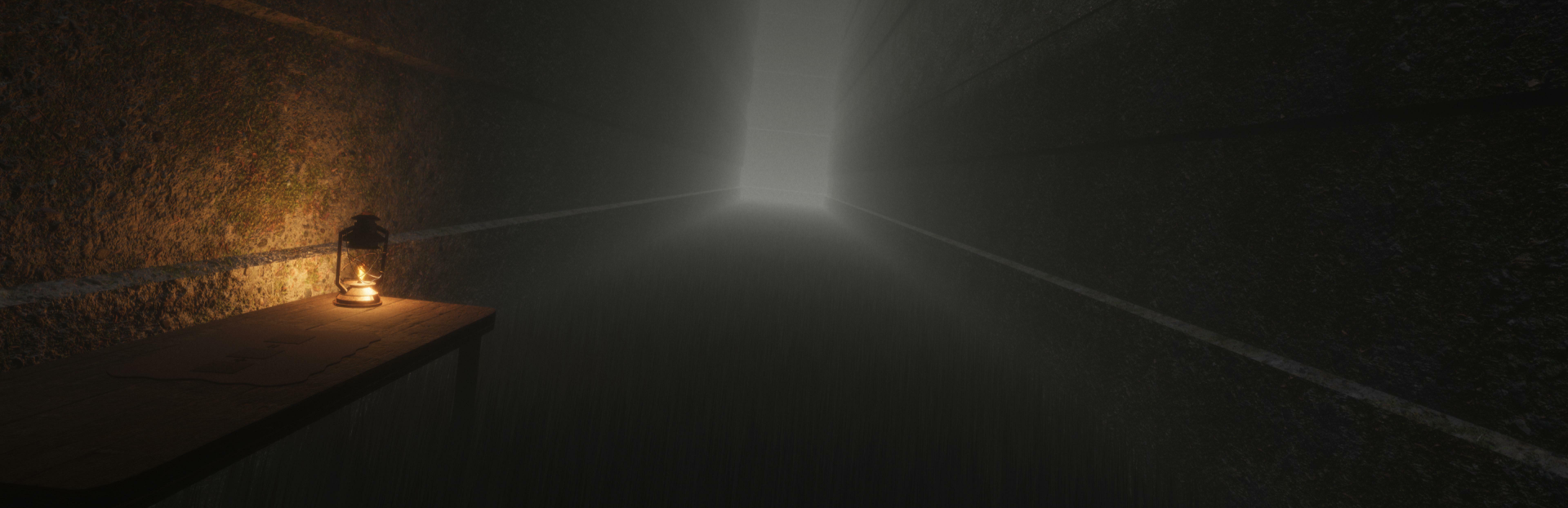
A brand new maze awaits for you! New puzzles, new manifestation and new items. Enter its captivating, foggy atmosphere and survive alone or with friends. The new manifestation featured in this maze has a better AI, allowing it to have different behaviors. There are also day and night cycles in the second maze. During the night, the visibility gets lower and the manifestation awakens, but beware, once it awakens, it doesn't rest until it gets you, even when it's day! Some parts of the first maze has also gone through a little bit of a redesign.
Upgraded AI
Some of the AI logic has been upgraded to utilize the GOAP approach. GOAP is a sophisticated AI strategy that allows systems to dynamically plan actions to achieve specific goals, resulting in more intelligent and efficient behavior.
Improved Networking
The networking had a major improvement regarding synchronization. This should eliminate various bugs that were caused by objects not being properly synchronized. The lobby system has also been rewritten because of the new networking system, which makes it more efficient and allows for new things such as UI animations.
Dual Item Handling
When holding an item, it now shows in your hand and makes you actually hold it. I know, it's awesome! Now you can also use the item that you are currently holding by right clicking. The usage depends on the item, for example a Vial of Mystery would get consumed, whereas a Metal Trap would get dropped on the ground.
Cheat Console
A new cheat console can be activated by pressing the ` key. From this console, you can execute various commands that modify the game. You can get started by typing the "help" command for a list of commands. This serves as a more advanced way of modifying the game. You can still use the Cheat Menu for less advanced things, such as giving yourself items or teleporting to various maze structures.
Bug Fixed
Various bugs have been squashed and fixed, including networking issues, resulting in a better gameplay experience.
Changelog
Major upgrade from Unity 5 to Unity 6 - a game engine used to develop this game.
Major upgrade from Cinemachine 2 to Cinemachine 3 that is used as the camera system.
Major upgrade to the networking system, making it more robust and reliable.
Major upgrade to the AI system, which now utilizes the GOAP approach.
Added brand new second maze.
Added a new manifestation that lurks around in the second maze.
Added brand new puzzles and structures for the second maze.
Added new items for the second maze.
Added new achievements.
Entirely new lobby system with improvements due to the old one not being compatible with the new networking system.
Position synchronization is now greatly improved thanks to the new networking system.
Redesigned the third door wall puzzle in the first maze.
Some events are now bound to only one specific maze and they will not display in other mazes in the cheat menu.
Now you can visually see an item that you are currently holding in your hand.
Items can now be used with a right-click when holding them.
Added an in-game console that can be used for info and additional cheats with many new commands.
Added more input hints.
Audio changes to the radio in the first maze.
Tuned the exposure settings for better visibility in a maze.
The saves list in the main menu now shows last saved location.
The menu background now changes dynamically based on the last visited maze.
Added a description that displays when hovering over a painting that is part of a puzzle in the first maze.
The maze generation system has now its own separate random number generator that is isolated from the rest of the randomly generated numbers throughout the game, this should mitigate an issue that some external systems may interfere with the randomly generated numbers during the maze generation process, thus resulting in the maze not being the same.
Improved passcode synchronization, this should mitigate an issue where some players would see passcode placeholder text instead of an actual passcode.
Player nametags are now fetched locally by a steam id, this enables support for custom player aliases.
Each door in the first maze now has a number assigned to it.
Reduced the chance of a mechanical spray wall generating in the first maze.
The saving system is now more efficient and less space consuming when it comes to saving positions and rotations.
Changes and additions to player footsteps sound.
Added player death sound.
Renamed maze structures in the cheat menu.
The numbers on keypads in the first maze are now more visible.
Changed the default brightness setting from 1 to 1.75.
Removed the bug button in the main menu.
Added early access prompt when pressing the singleplayer or multiplayer button for the first time.
Version text in the main menu now disappears when the game start animation begins.
The door in the memory puzzle wall door now has its transform synced up to the network.
Fixed a bug where the memory puzzle wall door moved too far away.
Fixed an issue where the workstations were not properly synced up to the network.
Fixed an issue where some players in multiplayer were not able to see a passcode note on one of the workstation walls.
Fixed a bug that caused some walls that were not supposed to generate on the outer side of the maze to generate there.
Fixed a bug where the ego manifestation effects when a player was nearby wouldn’t get removed when the manifestation despawned.
Fixed an issue where the keypad display text would show through walls when opening a menu.
Fixed a bug where the HUD would reappear even when hidden after closing crafting menu.
Fixed a bug where the player’s nametag shadow would not resize correctly.
Fixed a bug where the result item tooltip in the crafting menu was being rendered behind other items.
Fixed a bug where player effects that weren't included in the loot table weren't handled properly.
Fixed a bug where when loading a maze, the "preloading features" text's percentage might go above 100%.
Fixed a bug where some of the player's parts might be still visible when solving the third door room puzzle in the first maze.
Fixed a bug where the player's gravity would malfunction when standing above a trigger area.
Fixed an issue with the rubber duckie item sound being 2D instead of 3D.
Source
Changelog.gg summarizes and formats this update. How we read updates.