
In this update2
Full notes
Full Speed Rivals - Model Trains update
Read the full published notes in a cleaner layout. The original post stays linked below.
What changed
- UI and audio
Speed Rivals - Model Trains changes
Week 2 — The Menus Are the Product
Two weeks in. The visual direction is locked, the main menu is running. Time to go deeper. This week was about a question we've been asking since Slot Racing: what if the UI system itself was a reusable product, not just scaffolding?
A Settings Menu Built as a System
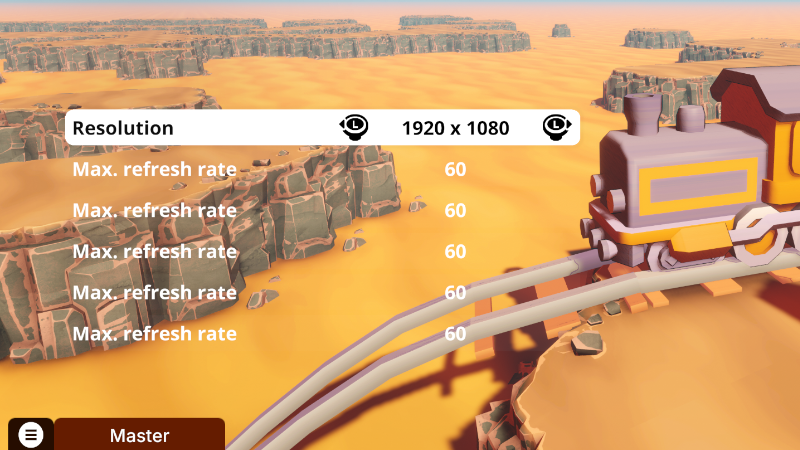
SR_SettingsMenuWindow generates from a structured inspector definition. You author the main menu, submenus, buttons and selectors — the system builds the hierarchy at runtime. Change the structure? It rebuilds. No manual editing. No hardcoded strings. Steam post image The inspector got its own pass: colored blocks by depth, collapsible sections, parent–child relationships visible at a glance. Building menus started feeling like authoring content, not fighting Unity. Presets for resolution, refresh rate, fullscreen, VSync, quality and anti-aliasing ship out of the box. Selectors support manual lists, dynamic presets, or bool toggles — all with the same row format. Steam post image
The Garage
Once settings worked, we tested the same pattern on something harder: the customizer. SR_CustomizerMenuWindow is the garage. Three root categories — Edit Trains, Edit Train Driver, Edit Train Controls — open into a model grid, then into variant and color. A full HSV panel with presets handles color. Everything reads from real runtime data. Color parts are named, not index-based. Preview in editor and truth in-game are explicitly separated. The whole panel rebuilds from data on each selection change. Steam post image The garage is where the game starts feeling like yours. Same system. Train, driver, controls — one coherent experience. Steam post image 9 weeks to Steam Train Fest. — BabelGames
Source
Changelog.gg summarizes and formats this update. How we read updates.