
In this update5
Full notes
Full Rift Fishing update
Read the full published notes in a cleaner layout. The original post stays linked below.
What changed
- Fixes
- Gameplay
- UI and audio
- Server
- Performance
- Store
Rift Fishing changes
Update 0.3.28 live
Edit
I just noticed these patch notes never got published one week ago D: Sorry! Hello fishers! :) Here are some more painting updates! For now I'm making a cut for painting features here and next work on the lobby and migration issues in regards to failing to join, seeing old data, players disappearing from the lobby list and hopefully one or two adjacent features in the process.
TLDR
Painting disconnects and missing strokes fixed, plus other small painting fixes
New painting canvas history view and sequence saving
New Painterly style post process effect
Customization menu also features quick-save to palette now
Small fixes
Painting
Fixes:
The rare disconnects caused by painting should be fixed now. Instead of sending the next batch of paint data after 100ms, the system will now wait for the client to confirm that the data was received successfully and only then send new data. This also includes waiting for a potentially bad or temporarily dead connection. With this change I'll activate the automatic paint syncing again.
The disappearing paint strokes should be fixed now. This was quite the hunt, the bug wasn't in the paint system itself, but related to an action cooldown in the player interaction. Your own paint strokes would paint because the actual drawing happened from the button being held. But they would only get sent to the server on this 0,5s action cooldown, therefore silently dropping this data.
When using the Eyedropper, holding down the button won't automatically paint anymore after color picking
"True colors" toggle on canvas control now also affects the previewed stroke and paint history
Two new additions to the canvas control:
- A new "History" buttonIn this second view of the canvas you can look at all of the previous strokes that players added to the canvas. You can scrub through all of the paint strokes or use the < and > button to go forwards / backwards by only one step. This history view also shows who added the currently shown paint stroke, which should help with moderation.
The "Save image" button
Saving was separated into its own popup menu.
There are three different states
Save on the live canvas: Type in your filename and save just like before.
Save on the history view: Type in your filename and save the currently shown state on the history view. Like this you can save an older state of the history. For example, if somebody drew over your canvas and you'd like the previous version saved out
Save on the history view as sequence: When you enable "Save as sequence" in the save popup you can set the beginning, ending and the amount of steps between strokes (i.e. "1" saves every stroke, "5" every 5 strokes). Instead of a file name, you'll type in a sequence name which will be used as the name for the folder that the sequence is saved in. With this feature you can save out the necessary images to create a gif, video or clip of your drawing skills!
There's also a new "clipboard" button in the save popup that copies the file path of the saved image or sequence to your clipboard, ready to paste in your file explorer of choice.
Painterly post process effect
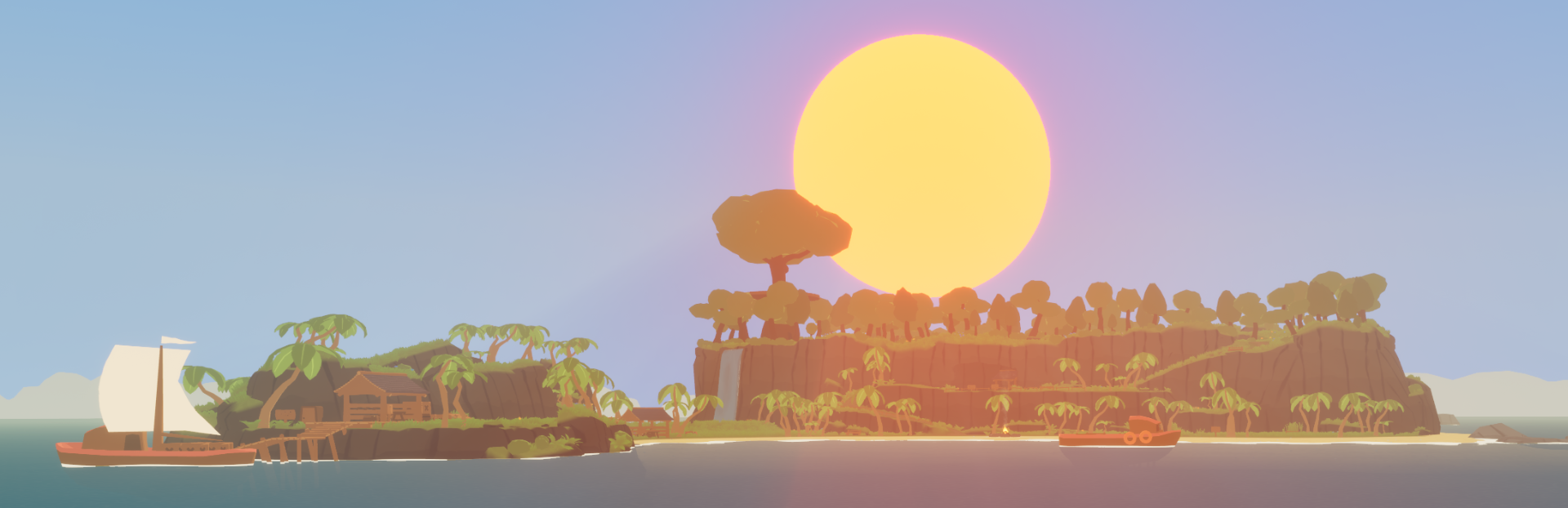
I've always wanted to add a paint-style post processing effect to the game. Coincidentally, a plugin called CelPaint released a few days ago. After some testing, I decided to add this to the game. Including some adjustments, this only took me one day! It can look really good, especially in screenshots. But the games visuals are still designed around its flat-shaded style. This post process effect has a medium performance impact. I've exposed some settings to improve performance. That said, with the default settings (which are on the high end) I am still getting 45+ FPS on the Steam Deck. You can find the effect in Options > Graphics > Painterly Style. Feel free to experiment with it! By default it already reduces the paint effect on the character, held items, fishing gear and signs. By default all of the painting canvas' are also excluded. You can change these and more settings in the painterly style options.
Customization
Changed: Quick-save of color picker into color palettes now also works in the character customization menu
Changed: Face customization color section has been moved to be in line with the other categories
Other
Fixed: Rifts in the river will now properly deform the water downwards, like in lakes and the ocean
Fixed: Kick/Ban buttons should not be briefly visible anymore when joining (clicking them had no effect, just a cosmetic bug)
Much love <3 Saia
Source
Changelog.gg summarizes and formats this update. How we read updates.