
In this update12
Full notes
Full Rift Fishing update
Read the full published notes in a cleaner layout. The original post stays linked below.
What changed
- Gameplay
- UI and audio
- Fixes
- Security
- Events
- Balance
Rift Fishing changes
Update 0.3.27
Hello fishers! :)
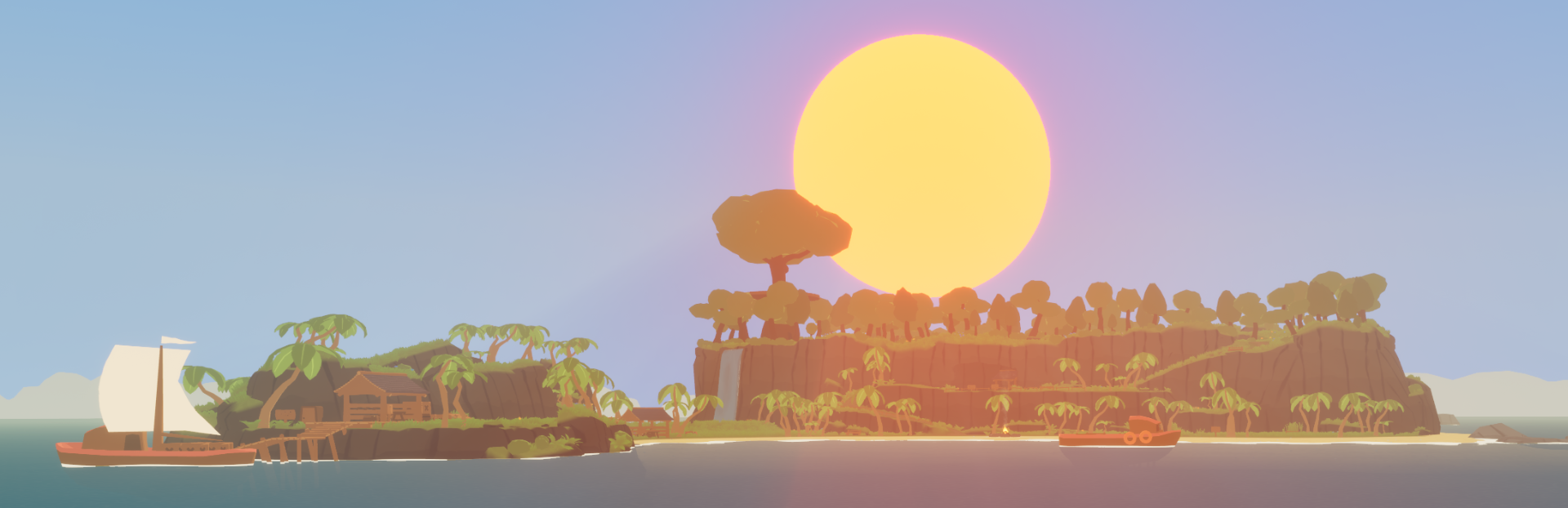
This update has a focus on bugfixing, polish, painting and improving the atmosphere with new effects and critters. It's an accumulation of all the 0.3.26 public test versions that have been on the public test branch for the last weeks. There are still some (old) issues to iron out, but this update has been sitting in the public test branch for too long. Some of these issues are:
Player entries disappearing from the lobby list
Sometimes not being able to rejoin a lobby after leaving. The game might then say "[host] has kicked [player]", without it being true.
Canvas painting or chat logs not clearing out when leaving a game and making a new lobby or single player game (in these cases, old data doesn't get cleared out. It doesn't pull data from a different lobby)
This update has automatic paint syncing disabled, since it lead to some players disconnecting (too much painting data at once in specific cases). You can still manually sync at the sign close to the painting canvas.
This update also has host migration of the chat disabled. It will be re-enabled in the next days after some fixes.
Visuals & Environment
- AddedUpdated lighting, wind gusts around you and a new fog system
Added: Stars during the night
- AddedThe ponds have new flora, with Bellbloom flowers glowing in the dark.
Added: Birds, butterflies, fireflies and bees are spawning around the island
Added: Waterfall VFX
- AddedMain menu updated with new visuals and playing ocean ambience sounds
- FixedMany collision issues, where players got previously stuck, have been fixed including the jumping platforms at the far side of the island.
Changed: Prevent camera collision with trees, fences, spinballs and other in-the-way objects
Player
- AddedThe old player shadow has been replaced with a new one that fits the games style and doesn't glitch through the floor
- ChangedThe nametags have been reworked and should not disappear anymore (some cases still investigating)
Changed: Character collision matches character much better
Fixed: VisionAttractor (the component that makes the character look at something) doesn't move with animations (like sitting)
Fixed: Held items are properly sized now
Fixed: Bunny 2nd Expression visual (the happy face) is now visible to other players
Fixed: Facial expressions not updating
Networking & Security
Various security fixes
I have a visual backend / web tool for managing player warnings/suspensions now, making managing this a lot easier
Fixed: Banned players can not attempt to rejoin anymore
Fixed: If a player gets kicked/banned it will be announced in that fashion instead of saying "Player left"
Changed: Lobby list always shows hosts Steam player name
Fixed: Special characters in lobby name and Steam player name were question marks
Fishing
Changed: Fishing minigame won't start until main menu (ESC menu) is closed
Changed: Directional Input minigame arrows are visually filled in now (right after this change there was some more feedback about preferring the previous version, or a different solution. I'll provide options in the future)
Fixed: Better behaviour for quickly clicking through the popup when catching a Riftling
Fixed: Fishing lines tips of other players which, for whatever reason, would previously be connecting / floating at the campfire will now instead show in the right hand of the other player.
Fixed: If fishing from very far up, the fishing line will hit the water or ground properly now instead of going towards the campfire
Potential fix: I can't test this properly, but if the Bobber of another player ends up at the campfire, it will now instead show in that players left hand
Added: Hints about being able to cancel with space bar, and that reeling slowly from a Rift is not possible
Changed: Notification bell when a fish bites is louder
Fixed: Prevent casting fishing rod if PocketPal is pulled out
Painting
- AddedCanvas' that have been drawn on will be properly synced for new players joining the lobby (this is temporarily deactivated as explained above and instead has to be triggered manually)
Added: Host migration for canvas paintings
Fixed: Players drawing at the same time overwriting each others drawn color
Changed: Holding the paint brush in your hands will now lock the camera rotation
Changed: You can rotate the camera by pressing Left Alt, and go back to painting by pressing Left Alt again
Added: Hovering over the canvas will now preview the brush stroke before painting it (eraser is a black color) and display a different cursor
- AddedCurrent color picker color can be quicksaved to the current palette via a new + button beside the picked color
- AddedPaint settings has a new "Eyedropper" tool button. Click it to change into eyedropper mode, hover over a painted color to see the eyedropped change color and press to pick the color. If no color has been painted in the hovered position, the eyedropper will display a standard beige icon and not pick the color.
Added: Colors in palettes can now be right-clicked to be deleted (a confirmation prompt will appear)
Fixed: Color picker and color palette colors select / deselect better when either one is triggered
Fixed: Color picker hue slider doesn't highlight anymore (showed the wrong color because of that)
Fixed: Color picker saturation and value (the two lower sliders) change color properly, depending on the value of the other slider
In the canvas control menu you can now use the buttons properly again: "Sync with host": However your canvas currently looks like, this will pull the host data and update your canvas "Painting online": Can be toggled on/off. If online, other players will see what you draw. If offline, other players won't see anything you draw. If the host uses this to draw offline, other players can still draw online perfectly fine. "Clear canvas local": This clears your own local canvas. It doesn't affect other players. If the host uses this, they also only clear their local canvas. The online data will be untouched (but I might add a general feature for clearing)
Expeditions
Fixed: The "Fishing XP" reward in Expeditions has its checkmark now
Added: Expeditions with 100% progression will now show at the top of the expeditions menu
Inventory & UI
Fixed: Opening the inventory (or storage) quick and repeatedly doesn't lead to the "MaxObjects" error anymore.
- FixedThe multi-opening of menus with PocketPal (spamming of Q + a number) is fixed
Fixed: When selling an item in the shop, the held item was sold instead
Chat
Fixed: The /roll command displays correct numbers now. There's also /coin for a 50/50 chance on "Claws" or "Paws"
Added: Using the command /motd [your text here] as a host lets you set a custom welcome message for the lobby that other players see
Fixed: Chat menu should not spill characters anymore
Fixed: Chat window size properly updates now when joining a lobby
Fixed: Can't sell Riftlings on hotbar
Fixed: If selling with context menu from hotbar won't refresh hotbar
Fixed: Upgraded Storage 1 to max (350 slots), now the upgrade button is greyed out on every tab
Options menu
- ChangedFPS for new players is now capped at 60 instead of being Uncapped
- FixedWhen the player chooses the "Low" setting for Foliage, grass won't be able to be rendered until the map changes. This was a base setting in Unreal. The "Low" setting will now show a small amount of grass and switching back to higher settings is fixed.
Fixed: Graphics/video etc. options should now apply properly when joining a lobby or going back to the main menu
Fixed: Right-clicking sliders in the options resets them to default values and applies the values properly
Fixed: Emotes & Expressions volumes were not influenced by the Master volume slider
- ChangedBoombox volume can now be controlled via the "Instruments" volume slider. This might be changed again. It's a quick way to give players the option to change the volume.
- Changed"Don't hide mouse cursor" in Gameplay setting is now enabled by default for new players
Keybinds
Changed: Default key for hiding all UI is now F9. "H" lead to accidental presses.
Fixed: Keybind entries would sometimes show duplicates. Each key is only shown once now.
Fixed: Keybind entries would change their order after rebinding a key. They're now always in the same spot.
Added: "Reset all Keybinds to Default" button
Other
Fixed: Rifts sometimes left a visual purple mark behind. They will now disappear completely.
Fixed: Rift leaves light source behind (the light source now also animates with the rest of the Rift)
Fixed: All fishing sources (Rifts, small Rifts, active buble spots) have a kill switch now. Their removal depended on the particle system completing its animation, sometimes leaving an invisible Rift behind. Now, if that fails, the fishing soruce will be destroyed after a short while.
Fixed: Chat messages appear all at once after reenabling name tags with F2 (the previous fix was only for players who were far away, this now fixes it also when players nametags are hidden when they are close)
- ChangedRabbit happy volume increased
- ChangedCat purr volume increased
- ChangedCat happy pitch very slightly increased
Changed: Small text updates for welcome screen & signs
There might be a couple smaller things that aren't listed. Especially, if they appeared and got fixed during the public test. I will continue with more fixes and some more focus on painting.
Much love <3
Saia
Source
Changelog.gg summarizes and formats this update. How we read updates.