
In this update11
Full notes
Full No Man's Home update
Read the full published notes in a cleaner layout. The original post stays linked below.
What changed
- UI and audio
- Gameplay
- Fixes
- Balance
No Man's Home changes
Kamikaze Drones
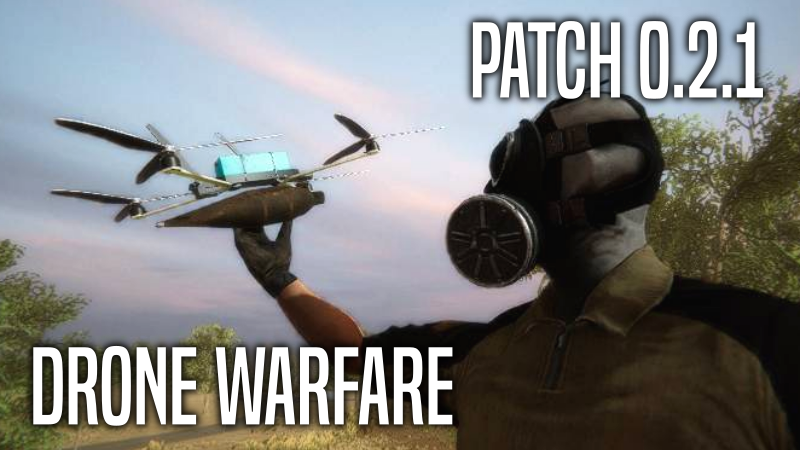
This update brings player and NPC controlled kamikaze drones. You can attach RPG warheads or grenades to FPV drones and fly them using the Droneer app in your PDA. You can either detonate the warhead or use a grenade release system to drop explosives on your target.
NPCs can also deploy drones during combat. These drones will hunt their target down and explode when it’s in close vicinity.
You can shoot down drones that are hunting you down or use a jammer to make them lose control.
Drone Payload Types
RPG Warhead: Attaching this will turn the drone into a kamikaze type drone. You can press [E] to detonate it when you are close to your target.
Grenade: This will turn the drone into a release type drone. You can press [E] to release the grenade and safely return back to your positions to retrieve your drone and reuse it again.
Frequency
You can adjust the frequency of kamikaze drones in the Difficulty section. You can have a full blown drone warfare or have it at a very low frequency and experience the anxiety of a drone hunting you down conservatively.
Controlling an FPV Drone using the PDA
How to Use?
Attaching explosives to a drone works exactly like weapon attachments. Simply click on warhead or a grenade and then click on your FPV drone and it will be attached. To use your drone you can right click on a drone item and select “Use” this will bring your PDA up and you will be able to control your drone. You can also use go to the Droneer app on your PDA and see all your available drones and deploy them. Pressing [E] button will detone or release the explosive. Pressing [Q] will quit the Droneer app and you can retrive the drone. You can use movement keys and your mouse to steer your drone.
Droneer App
Drone Delivery Jobs
Drone delivery has became increasingly more popular in the AEZ. Operators in the field now rely on drone delivery more than ever. ArmedZone and ZoneMart are now contracting independent drone operators to help them relieve the increasing demands.
You can now take drone delivery jobs from the Droneer app. You will take control of an FPV drone carrying a package and deliver to it’s target. You will receive money upon completing task and you will be penalized if you fail to deliver the package. It’s a good, honest way of making some quick cash.
New Items:
FPV Drone
RPG Warhead
Jammer
Remote Controlled Improvised Explosive Device
Electronics
Remote Controlled IED
You can now craft RCIEDs and detonate them using a phone. You must rig the IED using your inventory which will make it ready for detonation. Then all you gotta do is use a phone to call it and it will detonate it in couple seconds. Use the right click inventory context menu and press “Use” to rig the IED or make a phone call.
Recipe: RPG Warhead + Phone
Jammer
You can craft a jammer and use it to deactivate nearby drones. This will become very handy when a kamikaze drone is hunting you down. Jammers deployed by the player will only deactivate drones deployed by other NPCs.
Recipe: Electronics + Phone
Bug Fixes
Fixed "NaN meters distance" bug for some jobs
Fixed missing characters for Cyrillic alphabet
Fixed some localization related text issues
Misc
Explosive barrel status and positions are now saved. So when you destroy a barrel and load the game it will come back if it was there when you saved the game. This data is only preserved for the duration of your game session.
Player can now strafe when sprinting. You must be pressing W (Forward) key while strafing otherwise sprinting will be cancelled.
NPCs that are carrying an important package or a wanted PDA are now more paranoid and might preemptively strike if you get too close.
PDA screen was way too dark due to double post processing. This is now fixed and PDA colors looks like the way it was intended.
Droneer App is here!
Brought to you by Clever Com. Droneer is the best drone control solution out there! Now it comes built-in in your Asced PDA. Check out this promotional material we designed for the most enthusiastic drone operators!
Video Devlog
Source
Changelog.gg summarizes and formats this update. How we read updates.