
Full notes
Full Leonardo's Island update
Read the full published notes in a cleaner layout. The original post stays linked below.
What changed
- Performance
- UI and audio
- Store
- Balance
- Events
- Gameplay
Leonardo's Island changes
Hi everyone! I’ve opened access to the playtest to everyone who’s interested, and I would like to share the details:
The game is for Windows.
The test build weighs a little over 900 MB.
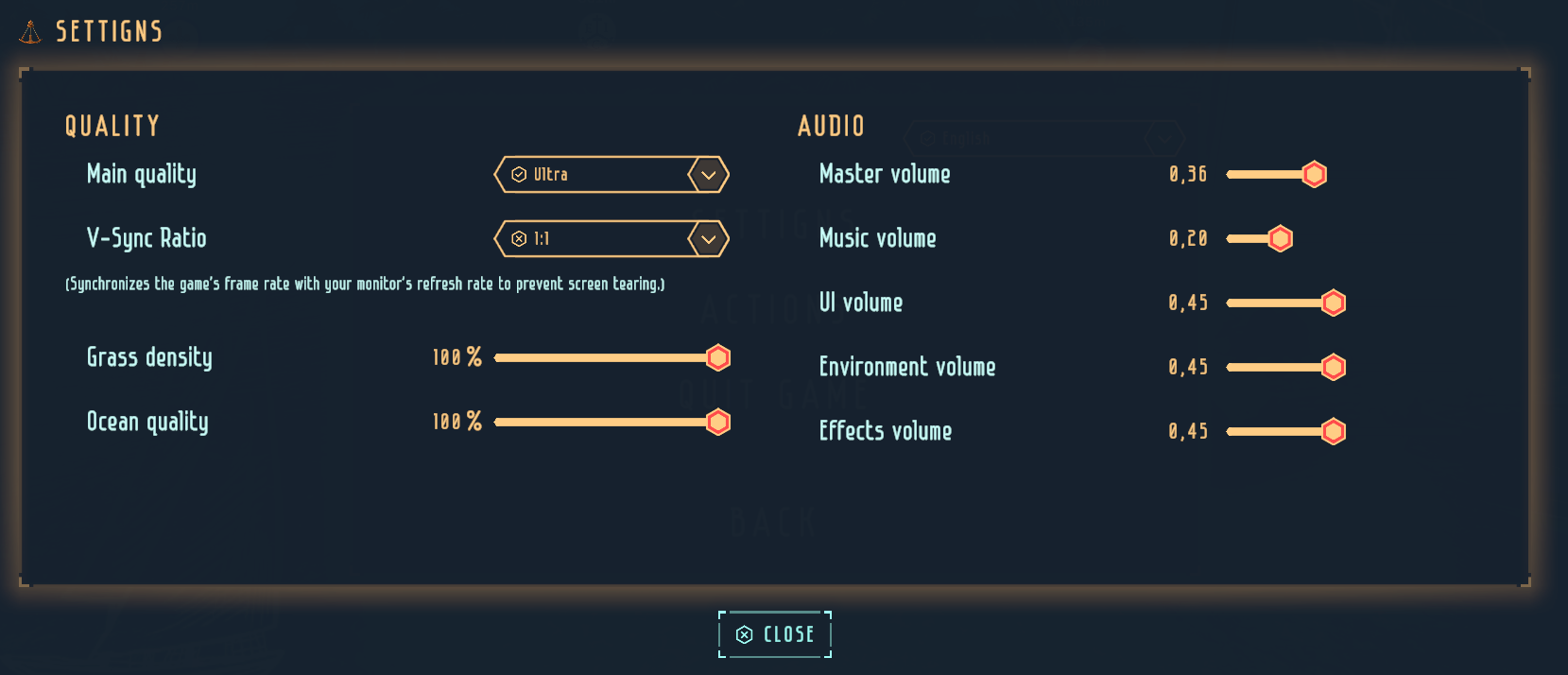
By default, the graphics quality is set to Ultra. I tried to optimize it as best as I could. But if you get low FPS on some device, feel free to try the lowest quality. If it runs fine, then raise it to a reasonable compromise.
V-Sync (synchronization with the monitor’s FPS) is enabled by default. In theory, if there are no major drops, this is the optimal setting, but you can tweak it in the settings or remove limits entirely.
Also, if there are real performance issues, you can experiment with grass density and ocean quality settings.
Pressing the Esc key opens the menu, and there is a Settings option:
I also recommend getting familiar with the controls.
Gameplay: The main interface is located at the top:
The first thing you can open is “Drawings”: There you’ll have access to the first type of ship, the first cannon, sails, and cannonballs.
Not all elements can be unlocked—items with a darker button are reserved for later tests. You can unlock: 3 ships, 6 sails, 3 cannons, and 2 types of ammunition.
There’s a nuance with cannonballs and ammunition in general. If you build a ship and press “Hoist the sails”, a message will appear saying that there is no ammunition. Unlocked cannonballs, chain shots, etc. can be purchased by selecting the “Trade” option in the top-right corner of the screen.
“Shipyard.” After unlocking construction elements in Blueprints, you can build ships. Initially, you have only a small amount of gold, wood, and ropes, so you can’t go too wild. That means it’s time to earn some money.
A small digression: if I’ve messed up the economy and you’ve run out of cannonballs, gold, and basically all resources—because you haven’t won a single battle yet or simply received little reward—you can restart the game. To do this, go to the game folder, then Leonardo's Island_Data, then StreamingAssets, and delete loc.li, prefs.json, and the contents of the Ships folder:
Game modes:
Around the Island — sink all the bots and get your first reward! 🙂
Random battles — online 4v4 fights. I don’t have enough friends for testing, so I’m hoping to match with someone during these tests and check performance. If everything is fine, there will be 8v8 and 12v12 battles later — time will tell.
Random regattas — 5 players; who has the longest fastest ship.
IMPORTANT! Lobby wait time is a maximum of 45 seconds. If the maximum number of players is not reached, the event will still start. Minimum number of players for an event: 2.
Steam friends — Steam Overlay must be enabled in your Steam account settings.
Steam post imageI hope everything turned out to be intuitive, but if it’s laggy — let me know! 🙂
(The game must also be running on your friend’s side.)
Oh, also important! At the moment, the maximum number of simultaneous online players is up to 100. If you see a message saying that it’s not possible to connect for this reason, you can still build ships and play the “Around the Island” mode.
Beta test duration: Until December 22.
Feedback: https://steamcommunity.com/app/4237730/discussions/0/705506282737590564/
Also, if you add screenshots of what you like, what you don’t like, bugs, etc., I would really appreciate it!!!
Additionally, there is an ExceptionLogs.txt file. If something specific goes wrong, leave me a comment here and I’ll reply with my email—you’ll be able to send me that file by email. The file collects game errors and crash logs.
Some screenshots:
Steam post imageSteam post imageSteam post image
Source
Changelog.gg summarizes and formats this update. How we read updates.