
In this update7
Full notes
Full Food Processing Simulator update
Read the full published notes in a cleaner layout. The original post stays linked below.
What changed
- Gameplay
- Performance
- UI and audio
- Fixes
Food Processing Simulator changes
Hi everyone, 😄
Thank you very much for your continued support since the 1.0 launch. This is our first update after the full release, and it focuses on several quality of life improvements and system refinements to make the overall experience smoother and easier to manage.
We also want to mention optimization. Some performance improvements have been implemented in this update, but the impact may not feel significant in every situation. We are still actively working on additional optimization solutions, so that even when your factory becomes fully packed with machines, items, and employees, the game can continue running smoothly.
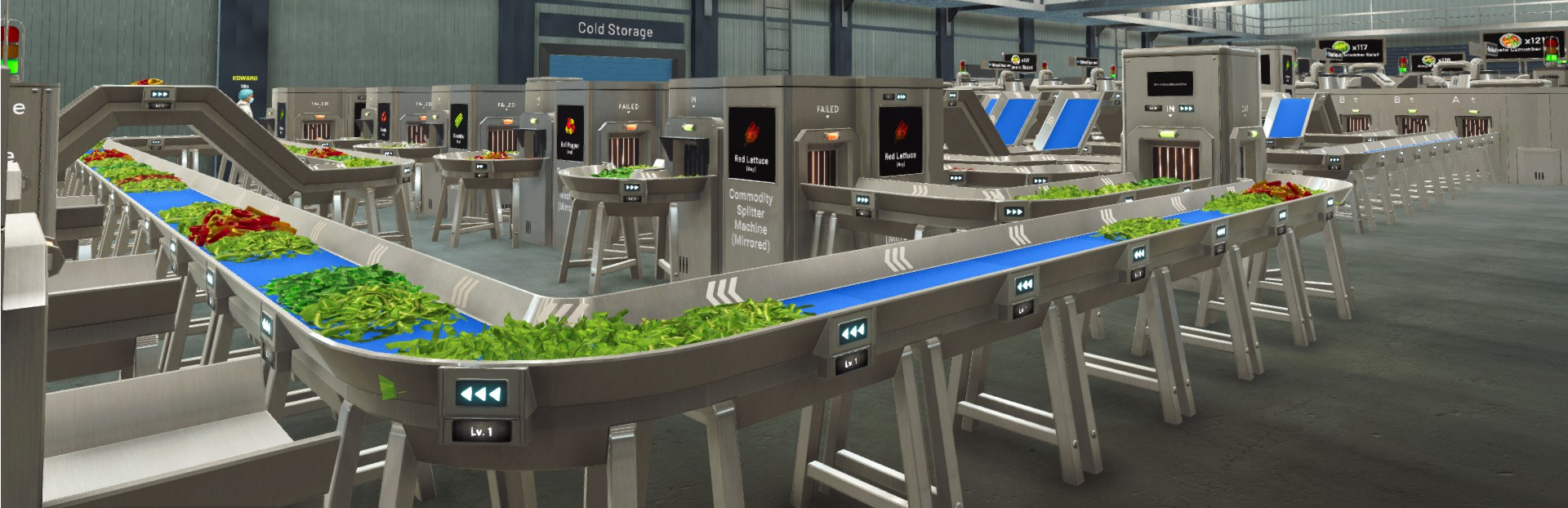
This update focuses on improving day-to-day organization and clarity, especially around storage management, Vendor Truck planning, and employee behavior. We also added several new utility machines to support elevated layouts and make advanced routing easier.
Main Updates
1. Cold Storage Rack Behavior: Full Box / Partial / Any
Based on community feedback, we noticed a common frustration: after deliveries, leftover items can sometimes be returned to racks as non-full boxes, which can disrupt the organization players have already set up.
To solve this, Cold Storage Racks now support a new rule setting that lets you decide how each rack should be filled:
Full Box Only: only full boxes are allowed
Partial Only: only partial boxes are allowed
Any: both full and partial boxes are allowed
This gives you more control over storage discipline and lets you define different rack purposes (for example, clean full-stock racks vs. partial box collection racks).
2. Vendor Truck Sales Locations: Product Demand System Update
We made several updates to the product demand system for Vendor Truck sales locations to make planning feel more predictable and less frustrating.
Demand rotation is no longer always daily Each sales location now has its own demand cycle, and demand will change every 2 or 3 days depending on the location. When the timer ends, the demand list will rotate.
Potential Products preview Each sales location now shows potential products that can appear in its demand pool. This allows you to prepare products ahead of time if you want to plan for future rotations.
3. Employee Idle Behavior: Clearer Reason Display
Updated: This updates is halted and reverted back to before only appearing idle, because the current solution make the employee working slower. (v1.0.25)
When an employee becomes idle, the game will now display the reason why above their head.
This helps players understand why an employee is not working even though tasks are enabled in the priority list, and makes it easier to identify missing requirements such as unavailable items, missing access, blocked paths, or incompatible settings.
4. New Utility Machines for Elevated Layouts
We added several new utility machines designed specifically to support elevated pipeline builds:
Elevated Merge Machine Lets you merge lines in elevated layouts, making it easier to combine overhead routing setups.
Elevated Rotary Machine An elevated version of the Rotary Machine to support multi-output routing on raised conveyor systems.
Elevated Filter Machine An elevated version of the Filter Machine so filtering can be done directly in overhead lines without forcing the flow back down.
These additions should make advanced elevated layouts cleaner and reduce the need for extra vertical transitions.
Improvements
Employee Task UI Information Added clearer job descriptions for each employee task. This information appears directly inside the Task Priority view, so you can quickly understand what each task does and how it affects behavior.
Tutorial List Updated The Tutorial menu has been updated to include newer content, so players can revisit explanations for recently added systems.
Better UX for Level-Up Tutorial Popups Improved the behavior of tutorial popups shown after leveling up. The popup can no longer be instantly closed while you are still at the first index. Instead, it will move through the tutorial pages first, and only close on the final page, helping ensure players do not accidentally skip important information.
Bug Fix
North Gate Culling Issue Fixed an issue near the North Gate where occlusion culling could trigger incorrectly and cause parts of the environment to disappear visually.
Cannot Fire Employee Fixed issue where employee cannot be fired after version 1.0.20.
Once again, thank you very much for your feedback and support. We are still tracking everything and prioritizing improvements based on feasibility and impact as we continue refining the game after 1.0.
If you encounter any issues after updating to this version, please report them through the in-game Bug Report Menu and/or the Steam Discussions so we can investigate quickly.
See you in the next update! 🥗🚚
Source
Changelog.gg summarizes and formats this update. How we read updates.