What changed
0 fixes4 additions5 changes0 removals
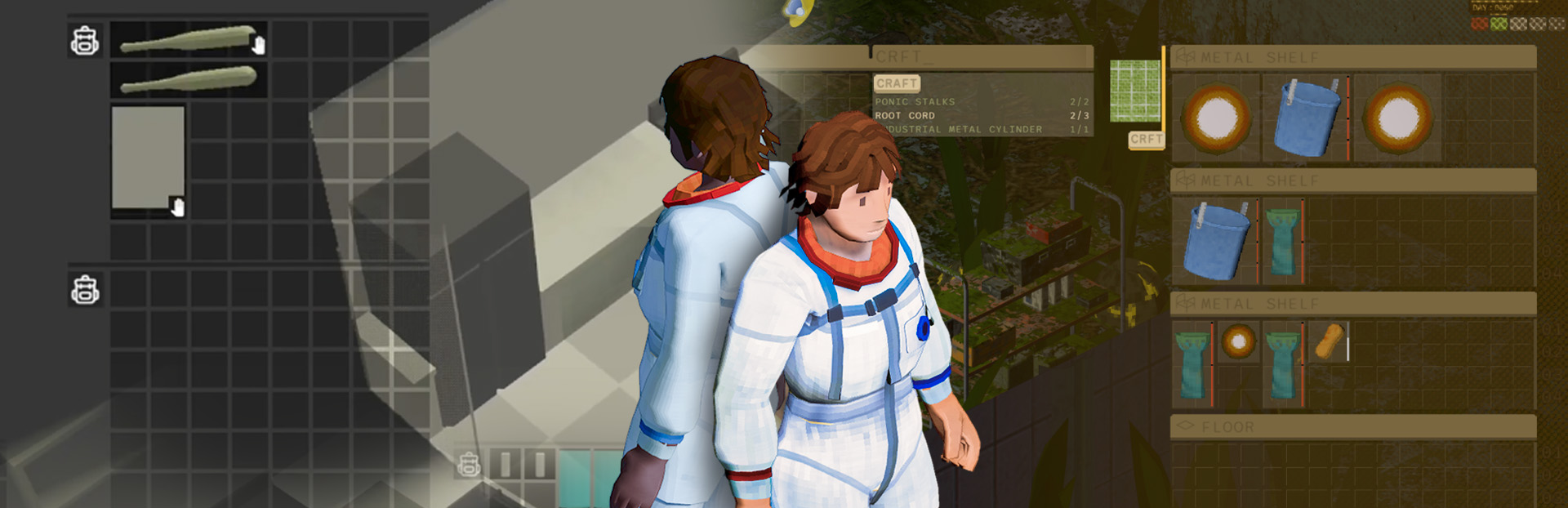
changedHi everyone, and welcome to another Dandelion Void devlog . Today we’re showing off a long-awaited update (certainly by us, and possibly by you?) to our inventory UI! Steam post image
addedOld-time OverlaysAs shown in a previous post , the game’s appearance has gone through several iterations before we landed on our current visual style. By contrast, the most prominent user interface in our game – our inventory screen – has looked largely the same since its first iteration. This is what the UI looked like around when Brian first got inventories working, in roughly fall 2023: Steam post imageHitting the tab key (or opening a container through the context menu) shows the inventory UI overlay. On the left are the items your character is carrying, whereas the contents of nearby lootable containers appear on the right side. Now let’s see what it looked like just a month ago, in April 2026: Steam post imageAs you can see in the screenshot, we’ve been hard at work on every other system in the game. But in terms of the inventory, not much has changed other than the icons for the items themselves. There’s nothing wrong with this interface exactly, but it definitely lacks the level of characterization and polish that’s present in the game environment. The black inventory squares lack any connective tissue to make them feel like part of a greater whole. There’s also not much context on which inventory is associated with which container. Up to this point, we also lacked a dedicated UI for crafting. Earlier this year we had implemented a bare-bones crafting system that used the right-click context menu system, but this was always meant to be a temporary stopgap measure. Steam post image This was enough for us to test and balance the gameplay of gathering resources and creating items, but it obviously leaves a lot to be desired: it’s ugly, you can’t see the resource requirements without clicking on a recipe, and it breaks down once we add more than 8 or 9 recipes. There might still be a place for context-menu-based crafting as a shortcut for commonly crafted items, but it clearly needs its own UI for the majority of cases. Fast forward to May, when we started working on an update to our crafting system. In addition to the UI work we wanted to do on crafting, this seemed like a perfect opportunity to give all of the inventory UI the polish it deserves.
addedThe Orange Box(es)Brian started with a photoshop mockup to determine the placement of the new elements: Steam post imageWe decided pretty early that the crafting UI should live in the center pane of the inventory overlay. As with looting containers, you can access any crafting station within a few meters of where the player is standing. Different stations are able to make different types of recipes. This mockup was enough for Robin to start implementing logic for the crafting UI, but there was still work to do on the visual and aesthetic end. At this point Brian moved onto a second mockup which encompassed a full visual redesign of the inventory UI. Steam post imageLet’s break down what’s going on in this image!
changedOverall Changes:The design pays homage to the amber-colored computer terminals of the 70’s, some of which you can find and manipulate as in-game objects aboard the Pergola. We are not implying you are literally using a computer to organize your inventory, but referencing some of this design language helps us maintain a consistent aesthetic throughout the game. Note that the individual inventory squares have shrunk: inventory rows are made up of 16 smaller cells instead of 8 large ones. This gives us a lot more precision in differentiating the size of different objects. Under the previous scheme, a 1x1 item was small and a 2x2 item was large, with no middle ground. Individual Elements:
changedOverall Changes:A. Header layers now display the name of the object, which you previously had to hover over to see
changedOverall Changes:C. The player can select these tabs on hanging off of the left pane to do special actions: C1. The arm opens the “craft from inventory” UI, used for simple recipes that don’t require a work surface to make C2. The folded pressure suit opens the player’s equipped clothing and items C3. The medical snake symbol will show information about the player’s health and condition
Dandelion Void changes
changedHi everyone, and welcome to another Dandelion Void devlog . Today we’re showing off a long-awaited update (certainly by us, and possibly by you?) to our inventory UI! Steam post image
addedAs shown in a previous post , the game’s appearance has gone through several iterations before we landed on our current visual style. By contrast, the most prominent user interface in our game – our inventory screen – has looked largely the same since its first iteration. This is what the UI looked like around when Brian first got inventories working, in roughly fall 2023: Steam post imageHitting the tab key (or opening a container through the context menu) shows the inventory UI overlay. On the left are the items your character is carrying, whereas the contents of nearby lootable containers appear on the right side. Now let’s see what it looked like just a month ago, in April 2026: Steam post imageAs you can see in the screenshot, we’ve been hard at work on every other system in the game. But in terms of the inventory, not much has changed other than the icons for the items themselves. There’s nothing wrong with this interface exactly, but it definitely lacks the level of characterization and polish that’s present in the game environment. The black inventory squares lack any connective tissue to make them feel like part of a greater whole. There’s also not much context on which inventory is associated with which container. Up to this point, we also lacked a dedicated UI for crafting. Earlier this year we had implemented a bare-bones crafting system that used the right-click context menu system, but this was always meant to be a temporary stopgap measure. Steam post image This was enough for us to test and balance the gameplay of gathering resources and creating items, but it obviously leaves a lot to be desired: it’s ugly, you can’t see the resource requirements without clicking on a recipe, and it breaks down once we add more than 8 or 9 recipes. There might still be a place for context-menu-based crafting as a shortcut for commonly crafted items, but it clearly needs its own UI for the majority of cases. Fast forward to May, when we started working on an update to our crafting system. In addition to the UI work we wanted to do on crafting, this seemed like a perfect opportunity to give all of the inventory UI the polish it deserves.
addedBrian started with a photoshop mockup to determine the placement of the new elements: Steam post imageWe decided pretty early that the crafting UI should live in the center pane of the inventory overlay. As with looting containers, you can access any crafting station within a few meters of where the player is standing. Different stations are able to make different types of recipes. This mockup was enough for Robin to start implementing logic for the crafting UI, but there was still work to do on the visual and aesthetic end. At this point Brian moved onto a second mockup which encompassed a full visual redesign of the inventory UI. Steam post imageLet’s break down what’s going on in this image!
changedThe design pays homage to the amber-colored computer terminals of the 70’s, some of which you can find and manipulate as in-game objects aboard the Pergola. We are not implying you are literally using a computer to organize your inventory, but referencing some of this design language helps us maintain a consistent aesthetic throughout the game. Note that the individual inventory squares have shrunk: inventory rows are made up of 16 smaller cells instead of 8 large ones. This gives us a lot more precision in differentiating the size of different objects. Under the previous scheme, a 1x1 item was small and a 2x2 item was large, with no middle ground. Individual Elements:
changedA. Header layers now display the name of the object, which you previously had to hover over to see
Hi everyone, and welcome to another Dandelion Void devlog. Today we’re showing off a long-awaited update (certainly by us, and possibly by you?) to our inventory UI! Steam post image
Old-time Overlays
As shown in a previous post, the game’s appearance has gone through several iterations before we landed on our current visual style. By contrast, the most prominent user interface in our game – our inventory screen – has looked largely the same since its first iteration. This is what the UI looked like around when Brian first got inventories working, in roughly fall 2023: Steam post imageHitting the tab key (or opening a container through the context menu) shows the inventory UI overlay. On the left are the items your character is carrying, whereas the contents of nearby lootable containers appear on the right side. Now let’s see what it looked like just a month ago, in April 2026: Steam post imageAs you can see in the screenshot, we’ve been hard at work on every other system in the game. But in terms of the inventory, not much has changed other than the icons for the items themselves. There’s nothing wrong with this interface exactly, but it definitely lacks the level of characterization and polish that’s present in the game environment. The black inventory squares lack any connective tissue to make them feel like part of a greater whole. There’s also not much context on which inventory is associated with which container. Up to this point, we also lacked a dedicated UI for crafting. Earlier this year we had implemented a bare-bones crafting system that used the right-click context menu system, but this was always meant to be a temporary stopgap measure. Steam post image This was enough for us to test and balance the gameplay of gathering resources and creating items, but it obviously leaves a lot to be desired: it’s ugly, you can’t see the resource requirements without clicking on a recipe, and it breaks down once we add more than 8 or 9 recipes. There might still be a place for context-menu-based crafting as a shortcut for commonly crafted items, but it clearly needs its own UI for the majority of cases. Fast forward to May, when we started working on an update to our crafting system. In addition to the UI work we wanted to do on crafting, this seemed like a perfect opportunity to give all of the inventory UI the polish it deserves.
The Orange Box(es)
Brian started with a photoshop mockup to determine the placement of the new elements: Steam post imageWe decided pretty early that the crafting UI should live in the center pane of the inventory overlay. As with looting containers, you can access any crafting station within a few meters of where the player is standing. Different stations are able to make different types of recipes. This mockup was enough for Robin to start implementing logic for the crafting UI, but there was still work to do on the visual and aesthetic end. At this point Brian moved onto a second mockup which encompassed a full visual redesign of the inventory UI. Steam post imageLet’s break down what’s going on in this image!
Overall Changes:
The design pays homage to the amber-colored computer terminals of the 70’s, some of which you can find and manipulate as in-game objects aboard the Pergola. We are not implying you are literally using a computer to organize your inventory, but referencing some of this design language helps us maintain a consistent aesthetic throughout the game. Note that the individual inventory squares have shrunk: inventory rows are made up of 16 smaller cells instead of 8 large ones. This gives us a lot more precision in differentiating the size of different objects. Under the previous scheme, a 1x1 item was small and a 2x2 item was large, with no middle ground. Individual Elements:
A. Header layers now display the name of the object, which you previously had to hover over to see
B. Small row numbers evoke the aesthetic of retro spreadsheet software
C. The player can select these tabs on hanging off of the left pane to do special actions:
C1. The arm opens the “craft from inventory” UI, used for simple recipes that don’t require a work surface to make
C2. The folded pressure suit opens the player’s equipped clothing and items
C3. The medical snake symbol will show information about the player’s health and condition
D. Like the previous mockup, the currently selected crafting station is displayed as an inventory in the center pane
E. These buttons craft the currently selected recipe. We eventually decided to also show the required ingredients list here
F. Crafting stations can be selected here as tabs peeking out of the right-side pane. Note that other types of objects like stoves are also displayed here. In the future, we are interested in using inventory-based interfaces for things like cooking objects over a fire, replacing the battery in a socket, etc.
G. Recipe selection buttons have been given a visual overhaul, with a mouseover details element showing information about the crafted product
Once we established the target visual style with this mockup, implementation became very smooth. After Robin finished the first prototype of the crafting UI, Brian took over and began expanding the functionality and implementing the new visual style. This is what the inventory and crafting UI looks like today: Steam post image An in-game screenshot of the currently implemented inventory UI, post visual update! Much better than before! It’s easier to distinguish the UI elements for different containers’ inventories, the visual level of fidelity is closer to the rest of the game, and the center-pane crafting idiom is working well. None of this is to say that this is the final iteration of the inventory UI. As you can see, there are still a few features from the mockup that have yet to be implemented, like the equipped items and health tabs. There are also a couple of visual bugs to stomp, such as certain recipe image previews being warped or distorted. Overall, though, we are very happy with the level of visual and functionality improvements that we've been able to make in a short period of time!
Closing the window
That's all for today! We hope you've enjoyed this journey through the often-overlooked world of game UI. If you have any feedback on where the design is going, or features that you value in a game UI, we'd love to hear from you in the comments. Until next time, everybody please take care and have a great week! - Robin and the manzanita interactive team