
In this update4
Full notes
Full Dandelion Void update
Read the full published notes in a cleaner layout. The original post stays linked below.
What changed
- Gameplay
- Workshop
Dandelion Void changes
Hi everyone, and welcome to another Dandelion Void devlog.
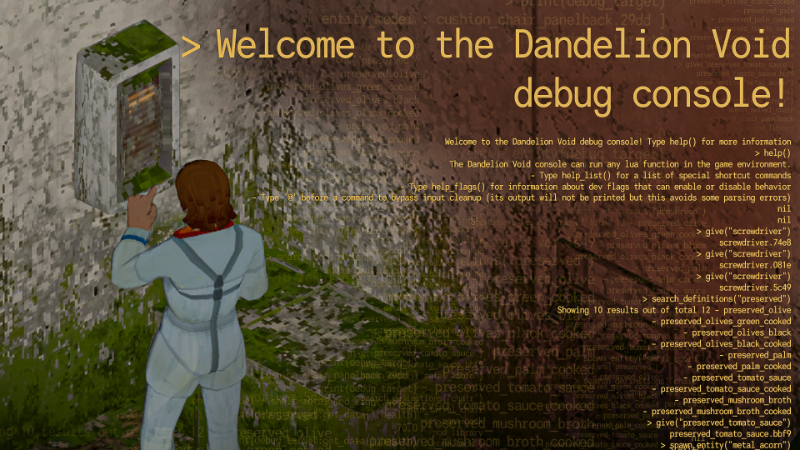
Usually this blog is about the game features that we’re making for our players. But today we’re showing off a shiny new toy that we made for ourselves. We’re excited to introduce the Dandelion Void debug console Steam post image
Consoling Ourselves
“ For ourselves ” is a bit of an exaggeration, of course – we’re sure that Dandelion Void modders and tinkerers will enjoy playing with this powerful feature. But it can’t be overstated how much having a debug tool like this helps us speed up our work. On a game session with debugging enabled, the console can be pulled up and dismissed with the ` key, also known as a backtick or grave accent. With the console enabled, the player can type a variety of commands, hit enter, and watch the game world change around them! First we’ll watch a quick video showing off the power of this feature. Then we’ll break it down below!
Note that while this video captures gameplay from the Unity editor, the console is also available in standalone builds.
CLInner Workings
As you can see, in the video, the debug console can be used to:
Give ourselves items
Search the list of possible items
Spawn furniture and enemies
Change the player’s status effects
And much more!
As some of you might remember from a previous post, most of Dandelion Void’s gameplay code is written in the Lua language. The Dandelion Void debug console is really just an interactive Lua session, meaning that any function in our game can be called or manipulated. In layperson’s terms, this means that we don’t have to do any extra work to make different parts of our game accessible to the console. For instance, the map.remove_entity command we entered is just a normal function that we use across in the game’s codebase. Steam post imageWith that said, we have defined a couple of “shortcut” functions specifically for use in the console. These shortcuts are meant to make the console easier to use for those with less knowledge about the game’s codebase. Typing “help_list()” shows the user a list of all shortcuts Steam post image “set_stat” is a shortcut for “get_player():get_stat(“ ):set_value() – both do the same thing! As a final detail, you may have noticed that at 1:34 we activated a right-click action called “debug target.” This allows us to easily reference a desired object in the console. In the example, we used it to inspect the health value of a specific chair, inspect the health value of a metal shelf, and then we used map.remove_entity to delete the metal shelf.
exit()
Having a debug console like this one speeds up development dramatically by allowing us to test our work-in-progress code, and experiment with different combinations of items, entities, etc. without having to create the scenarios with normal gameplay. As mentioned in a previous post, Dandelion Void’s focus on modding as a first-class feature means that we’re making a point of putting extra polish on our internal development tools, because one day they will be your tools as well! As always, thanks for reading. Everybody please take care, and have a great week! – Robin and the Manzanita Interactive team
Source
Changelog.gg summarizes and formats this update. How we read updates.