
In this update1
Full notes
Full CyberArena update
Read the full published notes in a cleaner layout. The original post stays linked below.
What changed
- Gameplay
- Balance
- Performance
- UI and audio
CyberArena changes
I am the developer of the game CyberArena and the administrator of the beginner developers community “Melnitsa Indie-Igr”.
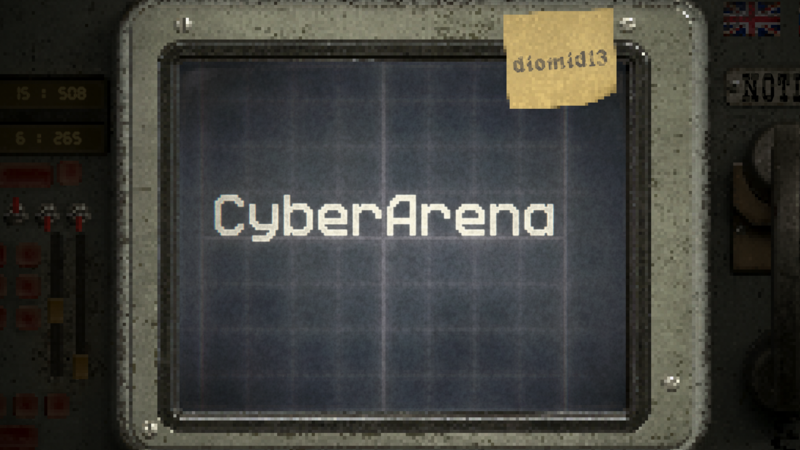
And today I’ll tell you how we went from this menu:
to this one:
Well, maybe first a few words about the first version. Of course, there’s nothing to brag about here, but maybe it will still be useful to someone. We drew it in Aseprite. It’s a very convenient program, and if you know how to draw, you can create really cool things in it. We didn’t))
Now to the more interesting part —> how we made the new menu. As I wrote earlier, we can’t draw, but we can do 3D. That’s how the solution appeared. We created the menu in Blender. Painted it in Substance Painter and rendered it there as well. Then we pixelated the image.
So, if you’re going to draw similar menus for your game, pay attention to these important points:
Color: If elements are solid, draw them white. Exactly white, not in your menu’s color. Then, if the design or palette changes, you can always recolor them directly in the engine. Colored sprites will have to be redrawn.
Transparency: Draw them as opaque as possible. If you have transparency gradation, the element that should be least transparent should be fully filled. You can also add transparency in the engine.
Lifehack: If your artist drew them semi-transparent and they are poorly visible, you can stack several identical images in the engine to achieve the desired density. But this is bad practice (“a hack”).
Stretching: If you plan to stretch a frame, think in advance so that there is a center area that can either be stretched or tiled seamlessly.
How We Made the New Menu
As I wrote earlier, we can’t draw, but we can do 3D. So we created the menu in Blender, painted it in Substance Painter, and rendered it there with pixelization.
It’s important to note that the decision to render there was made because we liked the lighting more than in Blender, but it caused many problems. The main one is the lack of a stable camera — if you don’t do everything at once, you’ll have to redo it from scratch. Move the camera — that’s it.
[carousel autoadvance="true"][/carousel]
So either do everything in one session or don’t use Substance Painter for rendering. Recreating the exact same camera position later will be extremely difficult.
Shared shadows: When changing button states, shadows on neighboring objects may also change. Because of this, the button sprite may become two or even three times larger than the button itself. Don’t forget to disable Raycast on them, otherwise you won’t understand why part of the interface stopped responding to the mouse.
Volume: If you render the button separately for later animation, don’t forget to render the shadow under it! Otherwise, compared to other elements, it will look too flat.
I probably forgot to mention something else, but I don’t want to make the post too long. If you’ve read this far and have questions — write in the comments, I’ll gladly answer.
Thank you all! Hope it was interesting. I invite you to test our game!
Source
Changelog.gg summarizes and formats this update. How we read updates.