
In this update2
Full notes
Full CRUMB Circuit Simulator update
Read the full published notes in a cleaner layout. The original post stays linked below.
What changed
- Performance
- UI and audio
CRUMB Circuit Simulator changes
Better late than never...
Simulation speed was always the limiting factor for the future of CRUMB. No matter how much work I put into other areas, I was always hit with the same issue and I was not able to achieve the vision that I wanted for CRUMB.
Initially I had said that I had found a 2000% increase in performance with last month's development update, but that milestone has since been blown away and CRUMB is now something in the region of 20,000%+ faster 😏
I'm not going to go into every last detail of how this speed has been achieved, but for all of you that are technically minded, here is a short summary of how this feat was achieved:
Replacing my linear matrix algebra with a high performance KLU-type algorithm
Pre-processing all unknown variables to reduce runtime overhead of matrix operations
Pre-processing allows the Symbolic Matrix to be calculated once
Pre-processing allows the circuit matrix to be "refactored" on every timestep, not full factorization
Extensive use of unsafe code in C# to allow low-level memory integration with external C++ used for the circuit Matrix
Pre-processing all pointers for memory manipulation to allow lighting fast matrix operations
8-Bit Computing
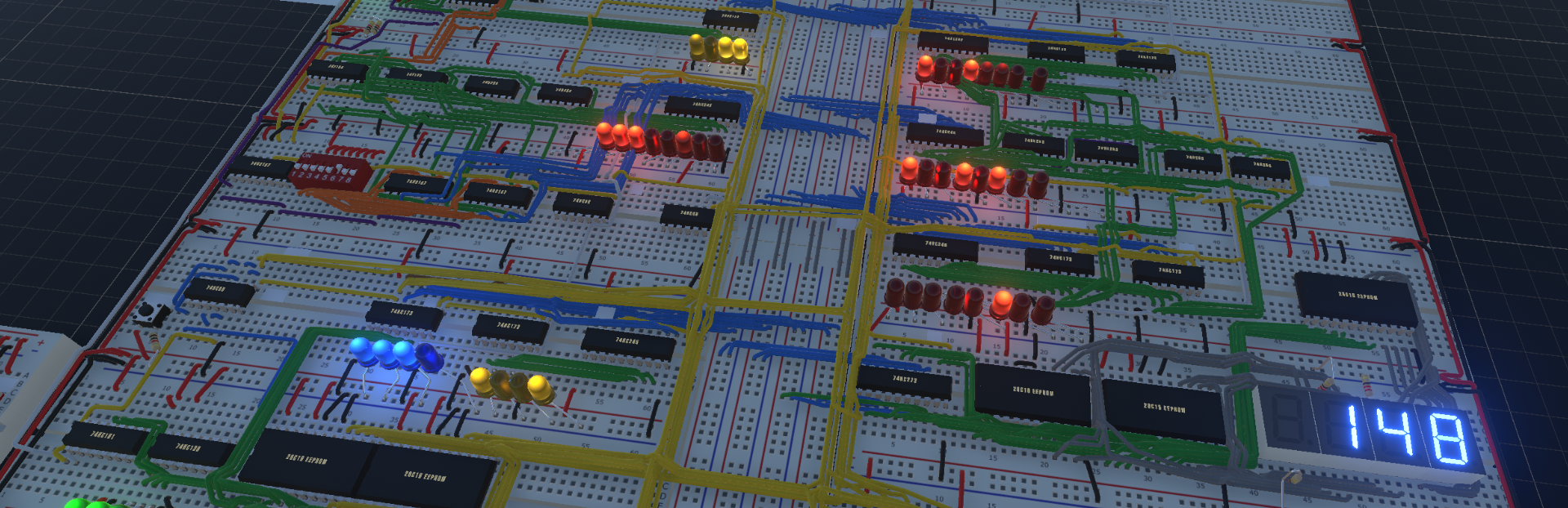
As previously mentioned, this increase in performance means that it is now possible to build and run large circuits, including my recreation of the Ben Eater 8-bit CPU. Ben's fantastic series on building an 8-bit CPU led me to create CRUMB with the dream of users being able to build the design themselves. And now it is possible.
Before you download my example and watch the video below, I highly recommend you have a go at building your own CPU! I found it to be a hugely rewarding experience being able to build, test and debug my own attempts 🤗 it took me about 3 weeks from building the clock module, to running a simple program.
Here is the link to my 8-bit CPU Design which is ready to be programmed 8-bit CPU Download
For instructions on how to program the CPU and run instructions, watch the video below where I give a guide on how to use the Arduino to write the Microcode to the EEPROMS and also how to program the RAM manually to run a simple program 😊
With these changes above it is now possible for you to run some circuits at 96,000Hz! And currently that is just a limit I have chosen for now until I can get an idea of how circuit complexity correlates with the simulation speed
Changes to simulation settings menu - Simulation speeds of up to 96,000Hz. Timestep slider removed and replaced with a realtime speed adjustment
Alongside the main work of this update, I have managed to include a few other bug fixes and changes that should help towards stability of the program. I'm not going to be able to list out every fix but some that are included:
Recognition and handling of Matrix errors. Mathematically discrepancies are checked for and will alter the solving system to re-evaluate
All component models checked and verified for floating lead connection errors. There have been some peculiar circumstances where placing a disconnected switch in a circuit was causing errors
Re-work of the audio system to deal with the new circuit frequency levels. Buffer under-run handling (basis for audio update incoming)
Minor procedural fixes with editing, loading and saving causing lags in performance due to unnecessary recalculating
Arduino interpreter procedure altered to synchronise with the new circuit speeds. Performance increased
Plus many more minor additions/fixes
Source
Changelog.gg summarizes and formats this update. How we read updates.