
In this update8
Full notes
Full Contención: Psiquiátrico update
Read the full published notes in a cleaner layout. The original post stays linked below.
What changed
- UI and audio
- Security
- Gameplay
- Events
- Performance
Contención: Psiquiátrico changes
Official Update AP004
📼 UI/HUD: Visual Improvements
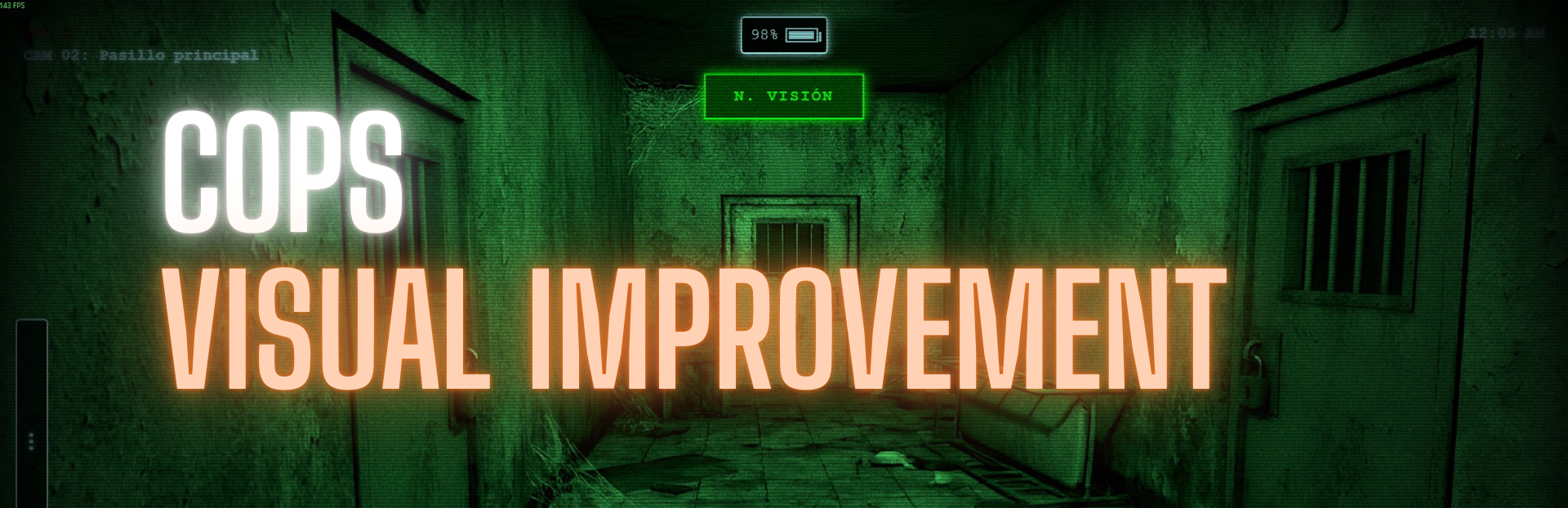
A lightweight update has been deployed to the surveillance system across all facilities. The goal is to improve immersion and visual cohesion, simulating era-accurate analog monitoring technology.
📺 Visual Updates (CCTV)
A new visual post-processing layer has been implemented for all security cameras.
Static Noise: Subtle grain and visual interference to add texture to the image.
Lens Distortion (Fisheye/Vignette): Peripheral darkening to mimic wide-angle security camera lenses.
For more visual details, visit the official site: COPS
This update has been retroactively applied to all Story Mode nights to ensure a consistent experience from the start.
- Nights 1 to 7All nights now include the new visual effects when opening the monitor.
💀 Challenge Modes
Experimental security protocols have also received this visual upgrade.
Challenge: Scarcity: Implemented.
Challenge: Nightmare: Implemented.
Note: The "Vengeance" mode remains with its original visual configuration, but it will be updated in future patches.
⚙️ Technical Improvements
Dynamic Activation: Effects only render when the monitor is physically opened ("Flip-up"), optimizing performance while the player is in the office view.
💻 Terminal: "Era Interface"
The ghost database terminal has been completely redesigned to match the overall aesthetic. The previous modern interface has been replaced with a retro-style system.
📟 Visual Redesign (Retro UI)
CRT Style: Pixel-style fonts, cyan/amber color palette, and curved monitor borders.
Animations: Power-on effect and scanline visuals.
- LayoutNew 3-column layout for improved readability, replacing the previous paginated layout.
🚨 Security System Integration
Visual Alert Feedback: Ability to display critical states (intense red) during emergency situations.
🌐 Global Deployment
This update has been applied to all relevant game modes:
Nights 2 to 7: Standardized interface applied.
Challenges: Scarcity, Nightmare, and Survival (the latter with an adapted "PURGE ENTITY" button).
Source
Changelog.gg summarizes and formats this update. How we read updates.