
In this update9
Full notes
Full Tactical Annihilation update
Read the full published notes in a cleaner layout. The original post stays linked below.
What changed
- Gameplay
- Balance
- Fixes
- UI and audio
Tactical Annihilation changes
Commanders,
Based on your previous feedback, we've implemented a major overhaul of the game—including level redesigns, difficulty tuning, and story revisions.
Redesigned Levels
We've introduced a brand-new introductory mission that showcases more gameplay content, allowing players to experience late-game units early.
Additionally, we've slowed the pace of the tutorial levels, creating a stress-free environment for players to learn the game while demonstrating more specific tactical approaches.
Story Revamp
The narrative now adopts a more accessible style. You play as a newly appointed Commander, leading humanity's resistance against the threat of AI Chaos Entity.
Unit Distinguishability Improvements
The Engineering Vehicle's model has been redesigned to enhance visual distinction from Recon. Vehicles. All units now feature unit icons displaying Unit Class and Armor Type (Shield-shaped outlines denoting armored units).
Quality of Life Improvements
All tutorial content link into Database where you can read any time.
Attackable targets now display counter indicators.
Damage popups include counter relationship markers.
Engineering Vehicles preview build outcomes and resource warnings.
Factory blueprints highlight missing resources/slot shortages seperately.
Added Quick Save (F5) with dedicated folder storage.
Enhanced save operation notifications.
Environment Art Updates
Halark Planet Cover objects replaced stone pillars with alien cactus.
Unit always appear before cover objects.
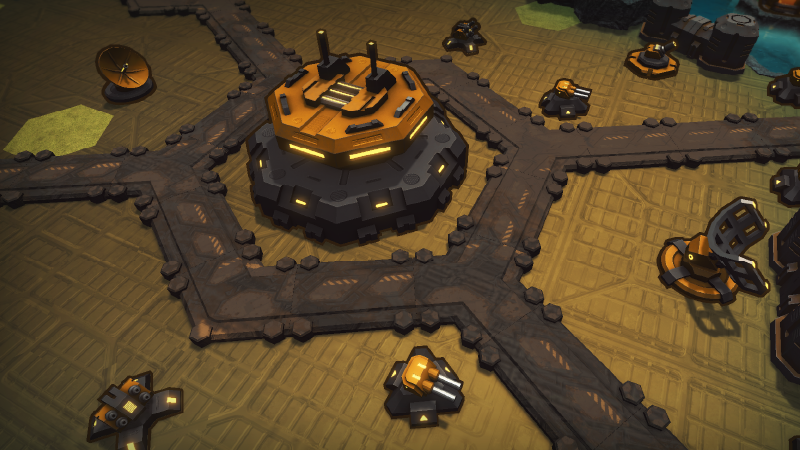
Added Hyperion Prime human headquarters theme
Bug Fixes
Fixed bug that cause unit not able to recover to unmoved state when staying at orginal place then selecting other units.
Resolved tooltip display issues on 16:10 aspect ratios.
Future Content
New demo missions incoming (including some levels from old version).
About Old Version
To continue missions in old version, you can switch game versions mannaully.
Due to level restructuring, saves ARE NOT compatible between versions, but updated game now stores save files at a different location. Switching between versions will not cause save file conflicts..
How to Switch Versions
Right-click game in Steam Library → Properties → Betas → Select version 250609.
Source
Changelog.gg summarizes and formats this update. How we read updates.