
In this update1
Full notes
Full Superliminal update
Read the full published notes in a cleaner layout. The original post stays linked below.
What changed
- Gameplay
- Workshop
- UI and audio
- Events
- Compatibility
- Performance
Superliminal changes
Thanks, everyone, for all of your support since we launched last month. As some of you may know from the end-of-game credits, we are a very small team. We have been working non-stop on updates and new features this year, and so we will be taking the rest of the year off after today’s update.
First, some great and reassuring news for our community with this update is that it is entirely non-destructive. All currently-submitted Workshop levels should be unaffected by the update. To take advantage of changes to items in your already-created levels, however, you will need to manually swap them out, and replace them with the new items.
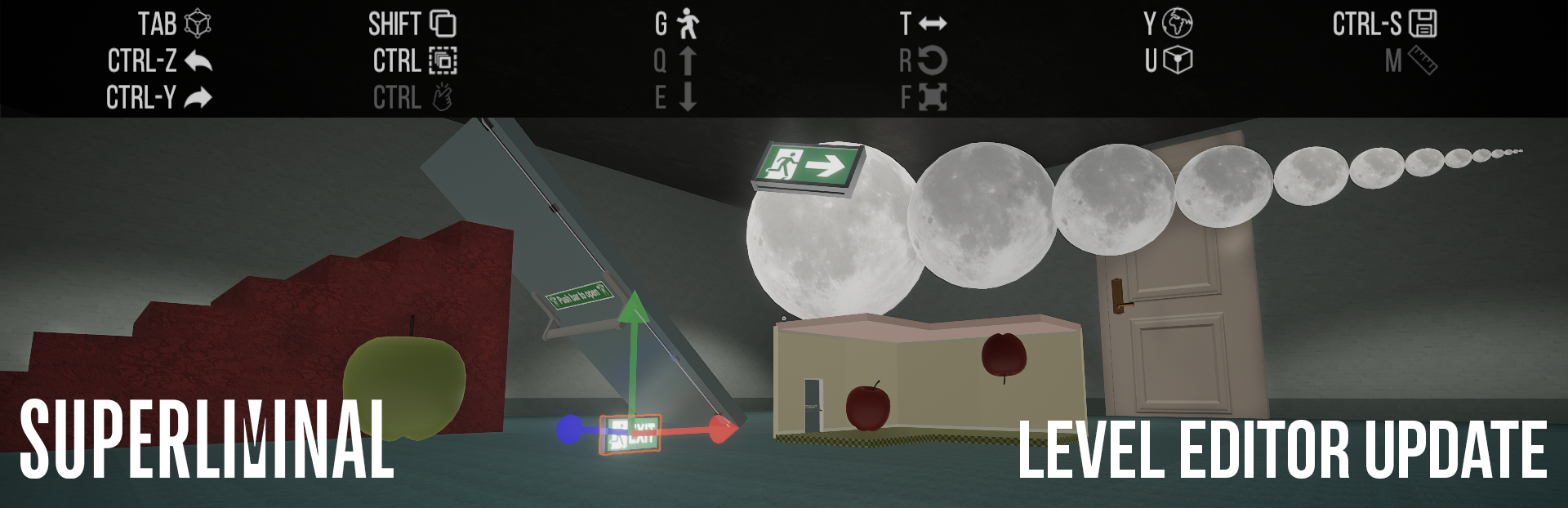
So, what's new? We have prepared a short video to show what’s been added to the Level Editor, including the new magnetic-snap and HUD:
Below are the full patch notes for the Level Editor, and our final update of 2020:
Updates and Fixes
General
Localization and font fixes as well as some new lines
Collider fixes for areas in Optical, Labyrinth, and Whitespace
Challenge Mode achievement will be granted if you have completed all challenges, no longer requiring re-completion of a challenge
Linux-only
Crash fixes
Mouse cursor fixes
Level Editor
New feature: HUD. Level Editor now has a HUD on screen to aid in level creation
New feature: Magnetic Snapping. Items can be more easily ‘glued’ together while building out levels. This should significantly speed up level creation
- New items addedstairs, exit signs, apples, doors, moon, etc. Added a ceiling item for hallways/rooms
Adjusted level geometry prefabs so that they line up correctly, including the trim. Note: All existing levels use the original prefabs. Feel free to update them if you wish.
Fly mode boundaries fixed. Hotkey G is now also a quick-shortcut to teleport directly to the level editor area
Items can have their original size and rotation reset through menu options
Deleting an object from a level now requires the level to be completed before allowing an update
Snap threshold reduced to 0.125 and normalized across the world-space grid
Fixes for intermittent item disappearances
Save icon now shows when saving a level (ctrl-s)
‘Lava’ material changed due to some cases of motion sickness
Dreams are no longer playable without a start flag
Start flag no longer beeps on level start.
If you encounter any issues between now and January, please consult the Discussion Forums to see if your issue has already been answered, paying particular attention to the Workshop Discussions area.
If your issue seems new, please create a thread in the forum, and wait for other players to respond, in case it is already fixable. If it appears unknown, then email us at support@pillowcastlegames.com and include the thread link. We will get back to you in January. It will also be helpful if you let us know your problem was solved before we respond -- that will help us focus our efforts on must-fix issues in the new year.
On behalf of our team, we wish you a safe and pleasant journey to 2021.
Thank You For Dreaming
Source
Changelog.gg summarizes and formats this update. How we read updates.