
HomeGamesUpdatesPricingMethodology
Steam News27 May 20197y ago

Update 1.6.21 - Replay fix and View Totals screen

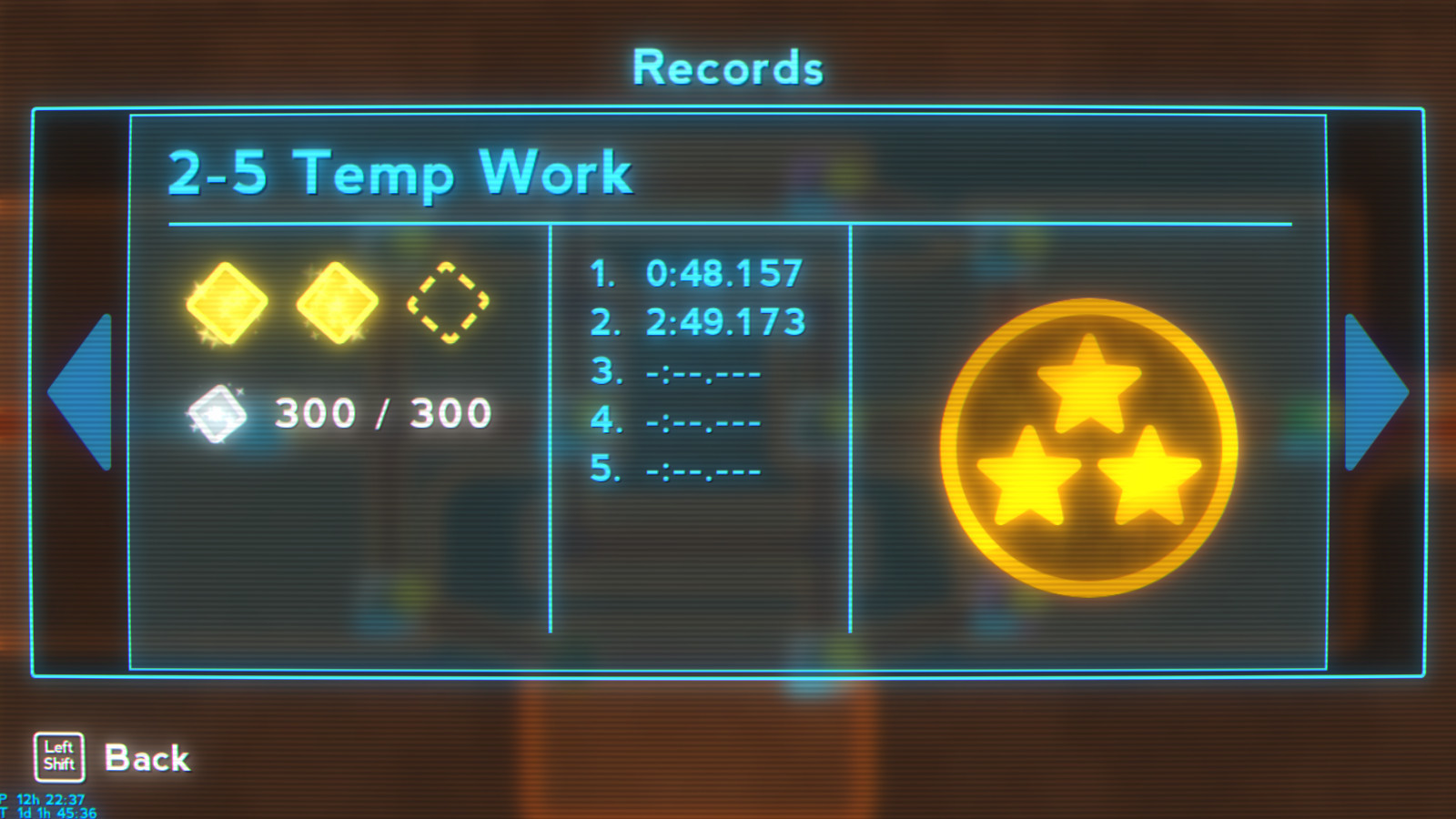
Hi, Fixing the replays turned out to be less tricky then I originally thought they would be so I decided to start work on a UI window I've always wanted in the game.

Full notes

Full Super Lumi Live update

Read the full published notes in a cleaner layout. The original post stays linked below.

What changed

2 fixes2 additions4 changes1 removal
  • UI and audio
  • Fixes
addedHi, Fixing the replays turned out to be less tricky then I originally thought they would be so I decided to start work on a UI window I've always wanted in the game. The new UI isn't working exactly as intended and it needs some improving but it's working and shows a numerical breakdown of the Campaign, Season and Level scores.
fixedReplaysFixed the timescale controls being active on the pause screen when watching a replay.
fixedReplaysFixed replays going crazy when a manual respawn is contained within the replay.
changedUIRenamed "Campaign Progress" button to just "Progress".
changedUIRenamed "Progress" from the Campaign Progress menu to "Season Totals";
addedUIAdded View Records button to the Progress menu which takes you to more detailed breakdown of your save game.

Super Lumi Live changes

addedHi, Fixing the replays turned out to be less tricky then I originally thought they would be so I decided to start work on a UI window I've always wanted in the game. The new UI isn't working exactly as intended and it needs some improving but it's working and shows a numerical breakdown of the Campaign, Season and Level scores.
fixedFixed the timescale controls being active on the pause screen when watching a replay.
fixedFixed replays going crazy when a manual respawn is contained within the replay.
changedRenamed "Campaign Progress" button to just "Progress".
changedRenamed "Progress" from the Campaign Progress menu to "Season Totals";

Hi, Fixing the replays turned out to be less tricky then I originally thought they would be so I decided to start work on a UI window I've always wanted in the game. The new UI isn't working exactly as intended and it needs some improving but it's working and shows a numerical breakdown of the Campaign, Season and Level scores.

Replays

  • Fixed the timescale controls being active on the pause screen when watching a replay.

  • Fixed replays going crazy when a manual respawn is contained within the replay.

  • Checkpoints are always active during replays.

  • Deaths during replays have a three second auto-respawn timer.

UI

  • Renamed "Campaign Progress" button to just "Progress".

  • Renamed "Progress" from the Campaign Progress menu to "Season Totals";

  • Added View Records button to the Progress menu which takes you to more detailed breakdown of your save game.

  • Removed the Achievements and Statistics buttons from the pause menu and replaced them with a Campaign Progress button

  • Grouped all three quit level buttons from the pause menu into their own separate menu.

Thanks for reading, Marios.

Source

Steam News / 27 May 2019

Open original post

Changelog.gg summarizes and formats this update. How we read updates.