
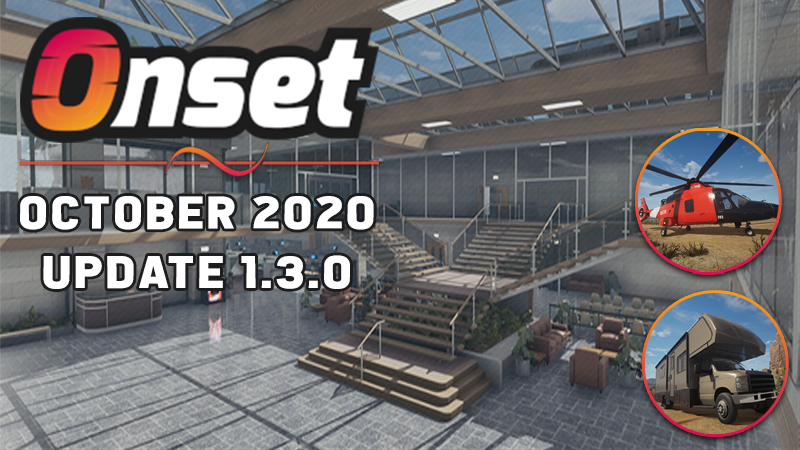
In this update10
Full notes
Full Onset update
Read the full published notes in a cleaner layout. The original post stays linked below.
What changed
- Maps
- Workshop
- Gameplay
- Server
- Performance
Onset changes
Client changes
Custom maps
The long awaited feature has finally arrived. You can now load maps/level from the Unreal Engine in Onset.
See the Developer Wiki on how to get started with Custom Maps.
https://dev.playonset.com/wiki/Custom_Maps
First public playable custom maps:
Town Hall
Elevator
Lua package for the town hall elevator.
https://github.com/BlueMountainsIO/OnsetLuaScripts/tree/master/elevator
Pancake House Interior
New City Skyscraper
Rescue Helicopter
Camper RV
Hazard Suit
/Game/CharacterModels/HazardSuit/Meshes/SK_HazardSuit
Client Console
For a more convenient development you can open the game console and add your own commands. OnConsoleInput o open the console press one of the default keys: ~, ß, ^
You can add console keys to this ini file: %LocalAppData%\Onset\Saved\Config\WindowsNoEditor\Input.ini
[/Script/Engine.InputSettings] ConsoleKeys=´
Note that developer mode (-dev) must be enabled for the console to work.
Press the console key two times to get the large console from the top of the screen.
UnrealLua
UWorld: GetMapName() GetActorsByClass(Class) GetAllActorsWithTag(Tag) USkeletalMesh: GetBounds() GetBoundingBox() UStaticMesh: GetBounds() GetBoundingBox() UClass: LoadFromAsset(Asset) USceneComponent: GetWorldLocation() GetWorldRotation() GetWorldScale3D() UActorComponent: SetComponentTickEnabled(bEnabled) IsComponentTickEnabled() SetComponentTickInterval(TickInterval) GetComponentTickInterval() AActor: ActorAddTag(Tag) ActorRemoveTag(Tag) SetActorTickEnabled(bEnabled) IsActorTickEnabled() SetActorTickInterval(TickInterval) GetActorTickInterval() SetRootComponent(NewSceneRootComponent) Exposed class types: ALight, APointLight, ASpotLight, ARectLight Exposed enums: ETraceTypeQuery, EDrawDebugTrace FVector static functions (see https://docs.unrealengine.com/en-US/API/Runtime/Core/Math/FVector/index.html) PointsAreSame PointsAreNear PointPlaneDist Dist Distance DistSquared DistSquaredXY BoxPushOut RadiansToDegrees DegreesToRadians UKismetSystemLibrary static functions LineTraceSingle SphereTraceSingle BoxTraceSingle CapsuleTraceSingle LineTraceMulti SphereOverlapActors BoxOverlapActors CapsuleOverlapActors GetDisplayName FBox: Min Max IsValid ComputeSquaredDistanceToPoint ShiftBy MoveTo GetCenter GetCenterAndExtents GetClosestPointTo GetExtent GetSize GetVolume Intersect IntersectXY Overlap IsVectorInside IsBoxInside IsInsideOrOn IsVectorInsideXY IsBoxInsideXY BuildAABB FSphere: Center W Equals Intersects GetVolume IsSphereInside IsVectorInside FBoxSphereBounds: Origin BoxExtent SphereRadius ComputeSquaredDistanceFromBoxToPoint SpheresIntersect BoxesIntersect GetBox GetBoxExtrema GetSphere ExpandBy FPlane: W PlaneDot Normalize Flip
Example line trace usage:
local Start = GetPlayerActor():GetActorLocation() local End = Start + (GetPlayerActor():GetActorForwardVector() * FVector(200.0, 200.0, 200.0)) local bResult, HitResult = UKismetSystemLibrary.LineTraceSingle(GetPlayerActo r(), Start, End, ETraceTypeQuery.TraceTypeQuery1, true, {}, EDrawDebugTrace.ForDuration, true, FLinearColor(1.0, 0.0, 0.0, 1.0), FLinearColor(0.0, 1.0, 0.0, 1.0), 10.0) if bResult == true then print(bResult, HitResult) endThis example will trace 200 cm in front of the player. It can also be used to get a reference to any existing actor placed on the map. For example to hide existing meshes on the map.
Spawning a Blueprint:
GetWorld():SpawnActor(UClass.LoadFromAsset("/Game/Geometry/ModularPrison/Blueprints/BP_GuardTower"), FVector(0, 0, 0), FRotator(0, 0, 0))Other changes
Set max timer limit to 1024 - Fix IsVehicleSeatOccupied, GetVehicleDoorLocation seat parameter starting at 1 - Fix AddComponent for USkeletalMeshComponent - Expose ASkeletalMeshActor and make it spawnable with SpawnActor using ASkeletalMeshActor.Class() - Add GetInputMode() - Reset draw color on disconnect - Fix OnPlayerEnterVehicle event for vehicles with 2 doors - Add OnConsoleInput event for the client console. - Make GetObjectBoundingBox behave like GetVehicleBoundingBox - LoadPak now returns true if the pak was already loaded. - Make playerid optional (default: -1) in GetPlayerActor - Show number of pending files to download when connecting to a server - Don't put package is failed state if a script is empty - AddEvent, AddRemoteEvent, AddCommand now returns success status
Server changes
SetObjectMoveTo is now much more accurate. - Add dimension events: OnPlayerChangeDimension, OnVehicleChangeDimension, OnText3DChangeDimension, OnPickupChangeDimension, OnObjectChangeDimension, OnNPCChangeDimension, OnDoorChangeDimension. - Add created events: OnObjectCreated, OnVehicleCreated, OnText3DCreated, OnPickupCreated, OnNPCCreated, OnDoorCreated - Fix timeout for players when downloading files. - Functions AddEvent, AddRemoteEvent, AddCommand now returns success status. - Add OnObjectStopMoving event. - Fix a rare event crash.
Update your WorldDoors.lua from the default package. The elevator package is available in the package folder of the 1.3.0 server. Add it to have elevators in your town hall
Source
Changelog.gg summarizes and formats this update. How we read updates.