
In this update15
Full notes
Full Onset update
Read the full published notes in a cleaner layout. The original post stays linked below.
What changed
- Server
- Gameplay
- Workshop
- UI and audio
- Performance
- Events
Onset changes
Client changes
Custom connect screen
The client can now display a web UI while connecting and downloading files from a server. The page to show is hosted on the game server directly and can be configured in the server_config.json. This feature is optional.
"connect_screen_url": "loadingscreen.html"
Specifies the file/page to load in the web UI. Files are hosted in the public_html directory on your server. See WebUI load server content below to learn more about that.
"connect_screen_show_cursor": true
Setting to enable the cursor. This could be useful for interactive loading screens.
Replace animation sequences
You can replace default animations that are played by SetPlayerAnimation.
ReplaceAnimationLibrarySequence
With the new animation blueprint support you can also play custom animations directly in your animation blueprint. See the changes below for more information.
Custom animation blueprint support
Thanks to UnrealLua you can now load custom animation blueprints and assign them to a USkeletalMeshComponent. For example you can add a post process anim blueprint to a player. The anim blueprint can contain any common nodes. Some useful ones are documented on the Unreal Engine Documentation page. https://docs.unrealengine.com/en-US/Engine/Animation/NodeReference/SkeletalControls/index.html
To call a Blueprint function from Lua use the function ProccessEvent.
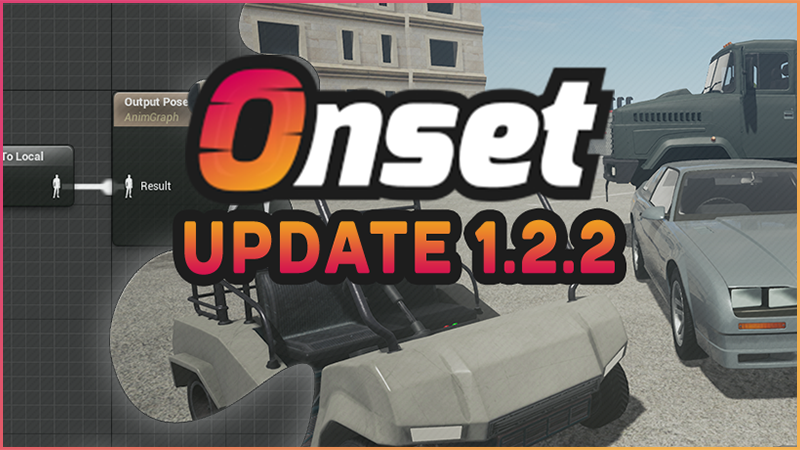
function SetPlayerAnimBlueprint(player) -- Get the skeletal component for the body. local SKComp = GetPlayerSkeletalMeshComponent(player, "Body") -- Get the skeletal mesh of the component (body model). local SKMesh = SKComp:GetSkeletalMesh() -- Set a post process animation blueprint for the skeletal mesh. SKMesh:SetPostProcessAnimBlueprint(UClass.LoadFrom Asset("/AnimMod/CustomPP")) -- Init anim again, this will create an instance of the post process animation blueprint. SKComp:InitAnim(false) -- Get the new animation instance. local PPInst = SKComp:GetPostProcessInstance() -- Call our blueprint function that sets the scale for our "transform modify bone" node. PPInst:ProcessEvent("SetHeadScale", 2.0) endIn this example we set a custom post process anim blueprint /AnimMod/CustomPP which runs after Onset's animation blueprint logic. The blueprint has a function named "SetHeadScale" which sets the Testscale variable that you can see in the image above.
Documentation on the wiki will follow soon.
Throughout testing someone already created custom face animations.
Custom Discord Client Id
Servers can now set their own Discord Client Id. This enables the UpdateDiscordActivity to change things like image and text of the current session. This requires to have a custom discord client id set in the server config.
"discord_client_id": ""
Discord activity documentation: https://discord.com/developers/docs/game-sdk/activities
local Activity = { } Activity.state = "Test" Activity.details = "Test2" Activity.timestamps = { } Activity.timestamps.start_time = 1594231268 Activity.timestamps.end_time = 0 Activity.assets = { } Activity.assets.large_image = "avatar" Activity.assets.large_text = "Test" Activity.assets.small_image = "" Activity.assets.small_text = "" Activity.party = { } Activity.party.id = "" Activity.party.size = { } Activity.party.size.current_size = 0 Activity.party.size.max_size = 0 Activity.secrets = { } Activity.secrets.match = "" Activity.secrets.join = "" Activity.secrets.spectate = "" Activity.instance = false UpdateDiscordActivity(Activity)WebUI load server content
Currently there are two types of WebUIs. A local and a remote WebUI. Remote ones can load whitelisted websites. Local WebUIs can load content from packages. With this release local WebUIs can now also load content directly from the game server.
Files must be inside the public_html folder. This folder is in the same directory as your OnsetServer executable.
From Lua you can now access the files:
SetWebURL(web, "http://server/index.html")
This allows to have dynamic web content without having to restart packages. In the future I'm planning to integrate a CGI gateway to allow running PHP pages.
New vehicles
A new sports car, muscle car, golf cart and a truck with a towing area. The towing area was made by Erwann!
All vehicles: https://dev.playonset.com/wiki/Vehicles
New footstep sounds
Each floor type has received a whole bunch of new sound cues. Depending on your movement speed the sounds files also vary: "crouch", "walk", "run" and "sprint".
Remember you can influence which footstep sounds are played by having one of the following names in your materials.
metal, grass, concrete, gravel, ground, wood, carpet, sand, water, snow
A new event is called when a player hits the ground with their feet. You can return false to prevent the default footstep from playing.
OnPlayerFootstep(player, floor_type)
The floor_type can be the following: https://dev.playonset.com/wiki/FloorTypes
Lua 5.4 Update
The Lua library has been updated to version 5.4. You can read about the new features, which you can now use in Onset, on the official Lua page. https://www.lua.org/manual/5.4/readme.html#changes
UnrealLua API
New functions have been exposed that give more low level control over the game. One of the usage is shown above with the custom animations. There will be more examples soon on how to use them.
In the meantime you can lookup the UE4 Documentation for their syntax.
UClass.LoadFromAsset(Path) UObject: ProcessEvent(FunctionName [, params...]) USkeletalMesh: SetPostProcessAnimBlueprint(Class) USceneComponent: GetSocketLocation, GetSocketRotation, DoesSocketExist, GetAllSocketNames UPrimitiveComponent: SetReceivesDecals USkinnedMeshComponent: SetMasterPoseComponent, ShowAllMaterialSections, GetNumBones, GetBoneIndex, GetBoneName, GetSocketBoneName USkeletalMeshComponent: SetGlobalAnimRateScale, GetGlobalAnimRateScale, SetPauseAnims, GetPauseAnims SetNoSkeletonUpdate, GetNoSkeletonUpdate InitAnim GetAnimInstance SetAnimInstanceClass GetPostProcessInstance ToggleDisablePostProcessBlueprint GetDisablePostProcessBlueprint SetDisablePostProcessBlueprint SetEnableBodyGravity IsBodyGravityEnabled SetEnableGravityOnAllBodiesBelow AddForceToAllBodiesBelow AddImpulseToAllBodiesBelow ClearMorphTargets ResetAnimInstanceDynamics LinkAnimClassLayers, UnlinkAnimClassLayers, GetLinkedAnimLayerInstanceByClass, GetLinkedAnimGraphInstanceByTag, LinkAnimGraphByTag, HasValidAnimationInstance SetAnimationMode, GetAnimationMode, PlayAnimation, SetAnimation, Play, Stop, IsPlaying, SetPosition, GetPosition, SetPlayRate, GetPlayRate, OverrideAnimationData Expose enums EAttachmentRule, EDetachmentRule, FAttachmentTransformRules, FDetachmentTransformRules, EAnimationMode, ETeleportType AActor: AttachToActor, DetachFromActor, GetAttachedActors, GetAttachParentActor, GetActorEnableCollision
Client side commands
Chat commands can now be added the same way as on the server using AddCommand. The OnPlayerChatCommand event is being called before the command handler. If you return false in the even or in the handler the command won't be sent to the server.
Other changes
Fix vehicle light toggle (switch) sound being too loud. - Fix vehicle id 36/37 bright front light. - Fix some vehicles not having proper damage in LODs. - ATTACH_* types are now exposed to the client like on the server. https://dev.playonset.com/wiki/AttachType - When something blocks the vehicle door the player will get out of the vehicle from another door. - Add Epic setting for Ambient Occlusion and generally slightly improve the appearance. - Add SetSoundRadius and GetSoundRadius for 3D sounds. - Attempt to fix a crash with SetSound3DLocation. - CreateSound now has an optional looping parameter. Has no effect on network streams. - The maximum sounds playing was increased to 32. Useful for the soundstreamer in conjunction with vehicle sires. - IsValidPlayer now returns true for the local player identifier. - Fix CopyToClipboard function. - Fix OnPlayerParachuteLand function. - Voice is now activated by push to talk by default in the settings. - The following vehicle functions have been added to the client. They were server only before.
SetVehicleColor, GetVehicleColor, SetVehicleLicensePlate, SetVehicleHoodRatio, SetVehicleTrunkRatio, GetVehicleModelName
Add OnPlayerToggleVehicleHorn which is called when a player presses the horn key. Return false to stop the horn from playing. - Disable look up/down in first person when a non-layered animation plays. (From SetPlayerAnimation) - Fix memory leak when Lua function references are destroyed. This was mostly noticeable when calling the Delay function frequently. - Added pipes to the object list: https://dev.playonset.com/wiki/Objects - Update Unreal Engine to 4.25.3.
Server changes
Update Lua to 5.4
Plugin creators are encouraged to recompile their project with the latest OnsetSDK header files and Lua libraries. https://github.com/BlueMountainsIO/OnsetSDK
You can read about the new features, which you can now use in Onset, on the official Lua page. https://www.lua.org/manual/5.4/readme.html#changes
Console Input
A new event named OnConsoleInput is called when a new input was confirmed with the ENTER key.
AddEvent("OnConsoleInput", function(input) print("OnConsoleInput "..input) if input == "quit" or input == "exit" then ServerExit("Exiting via console command") end end)Other changes
GetPlayerEquippedWeapon returned an incorrect weapon id. - Add "discord_client_id" to the server_config.json. - Update OpenSSL, Boost and Lua libraries. - Fix the server from failing to register with the master server if it takes longer than 10 seconds to start scripts. - Fix crash when a timer was registered during initial script load and a script error occurs. - SetPlayer/NPCAnimation now optionally accepts an integer for the animation id. - Add events OnDoorDestroyed OnNPCDestroyed OnObjectDestroyed OnPickupDestroyed OnText3DDestroyed. - Fix memory leak when Lua function references are destroyed. This was mostly noticeable when calling the Delay function frequently.
Source
Changelog.gg summarizes and formats this update. How we read updates.