
In this update10
Full notes
Full Master of Realms update
Read the full published notes in a cleaner layout. The original post stays linked below.
Repeated intro
Hello Realmsmiths,
What changed
- UI and audio
- Gameplay
- Maps
Master of Realms changes
Update v1.9.0 is here, bringing one of our biggest visual and atmosphere focused updates. This update introduces Photo Mode, new Sound Effects, the brand new Dark Land theme, 4K UI clarity improvements, and performance work for custom TileForge tiles.
📸 Added Cinematic Mode
Photo Mode is now available in Master of Realms.
You can now capture your maps from more cinematic angles, adjust your view, frame your scene, and create better screenshots directly inside the tool. Whether you are building a world map, a city layout, a dangerous lava region, or a dramatic fantasy landscape, Photo Mode gives you more control over how you present your creations.
This is especially useful for sharing maps with players, showing off your worldbuilding, preparing campaign visuals, or creating promotional screenshots of your realms.
🔊 Added Sound Effects
We have added new sound effects to improve the overall feeling and atmosphere of the mapmaking experience.
These new sounds are designed to make the tool feel more responsive and immersive while you build. The goal is to make each action feel cleaner, more satisfying, and more connected to the world you are creating.
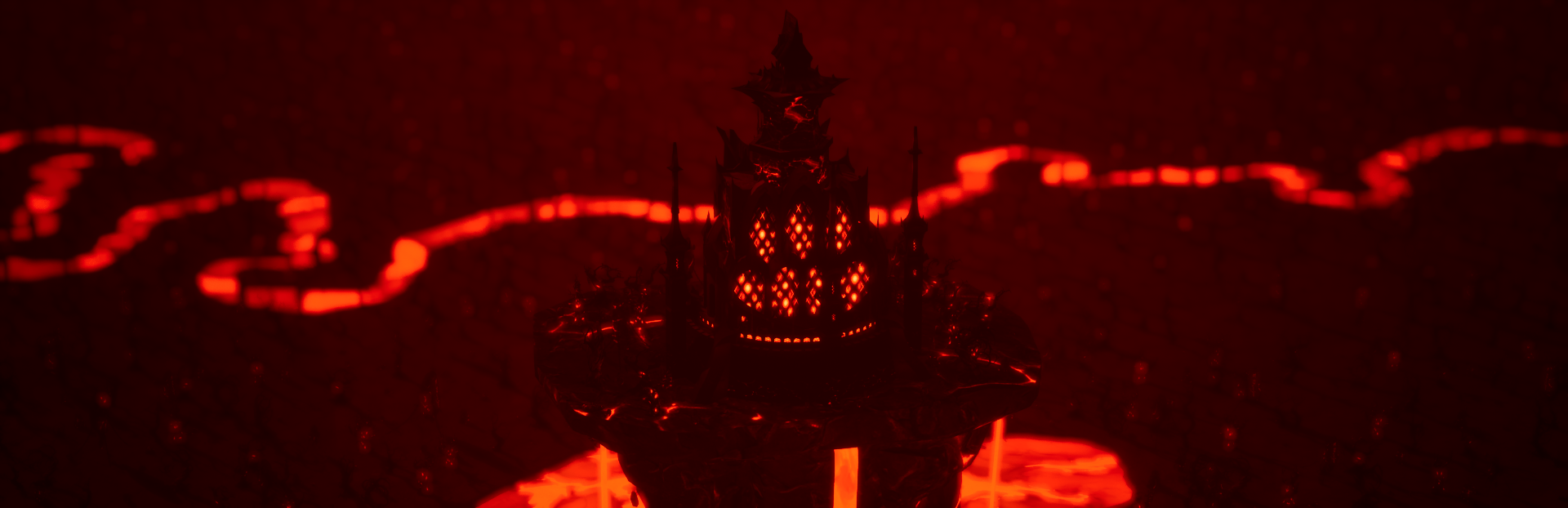
🌋 Added New Dark Land Theme
The new Dark Land theme has been added.
This theme focuses on dark fantasy, volcanic terrain, lava regions, ruined city structures, dangerous paths, and hostile landscapes. It is designed for demon lands, cursed realms, corrupted kingdoms, volcanic regions, underworld-inspired maps, and high-stakes campaign settings.
The Dark Land theme includes a large set of new base tiles and standalone assets.Steam post imageSteam post imageSteam post imageSteam post imageSteam post imageSteam post imageSteam post image
🧱 Dark Land Base Tile Content
City Wall: 16 variations
Wall Intersection: 19 variations
City Road: 18 variations
Forest Path: 15 variations
Lava Lakes: 52 variations
Lava River: 18 variations
City Ground: 1 variation
Ground: 1 variation
Total Dark Land base tile variations: 140
Dark Land Standalone Assets
We have also added 50 standalone assets for the Dark Land theme, giving you more options to decorate, customize, and build stronger dark fantasy environments.
In total, the Dark Land content package includes 140 base tile variations and 50 standalone assets, giving mapmakers a much stronger toolkit for creating darker and more dangerous realms.
🛠️ Bug Fixes
Improved UI Clarity on 4K and Large Screens
We have improved UI clarity for users playing on 4K monitors and larger screens.
Text, interface elements, and general readability should now feel clearer and easier to use across higher-resolution displays. This should make the overall building experience more comfortable, especially during longer mapmaking sessions.
⚙️ Performance Improvements
Implemented LOD Generation for TileForge Custom Tiles
We have implemented LOD generation for TileForge custom tiles.
This should help improve performance when working with custom tiles, especially in larger maps or more complex scenes. The goal is to make custom content smoother, more optimized, and easier to use as your maps grow in size and detail.
💬 Share Your Feedback
Please try the new Photo mode and Darkland Theme, and let us know what works well, what feels confusing, and what you want improved next.
Your feedback directly helps us decide what to polish, fix, and prioritize in future updates.
Join the community / share feedback: Discord Channel
Watch update tutorial videos: YouTube Channel
Steam Discussion Thread: Discord Feedback and Discussion
Thank you for continuing to support Master of Realms. This update is another major step toward making it a powerful worldbuilding, mapmaking, and tabletop creation tool.
— The Master of Realms Team
Source
Changelog.gg summarizes and formats this update. How we read updates.