
HomeGamesUpdatesPricingMethodology
Steam News21 September 20259mo ago

Main Build 0921 Update

Hello, This update includes a redesign of the train circuit, camera improvements, and performance enhancements.

Full notes

Full Hmmsim Metro update

Read the full published notes in a cleaner layout. The original post stays linked below.

Repeated intro

Hello,

What changed

0 fixes6 additions3 changes1 removal
  • Performance
  • Security
  • UI and audio
  • Gameplay
changedThis update includes a redesign of the train circuit, camera improvements, and performance enhancements.
changedSteam post imageThe entire circuit of the train has been redesigned to resemble the actual train more closely. The simplified logic has been removed, and all electrical interconnections like relays/contactors for each car have been implemented. Previously unimplemented functions such as parking brake, security brake, EBS, EBCOS, ACM, and CM operations have also been implemented. Additionally, a circuit monitoring feature has been added to check the overall status of the train’s circuits in real time. Furthermore, a start mode option has been added, allowing the train to start in the initial startup state.
addedSteam post imageYou can switch to other screens by clicking on the TGIS screen. The operation mode 2 screen for the 1000 series train has been added and can be switched using the button on the right side of the monitor.
addedSteam post imageThe switchboard for each car of the train can be controlled. The switches of the switchboard are linked to each car's circuit, allowing for individual car control. This feature will mainly be used for handling faults, which will be added in the future.
removedSteam post image You can switch to the first person camera from the cab and walk around inside the train. You can switch between the cab camera and the first person camera near the driver's seat. Additionally, the shortcut for switching cab has been removed, and now you must walk to the opposite cab to switch manually.
addedSteam post image The camera that views the outside of the train has been changed. The new "Around Camera" allows you to circle the train around the vehicle. The new "Outside Camera" allows you to move the camera position around the vehicle to view it from different angles. For detailed camera controls, please refer to the tutorial.

Hmmsim Metro changes

changedThis update includes a redesign of the train circuit, camera improvements, and performance enhancements.
changedSteam post imageThe entire circuit of the train has been redesigned to resemble the actual train more closely. The simplified logic has been removed, and all electrical interconnections like relays/contactors for each car have been implemented. Previously unimplemented functions such as parking brake, security brake, EBS, EBCOS, ACM, and CM operations have also been implemented. Additionally, a circuit monitoring feature has been added to check the overall status of the train’s circuits in real time. Furthermore, a start mode option has been added, allowing the train to start in the initial startup state.
addedSteam post imageYou can switch to other screens by clicking on the TGIS screen. The operation mode 2 screen for the 1000 series train has been added and can be switched using the button on the right side of the monitor.
addedSteam post imageThe switchboard for each car of the train can be controlled. The switches of the switchboard are linked to each car's circuit, allowing for individual car control. This feature will mainly be used for handling faults, which will be added in the future.
removedSteam post image You can switch to the first person camera from the cab and walk around inside the train. You can switch between the cab camera and the first person camera near the driver's seat. Additionally, the shortcut for switching cab has been removed, and now you must walk to the opposite cab to switch manually.

This update includes a redesign of the train circuit, camera improvements, and performance enhancements.

Train Circuit

Steam post imageThe entire circuit of the train has been redesigned to resemble the actual train more closely. The simplified logic has been removed, and all electrical interconnections like relays/contactors for each car have been implemented. Previously unimplemented functions such as parking brake, security brake, EBS, EBCOS, ACM, and CM operations have also been implemented. Additionally, a circuit monitoring feature has been added to check the overall status of the train’s circuits in real time. Furthermore, a start mode option has been added, allowing the train to start in the initial startup state.

TGIS

Steam post imageYou can switch to other screens by clicking on the TGIS screen. The operation mode 2 screen for the 1000 series train has been added and can be switched using the button on the right side of the monitor.

Switchboard

Steam post imageThe switchboard for each car of the train can be controlled. The switches of the switchboard are linked to each car's circuit, allowing for individual car control. This feature will mainly be used for handling faults, which will be added in the future.

First Person Camera

Steam post image You can switch to the first person camera from the cab and walk around inside the train. You can switch between the cab camera and the first person camera near the driver's seat. Additionally, the shortcut for switching cab has been removed, and now you must walk to the opposite cab to switch manually.

Outside Camera

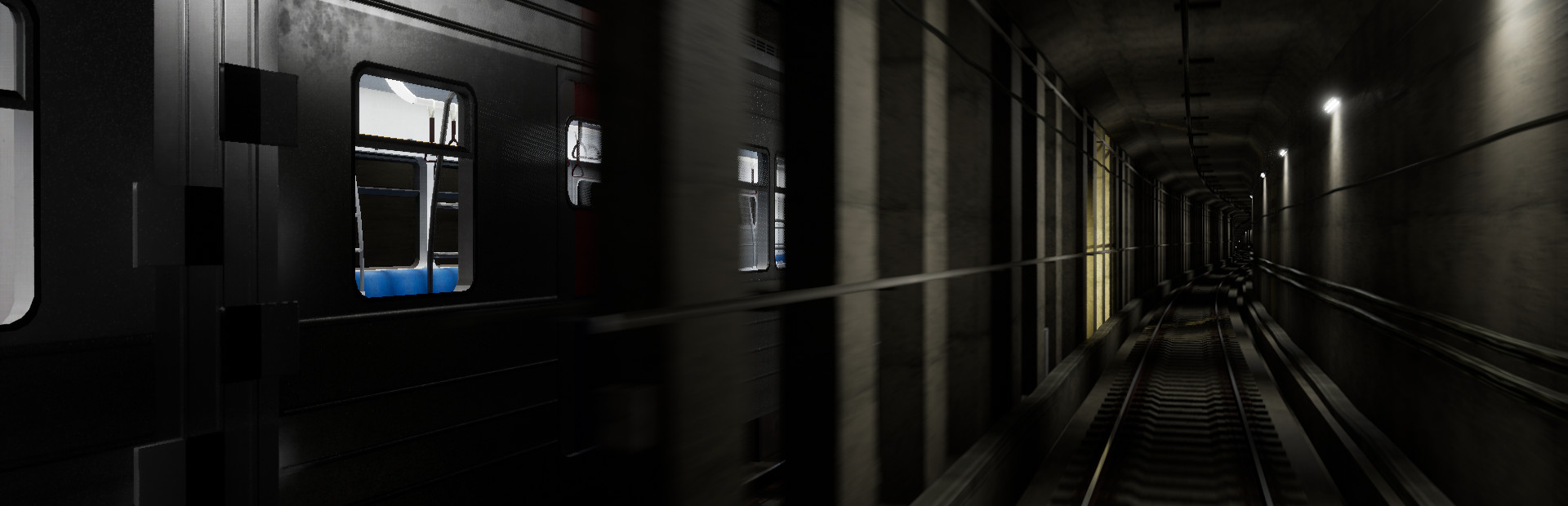
Steam post image The camera that views the outside of the train has been changed. The new "Around Camera" allows you to circle the train around the vehicle. The new "Outside Camera" allows you to move the camera position around the vehicle to view it from different angles. For detailed camera controls, please refer to the tutorial.

Continue Playing A feature has been added that allows you to continue playing after completing a scenario without quitting. You can play consecutive scenarios like repeating timetables or depot entry/exit scenarios. Additionally, the separate depot entry/exit scenarios from the basic scenario have been integrated.

Arduino Controller An Arduino has been added to the controller settings. Using Arduino's serial communication, you can directly link it to the game. Serial communication rules and sample sketches can be found at

https://www.jeminie.kr/Arduino

Performance Improvements Compared to the last main build, the frame rate has improved by approximately 10~20% overall. Especially in scenes with many AI trains, such as in depots, the frame rate has improved by more than 50%.

Others A time acceleration feature has been added, allowing you to shorten the train's startup or waiting times. Additionally, AI trains now feature the new Saemaeul model, and the diesel locomotive and Mugunghwa model have been improved.

Thank you.

Source

Steam News / 21 September 2025

Open original post

Changelog.gg summarizes and formats this update. How we read updates.