
In this update10
Full notes
Full Gilded Destiny update
Read the full published notes in a cleaner layout. The original post stays linked below.
What changed
- Maps
- Gameplay
- Compatibility
- Balance
- UI and audio
- Store
Gilded Destiny changes
Salutations, Industrialists!
I'm Marc, a Producer working on Gilded Destiny. Today, I’ll explain how resource points act as the backbone of raw-material production. If you haven’t already, please wishlist Gilded Destiny on Steam, subscribe on YouTube. You can additionally join our Discord or Reddit community to stay up to date.
Note: Alongside the video below, we’ve prepared a full written dev diary that walks through each topic in detail so you can follow along even if you can’t watch right now.
Goods Production Overview
The most common way to produce goods is through buildings. These buildings utilize recipes, that is, production formulas with inputs and outputs. When it comes to Resource Points, it's the same concept, but you're directly constructing the building on the map itself, on top of a deposit of resources. The second way goods are produced is through small holders and artisans. These represent the non-industrial side of your economy. They're autonomous and will create goods, sometimes constrained by the available Resource Points in their provinces and market demand. In Gilded Destiny, small holders and artisans provide a baseline of production, but it's simply not enough to keep up with surging demand, and certainly not enough to fuel industrialization. That's where Resource Points come in.
In Summary
Buildings are player-built structures placed on resource points
Small holders and artisans are autonomous non-industrial producers active in every province
Finding and Using Resource Points
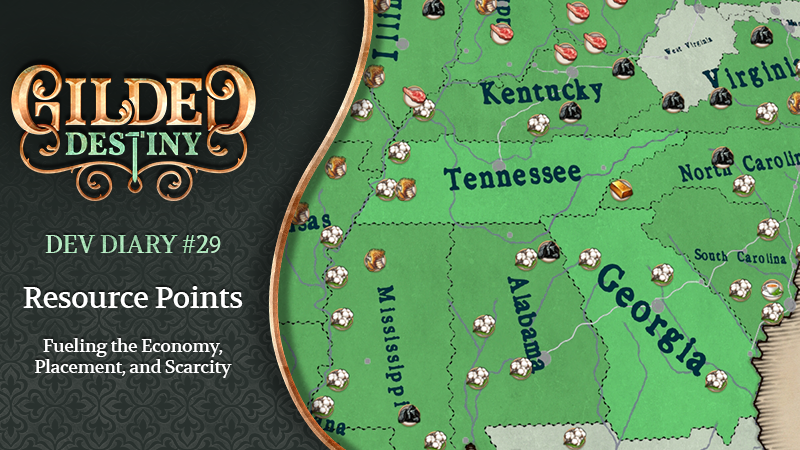
Resource points are visually represented on the map as 3D models. There are two main ways to find out where they are:
First, there's our handy resource map mode. You'll be able to filter how much information you want at a given time. If you want to view one resource across the world, you can, or if you want to find the combination of Coal and Iron for your industrial powerhouse region, that's also available to you.
Second, you can find them through the Construction Menu, which is also where you'll construct the relevant buildings to extract or harvest those resources. To construct a resource building, simply open the Construction Menu and select the type of building you'd like to construct.
In Summary
The resource map mode highlights resource points on the map with filters.
The Construction Menu allows you to construct buildings on untapped resource points or upgrade existing buildings
Design Philosophy: Why True-Location Resource Points?
With our hex map, we can pin every deposit to its real-world spot. We don’t just tell you a resource exists in a province; we show you its actual location, from Napa Valley’s wine slopes to Oil Creek’s pioneering wells. This accuracy adds flavor, gives each province a clear identity, and turns geography into strategy. Of course, this also adds a whole new layer of military strategy—where things in the world truly matter. This means that where you defend or deploy your armies also matters.
In Summary
Hex map supports precise, real-world placement.
Accuracy adds unique province identities.
Geography shapes trade routes and defensive lines.
Province Personality and Specialization
We want to focus on the imbalances, monopolies, and the sheer impact of the Industrial Revolution on your economy. We envision each country and province having a more specialized contribution to the world's economy, rather than everyone doing a little bit of everything.
Our background research focused on identifying significant producers and powerhouses on a global scale for Resource Points. This model emphasizes "scarcity", allowing us to make each province unique rather than a jack-of-all-trades. We want provinces to be able to make big impacts in their own right.
For example: cotton in the American South, sulfur in Sicily, and meat from the Pampas region in Argentina or the American Midwest. The purpose of identifying these powerhouses is to help provinces remain unique. So, in Gilded Destiny, we'll highlight the sheer monopoly some countries and regions had on certain resources.
In Summary
Resources appear largely in historic powerhouses, not just everywhere with trees or ore
Provincial and Regional specializations shape diplomacy and conflict.
Each province gains a distinct economic role.
Scarcity Economics and Resource Placement
Scarcity forces trade or diplomacy when you lack a material, and keeps the map free of resource spam. If we want Resource Points to feel significant because not everyone has them, it means we need to be more selective about their placement.
For example, you'll find cotton and tea where they make historical sense. But it also means that wood, for instance, is restricted in places like the UK. We did not just place Wood Resource Points down in locations that have trees, but where there was significant logging industry activity during this era. In
Summary
Selective resource distribution deliberately creates scarcity
Scarcity then creates unique provincial personalities
Limited resource point placement emphasizes their importance in gameplay
Smallholders and Industrialization
Smallholders are autonomous in what goods they can make and exist to provide a baseline of goods for the economy, with their role intended to be outcompeted as more industrial measures take place. Therefore, Resource Points, as mentioned above, are strategically placed and reflect core historical production of resources (including more advanced resources that smallholders would not autonomously produce) around the globe to facilitate industrialization.
Given our selectiveness about where Resource Points are, Smallholders are driven by different rules that determine what goods they can create. For a small number of goods deemed "essential," such as wood, grain, and meat, they can produce those goods anywhere.
However, when it comes to all other goods, such as those from plantations like tobacco, or ores, or furs, smallholders will only be able to create them if the province they are in also has that resource point. This prevents situations like tea being cultivated in northern Scandinavia, where it would be either difficult or impossible to grow because of the climate conditions there. This also allows us to emphasize our specialization and "scarcity" economy: it prevents situations where your country doesn't have to rely on trade with Asia because you can cultivate all your tea at home via Smallholders.
In Summary
Mechanized farms appear only in major historical breadbasket provinces.
Smallholders can produce essential goods everywhere, but other goods only where the local province also has the resource point.
Evolution of Technology
Over the course of the game, as technology develops, various goods will be produced from different sources and be consumed in different ways.
For example, early during the 19th century, oil, especially whale oil, was used by the population for lighting. This, in turn, places an importance on the production of oil, which at the time is primarily produced through Whaling Ports, alongside Ambergris. However, due to many factors, the whaling industry quieted down as other means of producing oil became more efficient and more widely used during the 19th century.
In Summary
Advances in technology change how resources are produced and consumed
For example, Oil may be produced through whaling, early game, but then from crude oil deposits later.
Recap and Next Steps
To summarize everything:
Resource Points are how you directly build and expand your raw resource production on our detailed hex map, adding a new layer of strategic depth and historical geographic flavor.
Our design philosophy emphasizes "scarcity" economics and unique province personalities, focusing on historical monopolies and significant producers rather than widespread, uniform resource availability.
This means we're very selective about where you can build industrial-scale resource buildings.
Smallholders provide a baseline for essential goods everywhere, but for all other goods, they're limited to provinces with specific Resource Points, further reinforcing our focus on specialization and trade.
Alpha Update
As mentioned in the last (and final) Alpha Roadmap, we have decided to continue sharing our progress with you as part of our regular Dev Diaries. Take a look below to see the progress we've made in July and some of what we have planned for August!
Targets for the End of July
Finish editing the terrain for South and Central Africa.
- Completed updates tonew Trade UI, Music Player UI, Flag Editor UI, and Political Parties UI
A new balancing draft for the economy will be tested and refined in the coming months.
Create and use the Job automation tool
Completed Pop Distributions for Europe, Africa, and South America
Began work on refining Pop distributions for North America
Continued working on the official Glossary
Continued creating Portraits for Historical Leaders and Generic Portraits
Completed artwork for about 28 Leader outfits
Completed Map Mode Filter system
Implement AI behavior for closed buildings, whether restarting or demolishing
Updated AI behaviors for Army Recruitment and Mobilization
Adjusted AI behavior for Diplomacy to prevent abnormal use of embargo and decrease relations
Added in the initial version of the River Ports buildings
Added a new good — "Tools"
Split the composite Factory into Light and Heavy Industry buildings— Heavy Industry can produce cars and Artillery, while Small Industry can produce Small Arms and Tools
Targets for the End of August
Finish military unit initialization
Begin forest placement
Continue creating Portraits for Historical Leaders and Generic Portraits
Input Political Parties UI
Complete implementation of Political Parties
Complete Pop Distributions for Asia
We hope you've enjoyed this Dev Diary, and as always, if you have any questions or comments, please let us know.
Until our paths converge once more, we bid thee farewell!
May your destiny be a gilded one.
Source
Changelog.gg summarizes and formats this update. How we read updates.