
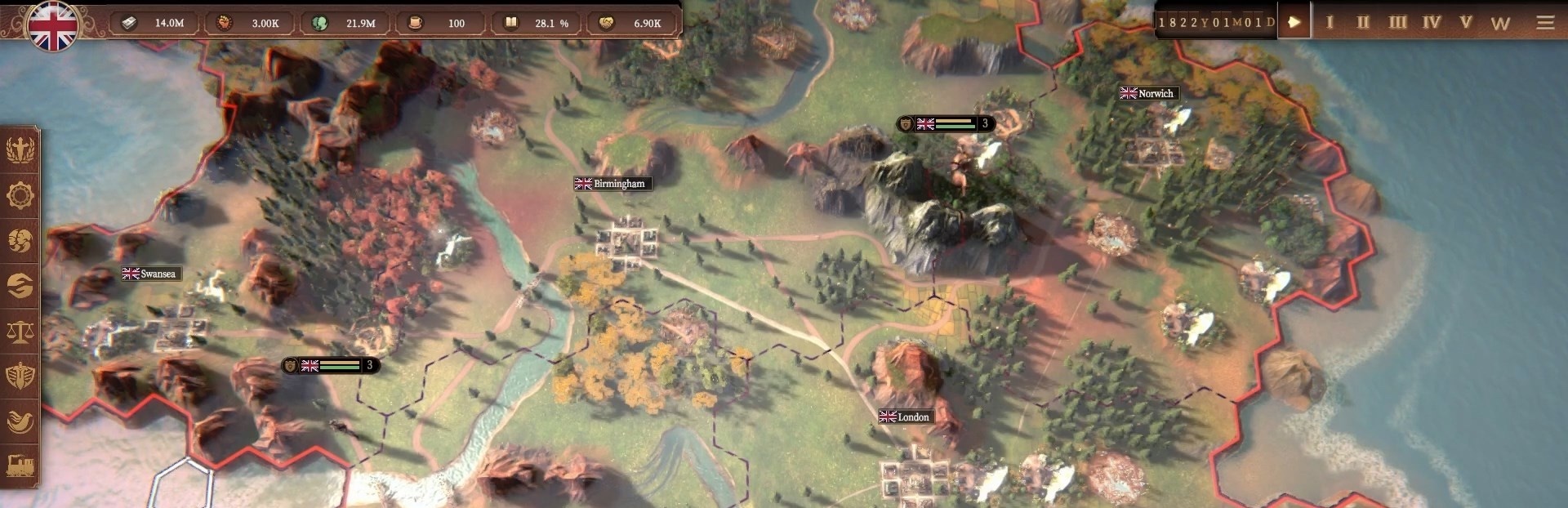
In this update3
Full notes
Full Gilded Destiny update
Read the full published notes in a cleaner layout. The original post stays linked below.
What changed
- UI and audio
- Server
- Maps
Gilded Destiny changes
Greetings, Industrialists!
In this Dev Diary we're going to update you on the progress we've been making with Map Modes! We'll discuss the approach to the UI and its main features, and the design approach to displaying data. We'll also give an overview of the current Map Modes, and features that we plan to implement.
Also, Check out our thirteenth Alpha Roadmap Update:
[dynamiclink href="https://steamcommunity.com/games/2189430/announcements/detail/542231772987916296"]
You can find the full script for the Dev Diary below.
- - - - - - - - - - - - - - - - - - - - - - - - - - - - - - - - - - - - - - - - - - - - - - - - - - - - - - - - - - - - - - -
Let us know if you have any questions or feedback over on Discord. And be sure to wishlist us to stay up to date!
Join our Discord community today!
https://discord.com/invite/m22Ek8jxJf
Speaking of Discord, we have started rolling the Discord roles to our Kickstarter backers! If you have not yet completed the Kickstarter survey we sent out, please do so. If you have filled it out, and are not yet in our Discord server, join and say hello in the main channel to let us know you're there to claim your role!
Our Kickstarter officially ended in April, and brought in a total of £31,974 GBP, which is 159% of our goal! We offer the most gilded appreciation to all of our backers and our community. Your support, positive feedback and encouragement, and our growing vibrant community of industrialists motivates more than ever to make Gilded Destiny the most moddable, immersive, fun, and grandest GSG out there.
You can access the survey on the Kickstarter website:
https://www.kickstarter.com/projects/gildeddestiny/gilded-destiny-a-grand-strategy-game?ref=bjurrh
Finally, if you are interested in what we do and want to join us but do not see a relevant job, send us your resume at jobs@aquilainteractive.io!
- - - - - - - - - - - - - - - - - - - - - - - - - - - - - - - - - - - - - - - - - - - - - - - - - - - - - - - - - - - - - - -
Script for Dev Diary 27:
Salutations industrialists! I'm Marc, a Producer working on Gilded Destiny.
In today's dev diary we're going to update you on the progress we've been making with Map Modes! We'll discuss the approach to the UI and its main features, and the design approach to displaying data. We'll also give an overview of the current Map Modes, and features that we plan to implement.
In addition, we have some very gilded news! We are happy to announce that we are getting close to the release of the Closed Alpha! In this regard, we will shortly be sending out non-disclosure agreements to our Kickstarter and Modian backers. If you backed us either of these platforms, expect to receive instructions about signing the NDA in the coming days. In addition to having early access to the game, our backers will be an integral part of the development of Gilded Destiny. One of the main purposes of the closed Alpha will be to gather focused, high-quality feedback from devoted and passionate players while key systems are still in development. Again, we are thrilled to be bringing the closed Alpha to our supporters who backed us on Kickstarter and Modian!
Finally, I want to thank you for your patience regarding the last Dev Diary on Leaders; we had to postpone it temporarily due to a few technical errors we encountered during recording. Here's a teaser screenshot from that Dev Diary, honoring the memory of the most gilded of kings, who conquered two continents in his long life.
Without further ado, let's dive in.
In grand strategy games, knowledge is power—and how that knowledge is presented makes all the difference when it comes time to make decisions. In Gilded Destiny, the Map Modes system is designed to give players easy-to-understand access to vital information on various aspects of society, economy, technology, and warfare.
As you can see here, Map Modes is now visible during gameplay and can be accessed easily via the lower-left corner of the interface. The main idea of the Map Modes UI is to allow players to toggle views without interrupting gameplay. In the default Map Modes UI, you will see eight tabs representing different layers at a time. Please note that these icons are still in development, and you'll see the final versions soon, in future Dev Diaries. You are able to choose your favorites by clicking here, and you can deselect layers you do not currently need and select new layers you wish to display in the UI. Finally, if you wish to hide the map modes UI, as with the Ongoing War UI, you can click the eye button to hide Map Modes.
Gilded Destiny contains a lot of data, and being able to view and make sense of that data is crucial for managing your country: everything from planning the development of infrastructure and industrialization, to plotting the course of your next conquest.
The Map Modes system is therefore designed with the intention of delivering clear, detailed, and contextualized information that can be adjusted to suit your current goals. Each mode adjusts the map’s display layers to highlight different data sets in the game.
How information is presented is critical, so let's discuss our approach to displaying data on the map. (As always, bear in mind that this is work in progress, and some of these features may be subject to change.)
Depending on the layer chosen in Map Modes, the relevance of political boundaries will vary. Of course, some metrics only make sense at the country level, such as War Exhaustion and Technological Development, since they're applied on a country-wide basis. Other metrics, such as GDP, Literacy Rate, and Unemployment, make sense at the provincial level.
Metrics such as Cultural or Religious predominance, however, don't necessarily conform to national borders, and may spread across multiple countries. At the same time, they're also important at the provincial level - so while the visuals don't necessarily change when you zoom in and out, the detailed information you're given in the tooltip does change depending on whether you're at the country level or at the province level.
The Map Modes also vary visually depending on the type of data that is being displayed. For instance, data that is discrete, as in 'true or false' - such as Culture, Religion, Ownership, and so on - is displayed using distinct colors. Data that is continuous, and which can be understood as occupying points on a scale, are displayed via shaded gradations of a single color (or just a few colors in certain cases). Ultimately, the visual representation is designed so that large-scale differences can be understood 'at-a-glance', accompanied by the tooltip on the lower right to provide more detailed information.
With all that in mind, let's take a look at the map modes currently in the game to illustrate this.
We already mentioned Culture and Religion map layers, which show important demographic data that could be very useful when deciding on the various rights you wish to extend to your citizens, or which neighboring provinces could perhaps be most easily incorporated into your empire.
At the country zoom level, the tooltip in the lower right displays cultural (or religious) information relating to the country as a whole, including details of whichever additional cultures (or religions) are present. When zoomed in to the provincial level, the tooltip changes to display information specific to the province that is currently being examined.
The War Exhaustion map mode will let you see at a glance how fatigued other nations are from wars they have been fighting. You can see the total percentage of War Exhaustion at a glance, and the tooltip in the bottom left will also show if the country is engaged in any current wars. This information may be useful, especially, if you are planning a war in the near future.
The technology map mode will display the level of technology--or movement along the tech tree--of each country. In this way, you can see how your country compares to other nations. You'll be able to see the number of researched technologies in total, and a breakdown of how many technologies have been researched in the Industry, Military, and Academia technology trees. For more information, be sure to check out our Dev Diary on technology.
The Literacy Rate map mode shows the current literacy rate of all provinces, so you can see how your population is developing in comparison with other nations.
Of course, you'll have map modes for the population of each province and country. In this mode you'll see total population of the province, estimated annual growth rate, and unemployment.
Speaking of Unemployment, that has its own map mode too, where you can see your country and provincial unemployment rates. And you'll also be able to see a breakdown of the professions with the highest unemployment rate within the selected country and province.
Moving along, the GDP map mode will provide information on the macroeconomic activity of your country, including projected annual GDP, how much the selected province contributes to the national GDP, and a breakdown of how weekly goods production contributes to your domestic GDP of the selected province.
The Domestic Freight Costs map mode is still a work in progress, but it shows the relative cost of freight for provinces within your country. Since the economic center has a freight cost of zero, it's a nice, bright green at the moment - and since we haven't yet built up much in the way of transport infrastructure, the other provinces shade from gray to red as the cost increases. You can see by how much the cost has increased in the tooltip for each province.
The Resource Points map mode currently shows the resource density of each province - how many resource points the province has, in other words. We’ll be experimenting with various ways of parsing this data, so be sure to stay tuned!
The Bureaucratic Efficiency map mode shows you which provinces are sufficiently staffed by Bureaucrats, and which are struggling to meet their workload - we'll go into more detail about Bureaucratic Efficiency in a future Dev Diary.
And finally, Relations will show you that all important number of how well-liked you are on the international stage, which affects many aspects of gameplay. Of course, we can decide to reduce relations from the Diplomacy UI with a neighboring country, say Denmark, and watch how that light hue of pink becomes darker and darker. For more information on how Diplomatic Relations affect your country, check out our recent Dev Diary on Diplomacy!
Those are the main Map Modes we have implemented for now; however, we do have several new features planned. So, let's take a look at a few of these now.
A few other features baked into map modes that our programmers have begun implementing include: smoother transitions to make transitioning between views feel more seamless; support for dynamic parameters, allowing advanced filtering of data, which will allow for custom map mode configurations such as "production by good type"; enhancing readability and accessibility considerations with improved grayscale rendering; and improving color logic and tooltip clarity across the different zoom levels. These are all in various stages of development as we're recording, so expect to see future improvements in upcoming Dev Diaries.
Building on each of these features, we also have several ideas for new map modes, including their integration with the main systems of Gilded Destiny. This is still in development, but you can see a quick preview here in this screenshot. For example, in the Trade Panel, you will be able to focus on a certain country and view production or export info of a certain commodity, such as Lumber in France. Along with all other planned features, the aim here is to provide players with information to make targeted decisions and allow for deeper strategic planning across all gameplay systems.
So, that's probably a good place to draw the line for today.
We hope you've enjoyed this Dev Diary, and as always, if you have any questions or comments, feel free to map them out below. Lastly, remember to subscribe to our YouTube channel and, if you have not done so already, add Gilded Destiny to your Steam wishlist.
Until our paths converge once more, we bid thee farewell!
May your destiny be a gilded one.
- - - - - - - - - - - - - - - - - - - - - - - - - - - - - - - - - - - - - - - - - - - - - - - - - - - - - - - - - - - - - - -
Also:
Be sure to listen closely to the backing tracks in all our videos—they are the pieces you will come to hear in the game, composed by John Skoog. Also, the solo clarinet on this track was performed by yours truly, Marc.
Listen to some of John Skoog's other work on Spotify: https://open.spotify.com/artist/3PGd3lmURa72oFasqK3N7N?si=nDl4DUTRQGKKLaDtGcHBJw
John Skoog Music: https://www.johnskoogmusic.com/
Source
Changelog.gg summarizes and formats this update. How we read updates.