
Full notes
Full Fireworks Mania - An Explosive Simulator update
Read the full published notes in a cleaner layout. The original post stays linked below.
What changed
- Compatibility
- Gameplay
- UI and audio
- Performance
- Fixes
- Maps
Fireworks Mania - An Explosive Simulator changes
NOTE: This version is only available on the EXPERIMENTAL game version/beta. You manually need to switch to it in Steam. Right Click on Fireworks Mania -> Properties -> Game Versions & Betas -> "Experimental". To go back to the normal version, change it to "Default Public Version".
Please note that this is work-in-progress stuff. There might be bugs, features might never end up in the real version of the game and things might be a little odd. However, I share this version as I need your feedback to help me shape the game - thanks for taking your time helping shape the game 🤓
### Added
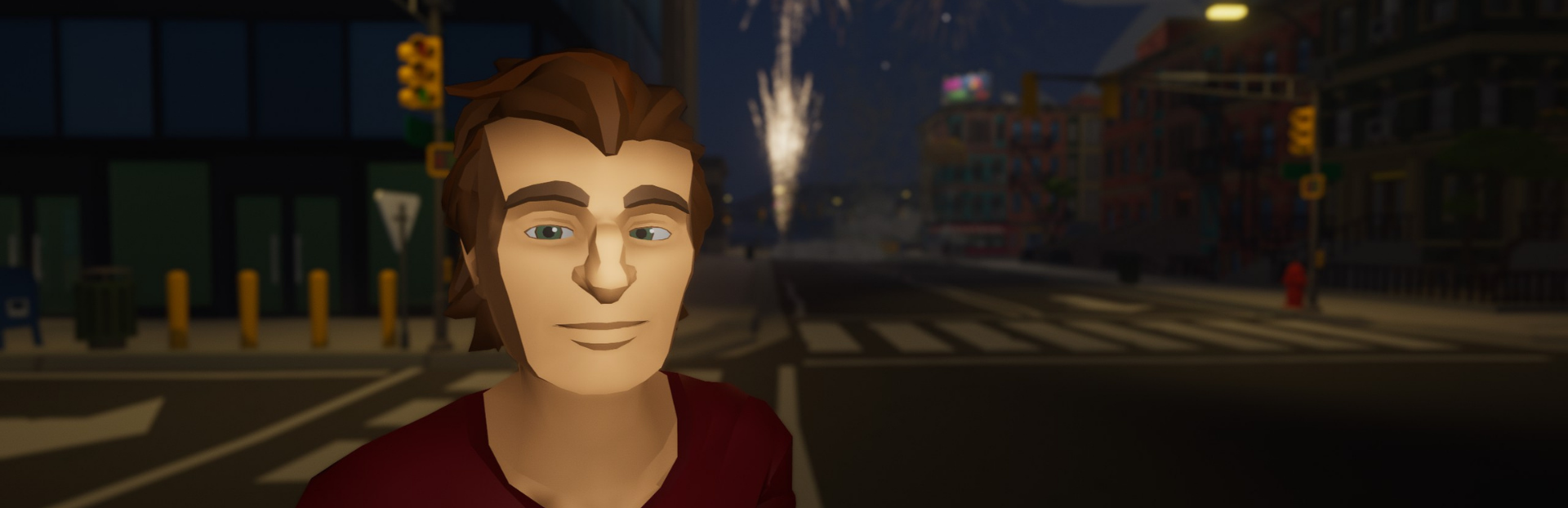
First batch of the new characters is in - 21 brand new ones have replaced the old character list in the Inventory, so the ones you know are gone for now. More will follow in the coming versions, and if you had one of the old characters picked, you'll start out as the new default one
The chat window now shows if voice and text chat is actually connected: green when you are connected, amber while it is connecting or trying again (with a countdown), and red if it gave up. It is only there when you play with others
New indicator in the top left corner that shows up when the game turns down effect quality to keep the framerate up during a heavy show, and fades away once you are back at full quality - so you can tell the difference between the game helping out and the game just looking off. You can turn it off under Settings -> Advanced. This Dynamic Performance Scaling have been changed a bit, which right now means it's not really helping that much, but I'm trying to see if I can make it do more, that are more effective, at the cost of some visuals - however you can always disable it in Settings, if you rather have sporadic low fps. Anyway, work in progress
### Changed
The "Players" tab in the inventory now has its own two tabs, "Players" and "Friends", instead of squeezing both lists next to each other. Each one gets the narrow width in the middle of the screen like the rest of the game to make it easier on the eye
Renamed the "Host" tab in the inventory to "Game Settings", as that describes much better what you actually find in there
The automatic quality scaling no longer takes away firework lights and trails when a lot is going on. They were the most visible thing it removed and gained almost no framerate, so now they stay no matter how busy it gets
Toned down the bright flash when a propane tank explodes, as it was a bit too intense with the new look of the game
Updated the engine and networking packages the game is built on. Nothing you should notice while playing, it just picks up a bunch of under the hood fixes
### Fixed
Big explosions and big shows run a lot smoother. The freeze when something like the KarlsSon rocket tears down a whole street had several different causes, and this version goes after all of them: the wreckage now appears spread over a few frames instead of all in the same one, fireworks and debris no longer do a pile of hidden work the moment they spawn, impact sounds are only kept track of for things close enough that you could actually hear them, and one heavy frame no longer snowballs into a real freeze by making the game catch up on all the missed physics at once. A big chain reaction now stutters briefly instead of locking up, and the slower your machine, the bigger the difference
Fixed the game freezing for a moment when many mod sounds played for the first time at the same time, like when a big show or chain reaction goes off. This was especially noticeable on slower machines
Fixed rockets flying much higher than they should when the game turns down physics quality to keep the framerate up during a busy show. Rockets now reach the same height no matter what is going on around them, and explosions push things around with the same strength too
Fixed a hiccup when you load a blueprint into a map where things are already exploding - fireworks and propane tanks that appear right next to an explosion now catch fire properly, and loading a big blueprint into the middle of a chain reaction no longer upsets the game
Fixed burned out fireworks blinking out of existence in an instant when you play with others. Everybody now sees the same little shake and shrink when a firework disappears, instead of only the host
Objects removed with the Eraser Tool now shrink away with that same little animation instead of blinking out, and everybody playing sees it
If a mod contains a firework that is missing its size setting, loading the map still stops - the firework would misbehave in all sorts of ways otherwise - but the error message now tells you exactly which items are at fault and which mod they came from, so you can let the mod's author know what to fix
Fixed voice and text chat staying dead after the connection to the chat service dropped. It gave up after about 30 seconds, so you were left without chat until you noticed and typed '/reconnect' yourself. Now the game keeps trying on its own for around 10 minutes, and the chat window tells you what is going on - '/reconnect' is of course still there if you want to force it
The "Players" and "Friends" headings in the inventory were stuck in English no matter what language you played in. They now show up in your own language like the rest of the game
YouTube | Twitch | Twitter | Discord
Happy testing, enjoy! 🤓🕺
Source
Changelog.gg summarizes and formats this update. How we read updates.