
In this update7
Full notes
Full Crownbreakers update
Read the full published notes in a cleaner layout. The original post stays linked below.
Repeated intro
Hello Friends,
What changed
- Gameplay
- UI and audio
- Maps
Crownbreakers changes
November was a busy month for me! Here's all the cool stuff I added to the game:
NEW CITY VISUALS
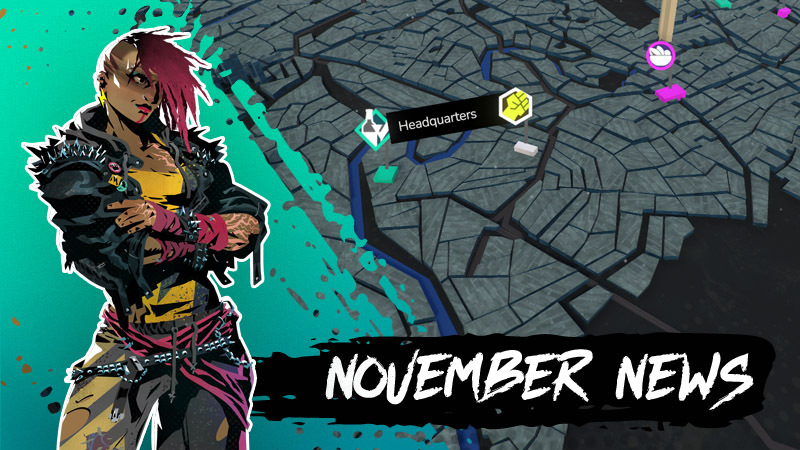
Up until November the visuals for the city were still a rough placeholder. Now this part of the game has been dramatically improved!
The old placeholder interface for the city
The new city screen, visuals still WIP
It took a while to really figure out how to present the city. We could have skipped the 3d environment and just made an abstract menu but it's important to me for Cascade to feel like a place. A big part of that was figuring out the scale and level of abstraction. I've started with actual geographic data from cities to try things but it quickly turned out that showing individual buildings is too much. It also requires a camera that's close enough for those to matter, but that would either lead to a tiny city or a lot of scrolling.
I eventually decided on a scale that's far enough away that we can see larger simplified city blocks and the larger streets without seeing individual houses or details. It's more like a model of the city than an actual, real city.
The 2d vectors used as basis for the city model
The city itself is put together in the Blender 3d software by using 2d outlines of the different blocks. These are then projected onto the terrain, and then given depth to turn them into city blocks.
Part of the Geometry Nodes setup that extrudes the 2d shapes into houses
To do that I'm using so-called Geometry Nodes. This is a simple but powerful system that lets me transform them dynamically, so that I can re-import the outlines to update the 3d easily. It also gives me control over the height of the blocks in different areas, the variation in height etc.
And to make it shine, the camera also needed some work. With a key feature of the city being a giant magical rock, using that as the center of an orbiting camera just felt natural. It took a while to get the movement to work right but now it's a lot of fun to explore the city.
With all that said, I want to note that I am still working on the final style of the city itself. There's still a lot to pin down in terms of color, textures, and lighting but the general setup works pretty well.
I'm super curious to hear your ideas: What would you add to make the city more alive?
ROUTE CONCEPT
Aside from working on the city visuals, I also delved deeper into the structure of the districts: The places controlled by the tyrants that you go to to try and break their hold on the city. So far each district had a sequence of stages, each one capped by a boss. This was solid but felt like it lacked player choice a little.
The current placeholder interface with some placeholder text and images.
Now each district has one tyrant and multiple lieutenants. Each of these has their own "Route", with slightly different mechanics and configurations. This gives each of these places a bit of a different texture within the larger district. And each of these routes is capped by its own boss, letting you choose which boss to go up against!
TUTORIAL IMPROVEMENTS
A big part of my stay at the Rabbit were the weekly playtests: A great opportunity to refine and improve the tutorial. The residency directly segued into Crownbreakers' presence at the Comic Con in Stuttgart last weekend. So to make sure the game is as smooth as possible to learn, I put a lot of time into lowering the difficulty and complexity in the beginning:
The new highlight functionality and animations of the tutorial
For example I added custom highlights that can point to specific things in the UI or the battlefield so the player has an easier time understanding what is what. They are animated to catch the player's attention so elements of the UI that are on the edges don't get lost.
A new tutorial page explaining the Hazard Obstacles.
I've also added more tutorial pages that are more responsive to explain things as the battlefield changes. For example, the first time a hazardous, explosive barrel is on the battlefield, the game explains now the concept of hazards to you. There are multiple such moments that help you understand how things function.
NEXT STEPS
So, what's next for Crownbreakers? I'm working hard on a demo so December will focus on giving that more polish and possibly even releasing it. If you're interested in that, you might want to join the Sharkbomb Studios Discord because the demo will definitely first launch there!
Other things you might want to check out are:
Sharkbomb Studios on TikTok
I've started uploading some short form videos and I've been having fun with them. There are more to come! For example, I'm planning to upload some insights into my time at the Rabbit and Comic Con! So make sure to follow !
Crownbreakers Crowdfunding Campaign
It's still a bit away but I am planning a crowdfunding campaign for Crownbreakers in the beginning of next year. Subscribe to the pre-launch page on Kickstarter to get notified immediately once the campaign goes live! The best way to not miss anything!
Ex Umbra Crowdfunding Campaign
This one is even further away but I am also planning a printed edition of my (solo) tabletop game Ex Umbra that has you build dungeons as you play. As above, if that sounds interesting follow along on Kickstarter!
And that's it for today!
Talk to you soon,
Martin
Source
Changelog.gg summarizes and formats this update. How we read updates.