
In this update5
Full notes
Full ConsoleMe update
Read the full published notes in a cleaner layout. The original post stays linked below.
What changed
- Gameplay
- UI and audio
ConsoleMe changes
Warehouse inventory management (console stock)
What this is for
If you make your own console, units you build but have not sold yet sit in the warehouse. That number is not the same as lifetime sold (machines already with customers). A huge warehouse pile costs warehouse storage fees every week until you clear it.
You can now:
Run a clearance (slower, usually better money back)
Liquidate to brokers (fast, harsh, completes next week)
Recycle parts after you discontinue and stop factories (small cash back, instant)
There is no “delete all stock” button.
Where to find it (you must be making consoles)
You need a launched player console (finished Console R&D at least once).
Open the left sidebar area Platforms (console icon grid).
Open the sub-tab Lineup
Expand the section Your consoles (gamepad icon). If it is collapsed, click the header to open it.
On your console row you should see:
Warehouse stock: …
Lifetime sold: …
Link Manage inventory (only if warehouse stock is above zero)
If you do not see Your consoles, you have not launched a console yet. Use Console R&D first (same Platforms area).
Manage inventory (main tool)
Path: Top bar → sidebar Platforms → Lineup → Your consoles → your console → Manage inventory
A popup opens with three tabs:
| Tab | What it does | When to use |
|---|---|---|
| Clearance | 4 to 12 week program, rising discounts, extra weekly sales | Big pile, you want more cash back |
| Liquidation | Sell a % of warehouse stock; money and rep hit next week | Need stock gone quickly |
| Recycle parts | Strip units for scrap value now | Console already discontinued, factories paused |
Each tab shows units affected, cash in, costs, and net cash change before you confirm.
Clearance
Manage inventory → Clearance
Pick program length (4 to 12 weeks)
Optional: tick promote clearance (upfront marketing cost)
Confirm
Advance weeks with Advance week (top right of screen) until the program ends
Liquidation
Manage inventory → Liquidation
Set slider (25%, 50%, 75%, or 100%)
Confirm
Click Advance week once (payout lands that week)
Same console cannot liquidate again for 26 in-game weeks
Recycle parts
Console R&D → Our console(s) → Discontinue on that model (confirm dialog mentions leftover warehouse stock)
Lineup → Manufacturing → open your factory → Pause production (or reassign factory to another console)
Manage inventory → Recycle parts → set units → Confirm
Other places you will see it
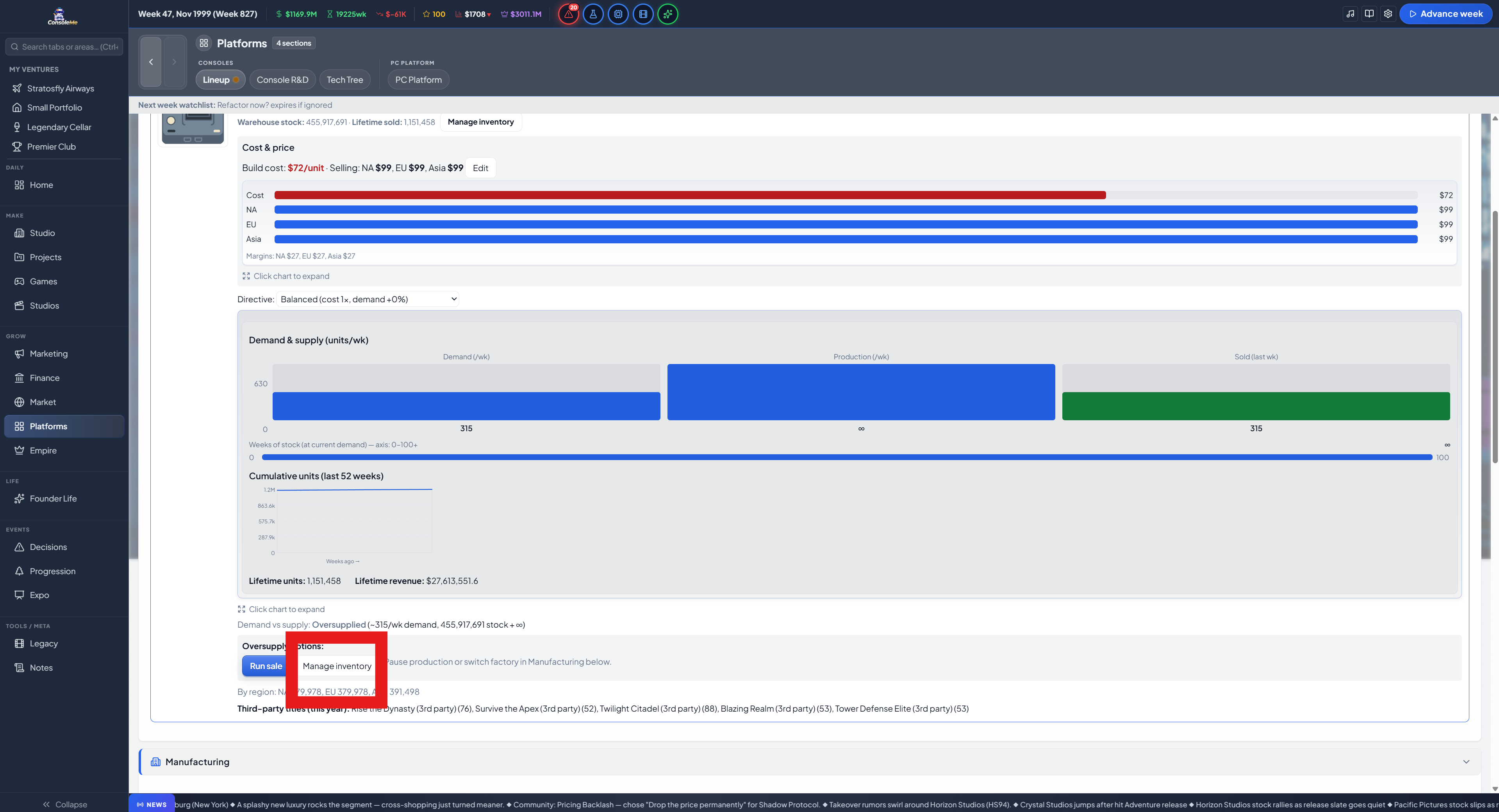
Oversupplied warning
Platforms → Lineup → Your consoles
If stock is many weeks of demand, yellow Oversupplied box with Run sale and Manage inventory
Stop building more units
Lineup → Manufacturing → your factory → pause or point factory at a different console
Money and fees
Top bar → Advance week
Sidebar Finance → Bank → last week expenses
Look for Warehouse storage, Inventory write-down, Inventory liquidation (income), etc.
First time fees bite on an old save: check News for a heads-up about warehouse fees
Pre-launch warning
While a console is in pre-launch (from Console R&D flow), if build stock is far above the recommended target, a yellow note warns about warehouse fees after launch
Help article
Top bar → book icon (Player Guide)
Article Hardware and platforms → section Warehouse stock vs lifetime sold
Source
Changelog.gg summarizes and formats this update. How we read updates.