
In this update2
Full notes
Full Celestial Command update
Read the full published notes in a cleaner layout. The original post stays linked below.
What changed
- Gameplay
- UI and audio
- Fixes
Celestial Command changes
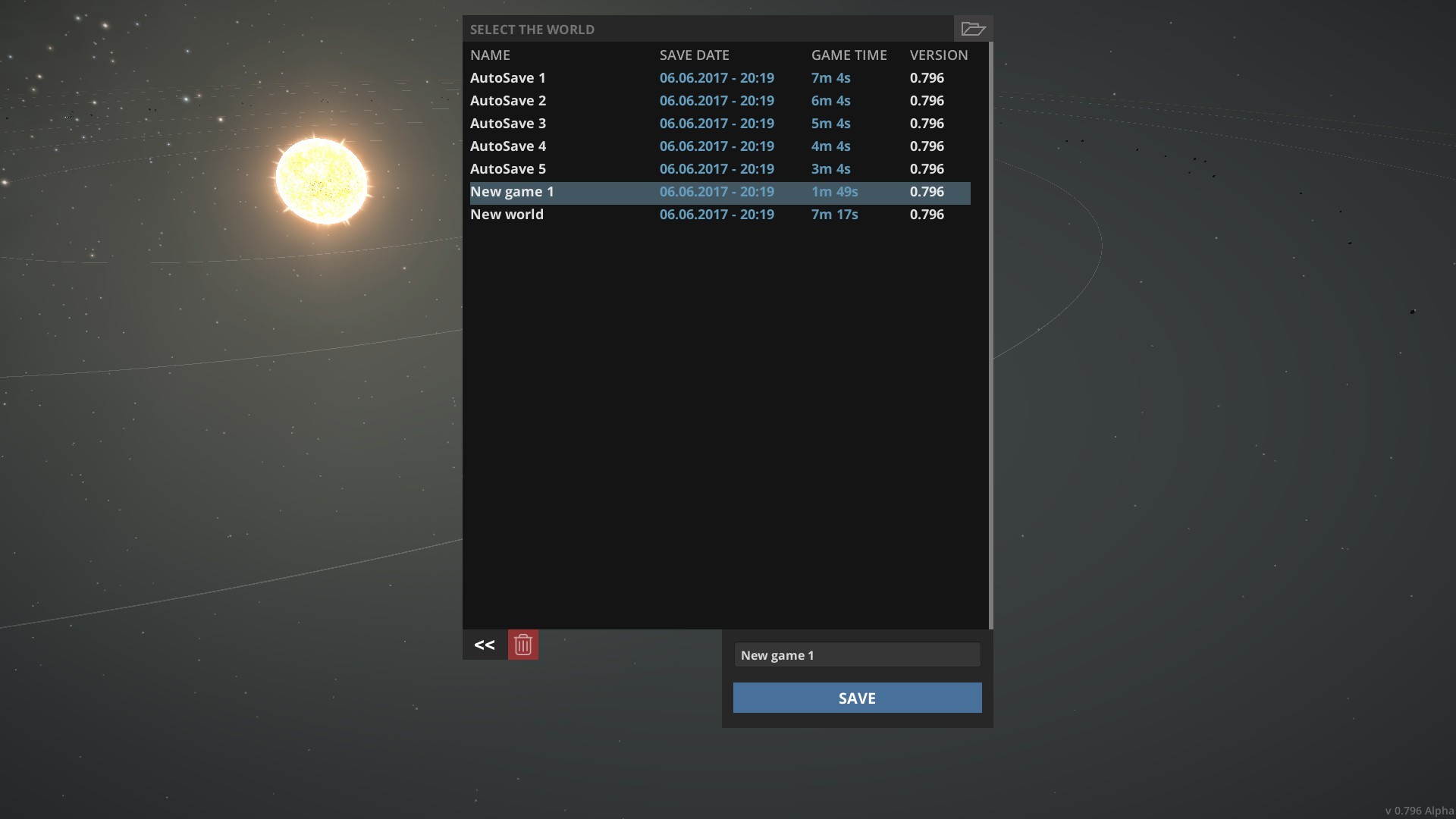
Hello! We noticed that current state of save / load functionality works not exactly how we want. It is important feature so we decided to improve it. So now if you will encounter a bug or just a complex situation, it should not be a problem to load previously saved game and progress will not be lost due flaw in save / load function. Check the changelog for more details.
Also we want to remind that you can discuss an update and communicate with us about everything in our Discord chat. Steam post image
CHANGE LOG
Improvements
Now you can save the game with specified name (not just overwrite the current one)
When you click on existed saved file in "save" menu, its name will be automatically inserted in the input field of name
Added warning window which will inform you if you trying to overwrite existed save file and offer an option (Back / Overwrite)
Now auto save generates up to 9 saved files (instead of just 1 file which is constantly rewritten)
Added button "Load" in game menu, so now you can load a game right during existed game
Added "loading screen" which appears during loading
Added button "Open folder with saved files" which located in save / load window (works only on Windows platform)
Entire save / load window is redesigned
Now when you going to load a game, multiplayer checkbox is disabled by default
Button "Contribute to localization" now opens URL in your internet browser instead of Steam overlay
Fixes
Fixed an important bug which caused an error when you tried to save the game
Fixed an error with incorrect captured image of saved ship in "saved ships" menu
Fixed an error in station's docking AI
Source
Changelog.gg summarizes and formats this update. How we read updates.