
In this update2
Full notes
Full Celestial Command update
Read the full published notes in a cleaner layout. The original post stays linked below.
What changed
- Server
- Gameplay
- UI and audio
- Performance
Celestial Command changes
Update 0.78 Alpha - Public servers and new modules
Public servers! Yay!
It was quite a hard task to understand how to work with Steam API. And we still did not understand it completely. For example, you still can't join a friend's game by pressing "Join game" in Steam chat. However, we managed to figure out how to create global servers using Steam master server and now you can pick server from the list and join it! 4 new modules and new starting ship.
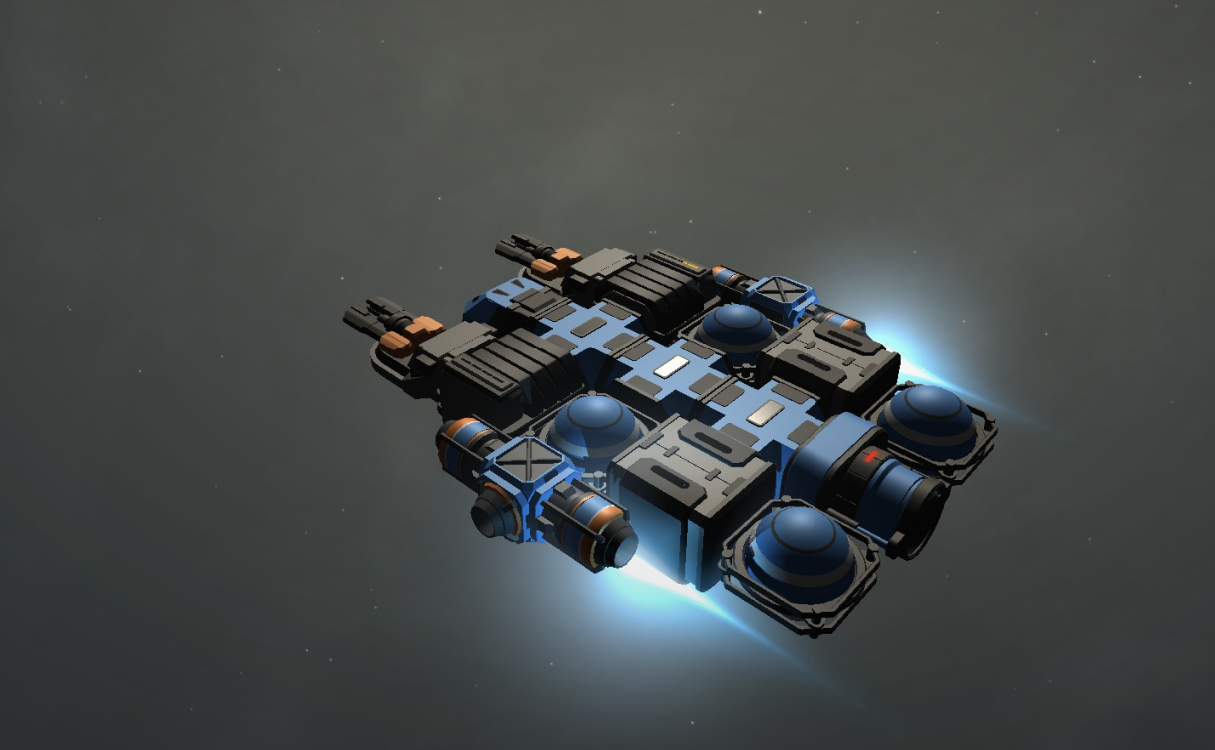
New modules makes maneuvering engines a bit smaller and new cargo container have additional mounting points, as result, starting ship now is much more customizable. Blue containers indicates possible mounting points.
New small engines with nice looking blue effect.
Actually, it is not very realistically, if each engine will hve its own visual effect, because in real world, the color and the type of the flame depends mostly on type of fuel and oxidiser. But we decided to make this simplification in order to achive more diverse visual effect Newly added ingame debug console
New radar icons
Pistons and rotors in multiplayer works surprisingly well!
CHANGE LOG
Improvements
Added public servers!
"Join multiplayer" GUI has been changed. Added separated buttons for server list and direct IP connection
Added GUI window with servers and possibility to sort a list by name, players or ping
Added notification when client disconnected from a server
Added 4 new modules (2 engines, 1 structural component, and 1 cargo container)
Starting ship is redesigned, now it have additional mounting points and more possibilities for further customization
Radar now displays debris with different icon so not you can distinguish debris from neutral modules. Also, player-owned ships marked with magenta color, which is usefull to identify others players in multiplayer.
Added in-game debug console (it can be opened by ~ key or via button in sandbox menu) which can be useful for bug reporting
Now icons of modules in build menu generated automatically (previously it was manually created screenshot), as result, now all icons have correct looking and the same visual style
Buttons in build menu rearranged in order to match correct category (rocket launcher in weapons, shipyard in production, etc.) also added two new categories
Weapons can be installed on turrets using shift + click (the same way as regular modules)
Due request, "Duplicate ship" button returned back in sandbox menu. Now it a bit improved and uses the same "check free space" method as a ship loader.
Added option to invert mouse axis for camera control
- OptimizationHuge performance improvements for module mounting points, it no longer cause extremely low FPS when enabled near a radar or turrets
- AudioAdded low frequency hum for the star (it can be heard at very close range)
GUI: "Rename ship" window a bit redesigned
- GUIRendering of selection box is a bit optimized and improved (it no longer have spiky corners)
Fixes
When the game launched, the camera already located in correct position and does not move
Star glow effect no longer have visual noticeable rectangle borders
Star glow effect now have correct orientation at close range
Now AI stations have infinite energy for its modules and weapons
AI stations still have infinite fuel even after game was loaded
"Getting started" window no longer
Source
Changelog.gg summarizes and formats this update. How we read updates.