What changed
0 fixes1 addition6 changes0 removals
changedVersion 1.2 Announcement - Beta testing (V1.1+) open! Sept. 25th release
changedThe exciting new Portfolio update is coming September 25th , and beta testing is now open! The portfolio option can now be found on the far right button on the main menu. You can unlock rink canvases with goals, assists, and hits, and a few special achievements. There is even a very special, coveted canvas you earn by winning the championship in the Canvas Hockey League (CHL) elite. The portfolio will be a continually growing collection of rink canvases that will match real world events and seasons. Keep playing Canvas Hockey to collect them all!
addedThere are also some other fun changes, like a new custom Canvas Hockey mouse pointer, a full-screen option on the main menu, and a chipper organ tune that plays between goals. There will be even more features added between now and the public launch (V1.2), so be sure to give me your honest feedback! If you have any ideas, email me at brandon@synvoyity.com.
changedAccessing the Beta - Instructions
changedNow, here are some instructions on how to opt-in to the beta. DISCLAIMER : By opting into the beta, you are using a version of Canvas Hockey that is still under active development, so keep an open mind about bugs and issues. You can switch back to the public version at any time by using this same process.
changedEnter the beta access code “canvasThrashers” and click “CHECK CODE”
Canvas Hockey changes
changedVersion 1.2 Announcement - Beta testing (V1.1+) open! Sept. 25th release
changedThe exciting new Portfolio update is coming September 25th , and beta testing is now open! The portfolio option can now be found on the far right button on the main menu. You can unlock rink canvases with goals, assists, and hits, and a few special achievements. There is even a very special, coveted canvas you earn by winning the championship in the Canvas Hockey League (CHL) elite. The portfolio will be a continually growing collection of rink canvases that will match real world events and seasons. Keep playing Canvas Hockey to collect them all!
addedThere are also some other fun changes, like a new custom Canvas Hockey mouse pointer, a full-screen option on the main menu, and a chipper organ tune that plays between goals. There will be even more features added between now and the public launch (V1.2), so be sure to give me your honest feedback! If you have any ideas, email me at brandon@synvoyity.com.
changedAccessing the Beta - Instructions
changedNow, here are some instructions on how to opt-in to the beta. DISCLAIMER : By opting into the beta, you are using a version of Canvas Hockey that is still under active development, so keep an open mind about bugs and issues. You can switch back to the public version at any time by using this same process.
Version 1.2 Announcement - Beta testing (V1.1+) open! Sept. 25th release
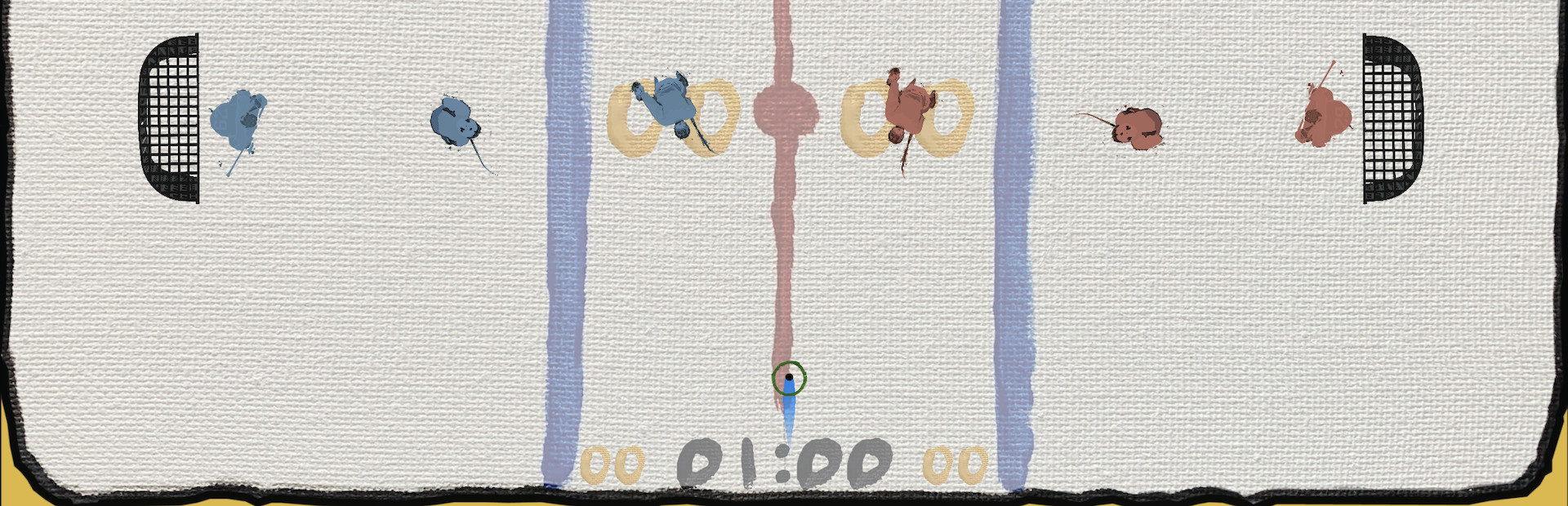
The exciting new Portfolio update is coming September 25th, and beta testing is now open! The portfolio option can now be found on the far right button on the main menu. You can unlock rink canvases with goals, assists, and hits, and a few special achievements. There is even a very special, coveted canvas you earn by winning the championship in the Canvas Hockey League (CHL) elite. The portfolio will be a continually growing collection of rink canvases that will match real world events and seasons. Keep playing Canvas Hockey to collect them all!
There are also some other fun changes, like a new custom Canvas Hockey mouse pointer, a full-screen option on the main menu, and a chipper organ tune that plays between goals. There will be even more features added between now and the public launch (V1.2), so be sure to give me your honest feedback! If you have any ideas, email me at brandon@synvoyity.com.
Accessing the Beta - Instructions
Now, here are some instructions on how to opt-in to the beta. DISCLAIMER: By opting into the beta, you are using a version of Canvas Hockey that is still under active development, so keep an open mind about bugs and issues. You can switch back to the public version at any time by using this same process.
Click Settings (gear), then select “Properties”
Go to the “Betas” tab on the far right
Enter the beta access code “canvasThrashers” and click “CHECK CODE”
Click the drop down menu and you should now see the option “beta - For beta testers”. You can switch back to the default version at any time using this same drop down menu.