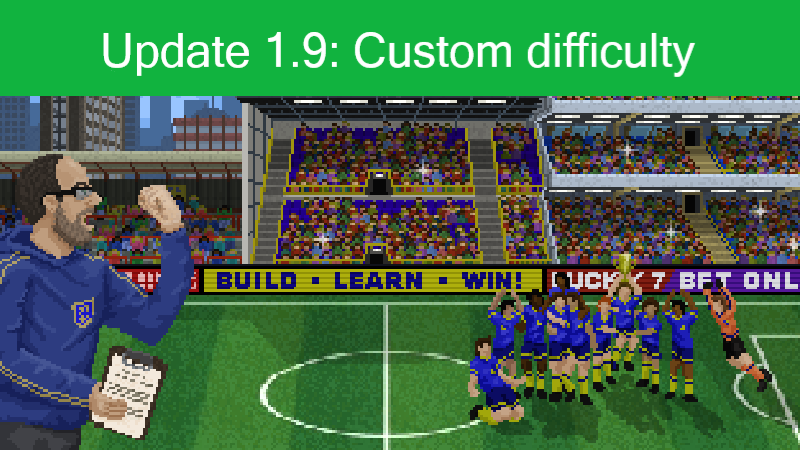
Hi everyone, With this Update, you can customize the difficulty level not only by using the five presets, but you can create your own presets: At the start of the game, there is a new cog icon.
Full notes
Full Boeckham's Football Manager update
Read the full published notes in a cleaner layout. The original post stays linked below.
What changed
0 fixes2 additions3 changes0 removals
Gameplay
UI and audio
Balance
Server
addedAt the start of the game, there is a new cog icon. In the cofiguration window you can finetune many modifiers. They act as multipliers, which means: if a number is set to 1.5, then the related value in the game will be multiplied by 1.5. If you get 10 reputation points for an action, with that multiplier you will get 15 instead. Another example: if you need to roll the dice usually higher than 20 and use a multiplier of 0.5, you only need to roll above 10.
changedWhat values are modified will be shown in the tooltips if you hover over an input field. You can input values directly or use the buttons for that.
addedFurther below, you can enter reputation, private money, and skill points, as well as already finished educations. Hitting "Ok" will use those values for your new game. You can also save and load your own presets by using the disc and folder icons.
changedBut that is not enough: you can adjust those values anytime during a game in the settings menu. This will also work with older savegames. During a running game, you will only be able to change the modifiers. Money and education will have to be earned through hard work ;)
changedThe values are saved in your savefiles, and in multiplayer mode, each player can set those values separately. That way, you can make your lives hard. Or easy ;)
Boeckham's Football Manager changes
addedAt the start of the game, there is a new cog icon. In the cofiguration window you can finetune many modifiers. They act as multipliers, which means: if a number is set to 1.5, then the related value in the game will be multiplied by 1.5. If you get 10 reputation points for an action, with that multiplier you will get 15 instead. Another example: if you need to roll the dice usually higher than 20 and use a multiplier of 0.5, you only need to roll above 10.
changedWhat values are modified will be shown in the tooltips if you hover over an input field. You can input values directly or use the buttons for that.
addedFurther below, you can enter reputation, private money, and skill points, as well as already finished educations. Hitting "Ok" will use those values for your new game. You can also save and load your own presets by using the disc and folder icons.
changedBut that is not enough: you can adjust those values anytime during a game in the settings menu. This will also work with older savegames. During a running game, you will only be able to change the modifiers. Money and education will have to be earned through hard work ;)
changedThe values are saved in your savefiles, and in multiplayer mode, each player can set those values separately. That way, you can make your lives hard. Or easy ;)
Hi everyone,
With this Update, you can customize the difficulty level not only by using the five presets, but you can create your own presets:
At the start of the game, there is a new cog icon. In the cofiguration window you can finetune many modifiers.
They act as multipliers, which means
if a number is set to 1.5, then the related value in the game will be multiplied by 1.5. If you get 10 reputation points for an action, with that multiplier you will get 15 instead.
Another example
if you need to roll the dice usually higher than 20 and use a multiplier of 0.5, you only need to roll above 10.
What values are modified will be shown in the tooltips if you hover over an input field. You can input values directly or use the buttons for that.
You can cycle the given presets in the combo box to see how those affect the multipliers. If you want to change the values, you need to set "Custom" in the box.
Further below, you can enter reputation, private money, and skill points, as well as already finished educations. Hitting "Ok" will use those values for your new game. You can also save and load your own presets by using the disc and folder icons.
But that is not enough: you can adjust those values anytime during a game in the settings menu. This will also work with older savegames. During a running game, you will only be able to change the modifiers. Money and education will have to be earned through hard work ;)
The values are saved in your savefiles, and in multiplayer mode, each player can set those values separately. That way, you can make your lives hard. Or easy ;)