
In this update10
Full notes
Full BallisticNG update
Read the full published notes in a cleaner layout. The original post stays linked below.
What changed
- UI and audio
- Gameplay
- Events
- Compatibility
BallisticNG changes
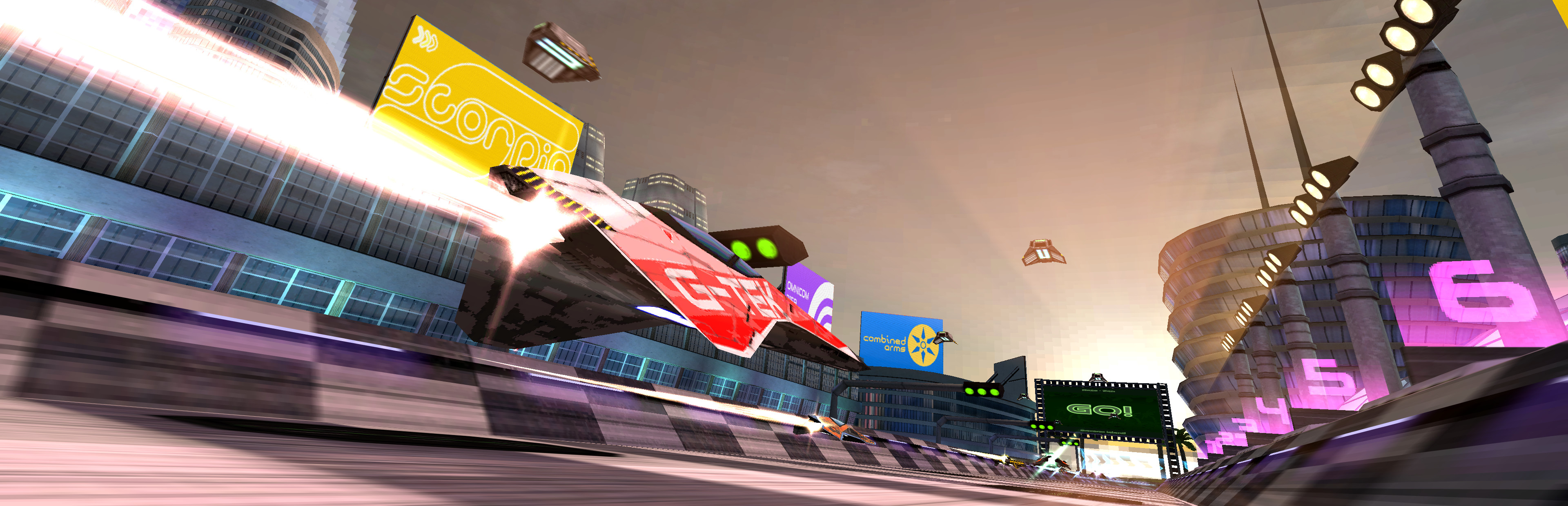
The past two months have been a busy few. We've added cockpits for all of the 2280 ships, continued to work on the new UI and along the way have had the game Steam Deck verified.
If you're playing on a Steam Deck, make sure you hop into the development branch for the best experience!
Playing on development builds
Right click BallisticNG in your steam library and go to Properties
Go to the betas tab on the window that opens
From the dropdown select development. If the update doesn't automatically queue for download, restart Steam
Once you have opened the game, the version at the bottom right of the menu will read 1.4-d60
Overview
2280 Cockpits
Finishing off development of the 2280 ships, every 2280 ship now has a cockpit and are ready for VR. Thanks to community member Kabelsalat who helped design the majority of these!
https://www.youtube.com/watch?v=80_kBnr0tVc
UI Updates
We've continued to work on the UI, addressing feedback from both the community and Valve through the Steam Deck verification process.
Standardized Input Prompt Positions
Input prompts now have a standardized position along the underside of the menus bottom bar. This frees up space in the menu which has allowed us to better balance UI layouts.
Campaign Info Tabs
The campaign info pages are now presented as tabs, making it much easier to keep track of what you're looking at. These are also intractable with a mouse, allowing for much faster switching if you're clicking around at a desktop.
Controller Events
The game now reports controller events! Tying into the Input Improvements mentioned below, the following events are now reported to you at the top of the screen:
Controller connected
Controller disconnected
Controller assigned to a player
The player navigating the menu has changed
Input Improvements
Controller Assignment
Two controllers can now be automatically assigned to players by default. This fixes a conflict issue on the Steam Deck between the built-in controller and any external controllers.
Unassigned controllers will now be automatically assigned to a player when pressing a button on them (this can be disabled in the Input Options menu). Controllers are assigned to the player who currently has menu navigation control.
Finally, splitscreen is now inaccessible until Player Two has a controller assigned. The game will let you pick a controller in the menu before navigating forward, using the same selection interface as the Input Options menu.
Note: enabling debug mode bypasses the player two controller check.
Improved Controller Saves
Controller data is now saved by device ID instead of a hardware ID.
The device ID is a way to uniquely identify a specific controller instead of just bundling everything under the controllers generic hardware ID, which finally allows two controllers of the same type to have unique binds and calibrations saved for them. Note that for Xbox controllers, the XInput player is the unique identifier, so binds and calibrations are stored and recalled in the order that the controllers are plugged in.
Changelog
Ships
Added G-Tek 2280 cockpit
Added Wyvern 2280 cockpit
Added Hyperion 2280 cockpit
Added Scorpio 2280 cockpit
Added Omnicom 2280 cockpit
Added Diavolt 2280 cockpit
Added Nexus 2280 cockpit
Added Tenrai 2280 cockpit
Added Caliburn 2280 cockpit
Added 2280 Barracuda Model A, 2280 Barracuda Model B, 2280 Barracuda Model C and 2280 Barracuda Model 0 cockpit
Added 2280 Barracuda Model S cockpit
Added 2280 Orbitronix cockpit
Added 2280 Protonic
Source
Changelog.gg summarizes and formats this update. How we read updates.