
In this update4
Full notes
Full Airport X-Ray Simulator update
Read the full published notes in a cleaner layout. The original post stays linked below.
What changed
- Compatibility
- Store
- Gameplay
Airport X-Ray Simulator changes
Update 0.8.0 beta
Steam post image
0.8.0 update is currently on the beta branch and I am looking for volunteers to help test and provide feedback.
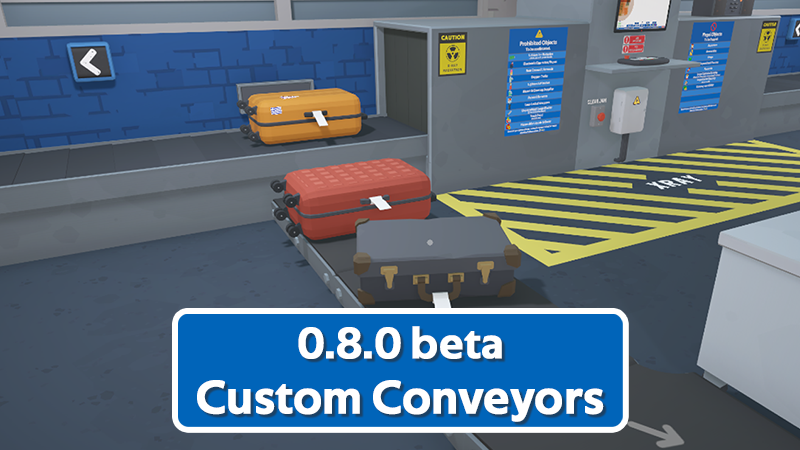
Custom Conveyors
Custom conveyors allow you to build your own conveyor system by placing segments.
To unlock them, you need to purchase the custom conveyor upgrade from the tablet.
You can then enter build mode and press the default "C" to begin.
Custom conveyors can move both luggage and items around the room, perfect for those to prefer to play organized. They also team up perfectly with the bag pushers, allowing tagged bags to be pushed from the main conveyor onto a branch of your own.
They are still in fairly early development and will be improved over time based on feedback. Placement snapping isn't perfect currently and I am working on improving that before its release.
Trolley
In addition to the custom conveyors, You'll now find a trolley in your room that can hold multiple items at once. This trolley can be pushed around making it easier for some to take several items to the confiscation bins (if you prefer not to move them closer).
Additionally, as seen below, items moving along the conveyor that come close enough to the trolley will automatically be added to it.
Please note that this only works for individual items and not luggage at this time (I am looking into adding a larger trolley for luggage)
If you'd like to take part and provide feedback, check out how below!
How to access the beta branch
Right click Airport X-Ray Simulator in your steam library.
Select "Properties".
Select "Betas".
In the 'Beta Participation' drop-down, select "beta - Beta testing branch"
Risks: Although I will take great care to prevent it, there is always a small risk of a beta update corrupting your save file. If you don't want to risk this happening, it's best not to participate.
You can post feedback or bug reports on our steam community, or preferably on our Discord: https://discord.gg/mnEZrzRv
Source
Changelog.gg summarizes and formats this update. How we read updates.