
Full notes
Full XeGrader plus update
Read the full published notes in a cleaner layout. The original post stays linked below.
What changed
- Compatibility
- UI and audio
XeGrader plus changes
While we are still waiting for Valve's official Deck Verification process, we want to let you know that XeGrader plus has been fully tested and debugged by the developer on an actual Steam Deck. Here is what you can expect:
Native Linux / SteamOS build — no Proton required
Full controller support: every menu and all content can be accessed with the default controller configuration
Button glyphs match Steam Deck / Xbox-style button names
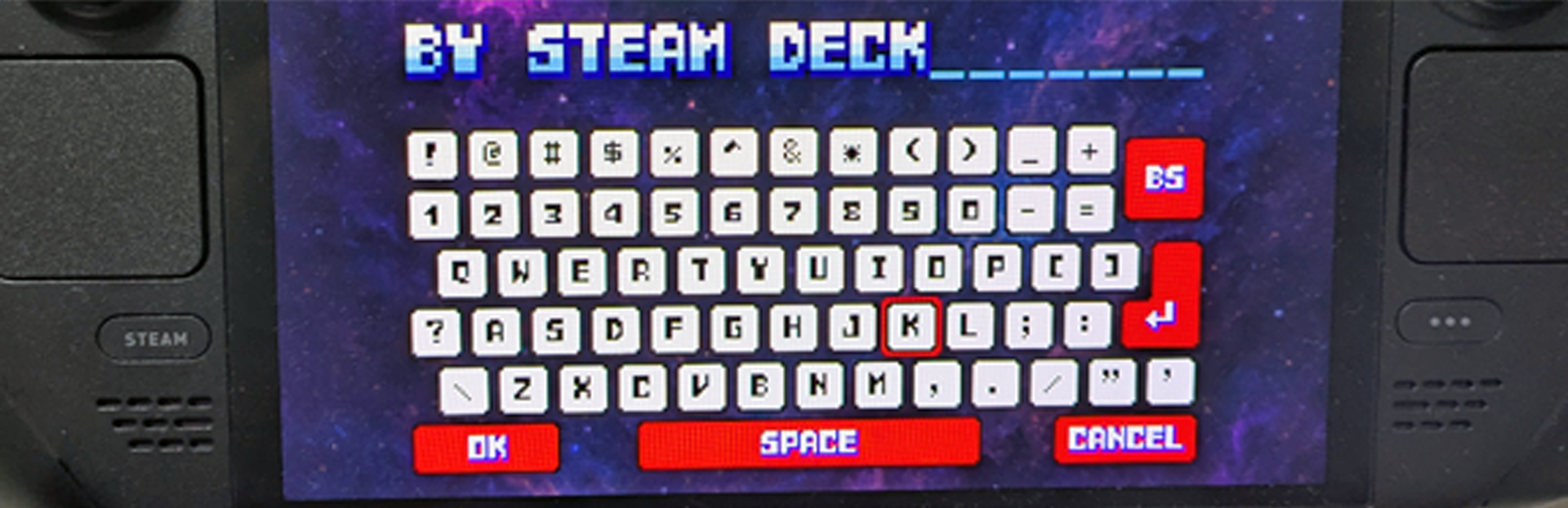
Text input (such as score name entry) is handled by a built-in virtual keyboard that works with both the controller and the touchscreen
Runs at 1280x800 with a playable framerate using the default settings
All text is designed to be legible on the Deck's screen
In short: you can pick up your Deck and just play, from the first boot to the end of the game. If you run into any issues on Steam Deck, please let us know in the community forum — we own a Deck and will investigate directly on the device.
Source
Changelog.gg summarizes and formats this update. How we read updates.