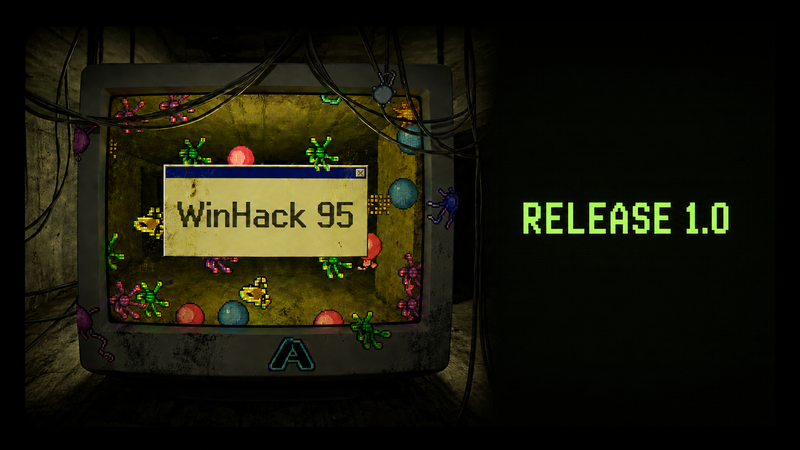
Update v1.0 - Demo Carry-Over and a Massive Polish Pass
Update v1.0 - Demo Carry-Over and a Massive Polish Pass Version 1.0 is here! This update brings your demo progress into the full game, adds a Trophy Case app and a notification history, and puts a thick layer of polish
In this update8
Full notes
Full WinHack 95 update
Read the full published notes in a cleaner layout. The original post stays linked below.
What changed
0 fixes5 additions2 changes1 removal
Gameplay
UI and audio
Balance
addedUpdate v1.0 - Demo Carry-Over and a Massive Polish PassVersion 1.0 is here! This update brings your demo progress into the full game, adds a Trophy Case app and a notification history, and puts a thick layer of polish on the whole desktop.
addedA note on Steam achievementsSteam achievements are not live yet in version 1.0. They will be added within this week - and they unlock retroactively: the game re-checks everything you have already accomplished (including in the demo) every time you start it. The moment achievements go live on Steam, everything you earned pops automatically. Nothing is lost by playing now.
addedTrophy Case and Story CodexA new desktop app tracks your progress: the Achievements tab lists every achievement - unlocked ones show their name and how you earned them, locked ones stay a mystery until you get there. The Story Codex tab tracks discovered virus-origin lore and mail/chat storylines (36 total). Clean a virus or finish a conversation to reveal another entry.
addedQuality of life across the desktopA new tray button next to the taskbar clock collects your last 50 notifications, with in-game timestamps - a small dot marks unread ones. Windows now reopen at the position (and maximize state) you left them in, and double-clicking a titlebar maximizes or restores, just like the real thing. Closing the game now brings up the familiar Save / Don't Save / Cancel prompt instead of silently dropping your progress, and after an update the login screen shows a short summary of what changed, in your language.
changedQuality of life across the desktopA small rotating hint next to your cash balance points out what's worth doing next - an upgrade you can afford, a contract deadline coming up, or someone about to reply to your messages. The Upgrades Shop icon now shows a badge with the number of upgrades you can currently afford, and your very first real payout gets its own little celebration.
addedA polish pass across the whole desktopThe goal: everything you touch should feel satisfying. Windows open, minimize and close with classic wireframe zoom animations, the Start menu slides up, and dialogs pop in over a dimmed backdrop. Buttons, lists, scrollbars and sliders react to hover and presses. Payouts, contract deliveries, minigame wins and first-time achievements celebrate with confetti, rings around the cash display and a subtle screen kick - backed by a handful of new, quiet synthesized sounds.
WinHack 95 changes
addedVersion 1.0 is here! This update brings your demo progress into the full game, adds a Trophy Case app and a notification history, and puts a thick layer of polish on the whole desktop.
addedSteam achievements are not live yet in version 1.0. They will be added within this week - and they unlock retroactively: the game re-checks everything you have already accomplished (including in the demo) every time you start it. The moment achievements go live on Steam, everything you earned pops automatically. Nothing is lost by playing now.
addedA new desktop app tracks your progress: the Achievements tab lists every achievement - unlocked ones show their name and how you earned them, locked ones stay a mystery until you get there. The Story Codex tab tracks discovered virus-origin lore and mail/chat storylines (36 total). Clean a virus or finish a conversation to reveal another entry.
addedA new tray button next to the taskbar clock collects your last 50 notifications, with in-game timestamps - a small dot marks unread ones. Windows now reopen at the position (and maximize state) you left them in, and double-clicking a titlebar maximizes or restores, just like the real thing. Closing the game now brings up the familiar Save / Don't Save / Cancel prompt instead of silently dropping your progress, and after an update the login screen shows a short summary of what changed, in your language.
changedA small rotating hint next to your cash balance points out what's worth doing next - an upgrade you can afford, a contract deadline coming up, or someone about to reply to your messages. The Upgrades Shop icon now shows a badge with the number of upgrades you can currently afford, and your very first real payout gets its own little celebration.
Update v1.0 - Demo Carry-Over and a Massive Polish Pass
Version 1.0 is here! This update brings your demo progress into the full game, adds a Trophy Case app and a notification history, and puts a thick layer of polish on the whole desktop.
Your demo progress carries over
Played the demo? Your save games are shared with the full version, so everything you built, earned and unlocked in the demo counts here from the very first launch. Achievements you earned in the demo will be granted automatically too - see the note below.
A note on Steam achievements
Steam achievements are not live yet in version 1.0. They will be added within this week - and they unlock retroactively: the game re-checks everything you have already accomplished (including in the demo) every time you start it. The moment achievements go live on Steam, everything you earned pops automatically. Nothing is lost by playing now.
Trophy Case and Story Codex
A new desktop app tracks your progress: the Achievements tab lists every achievement - unlocked ones show their name and how you earned them, locked ones stay a mystery until you get there. The Story Codex tab tracks discovered virus-origin lore and mail/chat storylines (36 total). Clean a virus or finish a conversation to reveal another entry.
Quality of life across the desktop
A new tray button next to the taskbar clock collects your last 50 notifications, with in-game timestamps - a small dot marks unread ones. Windows now reopen at the position (and maximize state) you left them in, and double-clicking a titlebar maximizes or restores, just like the real thing. Closing the game now brings up the familiar Save / Don't Save / Cancel prompt instead of silently dropping your progress, and after an update the login screen shows a short summary of what changed, in your language.
A small rotating hint next to your cash balance points out what's worth doing next - an upgrade you can afford, a contract deadline coming up, or someone about to reply to your messages. The Upgrades Shop icon now shows a badge with the number of upgrades you can currently afford, and your very first real payout gets its own little celebration.
A polish pass across the whole desktop
The goal: everything you touch should feel satisfying. Windows open, minimize and close with classic wireframe zoom animations, the Start menu slides up, and dialogs pop in over a dimmed backdrop. Buttons, lists, scrollbars and sliders react to hover and presses. Payouts, contract deliveries, minigame wins and first-time achievements celebrate with confetti, rings around the cash display and a subtle screen kick - backed by a handful of new, quiet synthesized sounds.
Localization and text fixes
Simplified Chinese and Japanese localization has been cleaned up throughout the game, especially in the tutorial, where several lines previously showed broken characters instead of the correct text. We also fixed text sometimes overflowing past the bottom edge of the small popups in the bottom-right corner of the screen.
Final Thoughts
Is there anything still bothering you? Any bugs or balancing issues? Let me know in the discussions! I check them daily.
Have fun. Don't catch any viruses you can't remove.