
Full notes
Full We Are the Universe update
Read the full published notes in a cleaner layout. The original post stays linked below.
What changed
- Gameplay
- Store
- UI and audio
- Maps
- Security
- Performance
We Are the Universe changes
Full Game Build v0.1.166
Demo Build v0.1.168
Highlights
New build category - Commands
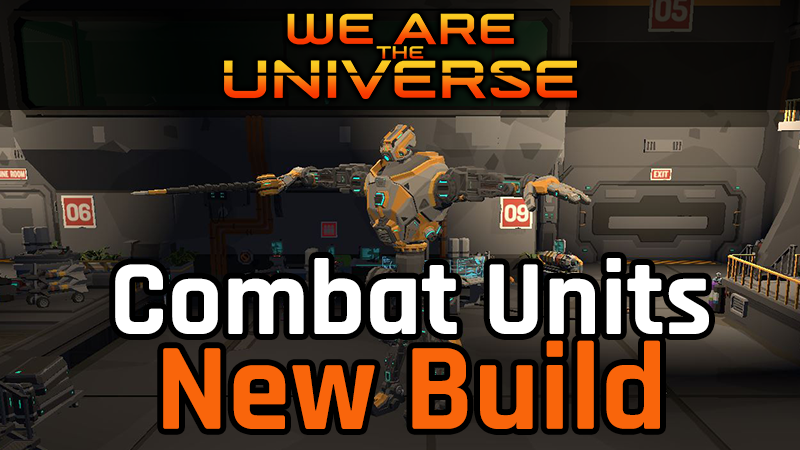
NEW UNIT - Mechanized Combat Exoskeleton (MCE)
These are units you can purchase and upgrade at space stations
Deploy in missions using the new Commands build menu
You can issue and cancel orders
They can be repaired and recharged by drones
MCEs draw aggro from nearby units
Mech and similar units have a unit icon panel across the top of the HUD, similar to the drone down the left side
New select unit feature
Left click now selects a unit, right click opens the old upgrades and orders context menu
Click a unit on the map or their avatar to select a unit
Shows a highlight border around the selected unit and their avatar icon
Selected units show a new unit details panel on the right side of the HUD
The detail panel may contain new orders depending on the selected unit
New Selected Unit Orders:
Move to location - move to a target on the map without delay
Cancel Current Order - current move order is cancelled and the unit stops
New Common Commands
Center Camera - the overhead camera will be centered on the selected unit
Camera Follow - the overhead camera will follow the selected unit
Other Changes
Upgrade Unity engine to 2022.3.62f2 which addresses a unity security issue
Upgrade astar pathfinding engine from 4x to 5.4.6, major version upgrade with widespread changes and improvements
Now using Unity/astar ECS based movement components for improved performance and pathing accuracy
Disable rage mechanics for now
The context menu common orders changed to icon buttons instead of text, these match the new icon buttons in the new unit details panel
Replace stock wander movement task with improved custom version
Fix turret build preview causing wall previews to become diagonal to the grid
Fix issue when destroying instanced effects
Fix turret placement losing preview rotation
Ensure game manager initializes first
Enemies now attack Mechs and other Friendly combat units if in range
Friendly combat units (eg. mechs) will cause a limited number of enemy units to aggro on them, this varies by enemy size
All combat units are now categorized by unit size, small/medium/large which also corresponds to the navmesh graph they utilize as that affects the wall gaps/spacing they can navigate
Fix missing or incorrect tags on combat units
Add aggro range projector for combat units
Fix recharger drone using incorrect mouse over highlight
Add made in unity splash
Restore ability to control rovers, although you can't do anything beyond using the camera for now
Rover max drone indicator text now shows number deployed/max drones
Remove endless mode from demo
Double click on rover, drone, or unit avatar will center camera on that unit
Add context menu to rover avatar (left click) and details panel (right click)
Levels now start with the camera centered on the rover
Fix some UI issues for ultra wide resolutions
Add global delay for all tooltips to reduce UI clutter
Fix turret line of sight checks, was getting blocked in some cases when it shouldn't
debris now absorbs turret fire, takes damage against the harvestable remaining energy and can be destroyed
Units no longer collider with debris
Non-vegetation debris no longer has any effect on pathing
Change target highlight and selection behaviour, you can now select or open menus on targets without having to close other target menus first
Units now highlight when you mouse over their avatar
Units now make checks to maintain range in case their target moves out of range, as well as maintain rotation towards target
Add new movement positions for the different enemy sizes to allow a wider swarm around rover and other ground units
Several adjustments to improve enemy swarming and clustering spacing
Remove restrictions on enemy shooter vertical angle
Increase text label sizes to prevent wrapping on rover panel in HUD
Add game mechanics for footstep audio and footstep aoe damage, only applies to mech so far
Add game mechanics for melee hits doing aoe damage
Adjust all attack ranges to conform to unit sizes
Fix issues with unit death on self destruct
Rework and rebalance Drone acceleration and rotation speeds
Fix bug with beam turret getting stuck on dead target
Adjust large enemy unit size to allow moving through 1 square space (previously it needed 1.3)
Build pieces no longer reset rotation when placed
Add measures to prevent enemies from getting stuck on top of walls when walls finish construction
Source
Changelog.gg summarizes and formats this update. How we read updates.