
Full notes
Full War in Asia update
Read the full published notes in a cleaner layout. The original post stays linked below.
What changed
- Gameplay
- Maps
War in Asia changes
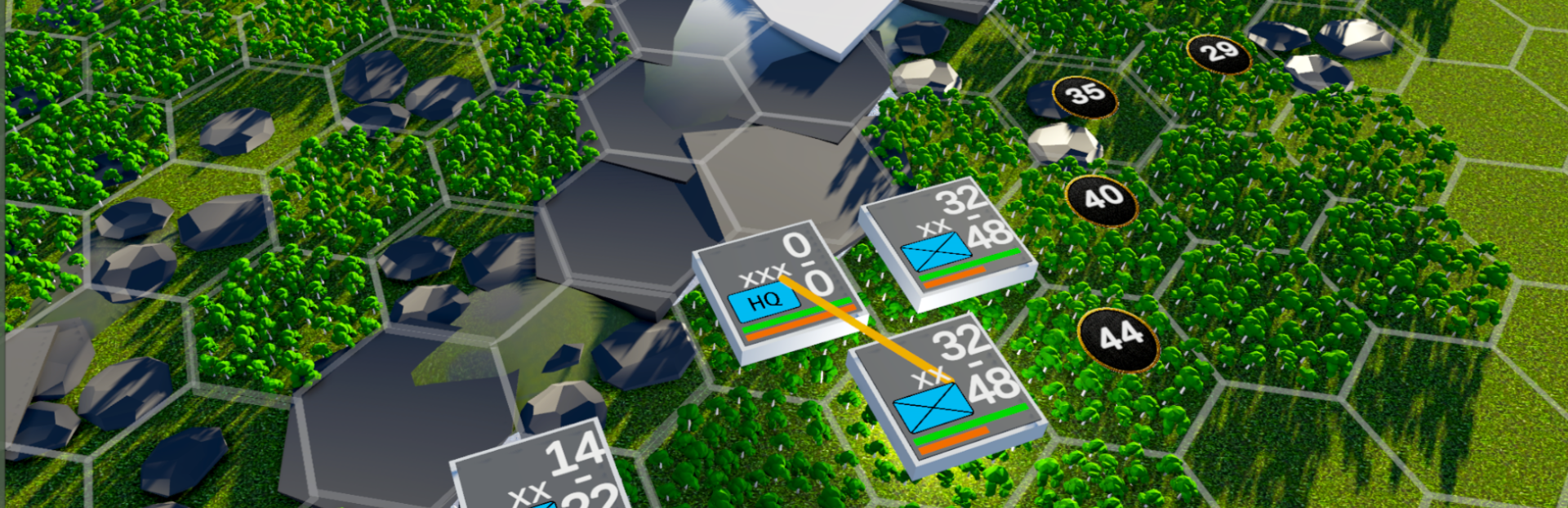
Operators are the basic combat units in the game. Depending on the faction, a non-command operator will usually represent either a division or a regiment.
When you select a unit, you can view the following information in its panel: its NATO unit symbol, including unit type and formation size; attack value; defense value; status bar; manpower; movement points; morale; experience; and supply value.
These values will be affected by different factors, causing them to rise or fall over time. “Status” is a very important concept in the game. You need to keep your own units in good condition while trying to weaken the enemy’s status. A weaker force in good condition may be able to defeat a stronger enemy that has been weakened by poor supply, prolonged combat, and other factors.
A unit’s combat power does not appear out of nowhere. You need to organize and equip your units so that they have real manpower and weapons available. You must produce weapons and deliver them to your units, because well-equipped troops will have far greater combat effectiveness than poorly equipped irregular forces.
In this game, manpower and equipment do not directly form a unit. Instead, they are first organized into specific “squads.” Squads are the most basic combat components within a unit, and they are also the basic units represented by the numbers shown in the image.
For example, to create one rifle squad, you need 12 men and 12 rifles. The image above shows the squad organization and equipment of the 9th Division under the 70th Corps. This unit has 650 rifle squads but lacks long-barreled artillery. Relying mainly on mortars as the primary means of fire support was common on the East Asian battlefield during World War II.
In the next development thread, we will discuss the game’s basic economic unit: cities. Thank you for following our progress.
Source
Changelog.gg summarizes and formats this update. How we read updates.