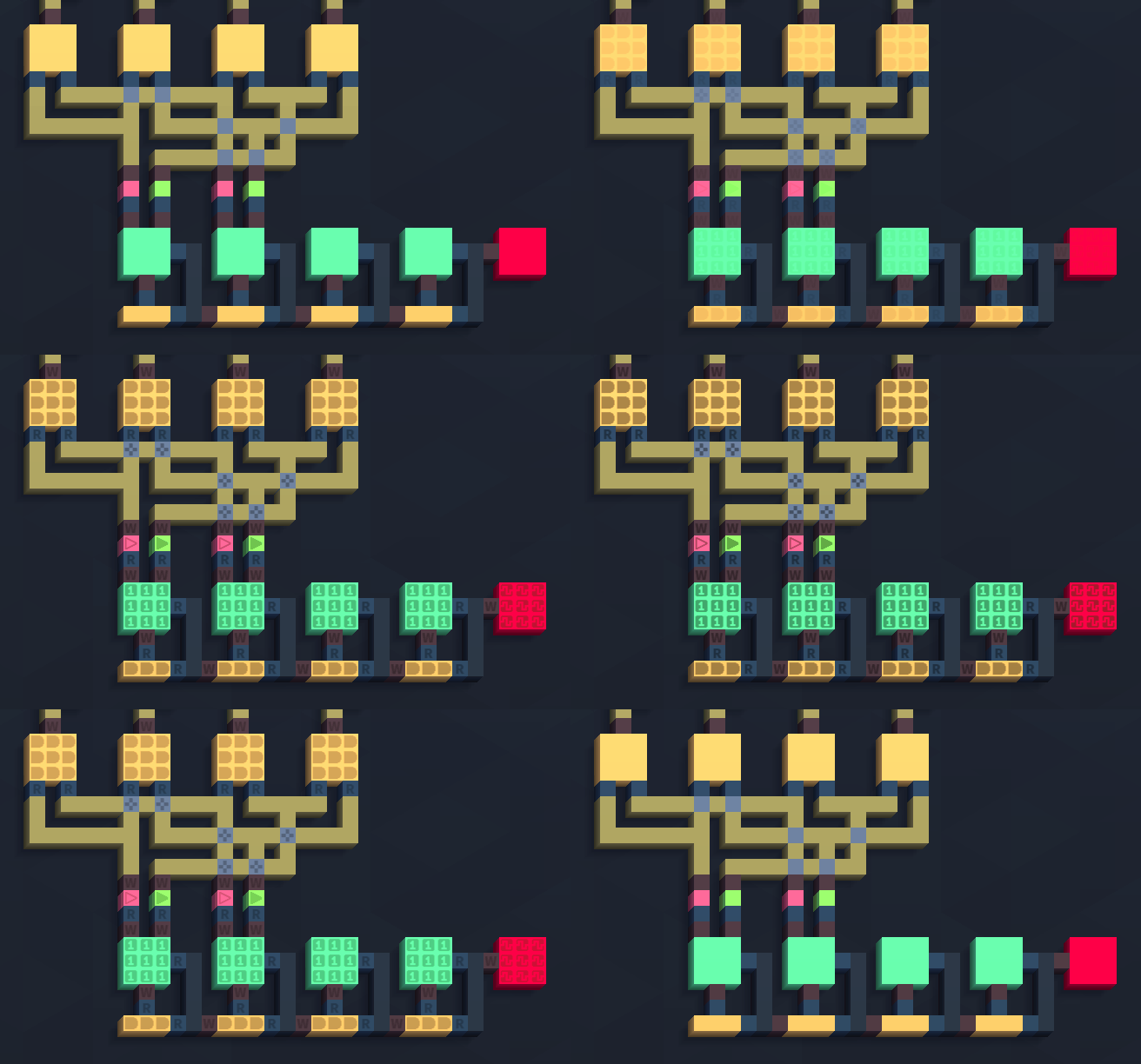
Update 0.1.2 - Ink Symbols Overlay Hey all, patch 0.1.2 is now live bringing the Ink Symbols Overlay to make it easier to visually identify Inks without relying on color alone.
In this update2
Full notes
Full Virtual Circuit Board update
Read the full published notes in a cleaner layout. The original post stays linked below.
What changed
1 fix0 additions2 changes1 removal
UI and audio
Performance
Compatibility
changedUpdate 0.1.2 - Ink Symbols OverlayAdditions - Toggleable overlay of symbols on top of inks to improve accessibility. The overlay becomes visible when the circuit is zoomed-in and can be toggled using the button next to the assembly editor toggle, the overlay visibility is remembered across sessions. Currently symbols are not displayed for traces and decoration inks but the ability to configure which symbols are shown and other options will be coming in the future. - It is now possible to manually input the simulation speed by right-clicking the slider widget.
removedUpdate 0.1.2 - Ink Symbols OverlayChanges - The widget for the amount of ticks to jump during step mode now becomes disabled when the simulation is not paused. - The TPS label no longer oscillates at low tickrates. - The Hovered Ink label is now visible during simulation.
fixedUpdate 0.1.2 - Ink Symbols OverlayFixes - Fixed a rendering issue with the selection tool that appeared for some players.
changedWhat's NextCurrently I've been working on the UI rework and refactoring to lay the groundwork for upcoming features, the next update is expected to show up on the beta branch until the end of August. Also there's now a roadmap listed in the official Discord if you would like to know what is planned for future updates!
Virtual Circuit Board changes
changedAdditions - Toggleable overlay of symbols on top of inks to improve accessibility. The overlay becomes visible when the circuit is zoomed-in and can be toggled using the button next to the assembly editor toggle, the overlay visibility is remembered across sessions. Currently symbols are not displayed for traces and decoration inks but the ability to configure which symbols are shown and other options will be coming in the future. - It is now possible to manually input the simulation speed by right-clicking the slider widget.
removedChanges - The widget for the amount of ticks to jump during step mode now becomes disabled when the simulation is not paused. - The TPS label no longer oscillates at low tickrates. - The Hovered Ink label is now visible during simulation.
fixedFixes - Fixed a rendering issue with the selection tool that appeared for some players.
changedCurrently I've been working on the UI rework and refactoring to lay the groundwork for upcoming features, the next update is expected to show up on the beta branch until the end of August. Also there's now a roadmap listed in the official Discord if you would like to know what is planned for future updates!
Update 0.1.2 - Ink Symbols Overlay
Hey all, patch 0.1.2 is now live bringing the Ink Symbols Overlay to make it easier to visually identify Inks without relying on color alone. The update also allows the simulation speed to be manually inputted and introduces other small quality of life changes. You can check the full list of changes below.
Additions - Toggleable overlay of symbols on top of inks to improve accessibility. The overlay becomes visible when the circuit is zoomed-in and can be toggled using the button next to the assembly editor toggle, the overlay visibility is remembered across sessions. Currently symbols are not displayed for traces and decoration inks but the ability to configure which symbols are shown and other options will be coming in the future. - It is now possible to manually input the simulation speed by right-clicking the slider widget.
Changes - The widget for the amount of ticks to jump during step mode now becomes disabled when the simulation is not paused. - The TPS label no longer oscillates at low tickrates. - The Hovered Ink label is now visible during simulation.
Fixes - Fixed a rendering issue with the selection tool that appeared for some players.
What's Next
Currently I've been working on the UI rework and refactoring to lay the groundwork for upcoming features, the next update is expected to show up on the beta branch until the end of August. Also there's now a roadmap listed in the official Discord if you would like to know what is planned for future updates!