
HomeGamesUpdatesPricingMethodology
Steam News13 January 20265mo ago

Rejoice! Rebindable controls have been added – Update v1.05

Happy New Year everyone! I’ve been hard at work over the Christmas period and, as a result, this update is a little more substantial.

Full notes

Full Urban Golf: Hot Dog Edition update

Read the full published notes in a cleaner layout. The original post stays linked below.

What changed

0 fixes4 additions5 changes0 removals
  • Gameplay
  • Compatibility
  • UI and audio
addedHappy New Year everyone! I’ve been hard at work over the Christmas period and, as a result, this update is a little more substantial.
addedWith update v1.04, I upgraded the game to use the new Unity Input System. While this allowed me to add better controller support at the time, it also laid the groundwork for key rebinding.
changedSo with this v1.05 update, that feature is now fully supported. If you open the controls menu and select the keyboard layouts, you’ll be able to click on any of the key icons to start rebinding. Simply click, then press the key you’d like to use.
changedAnother bit of feedback was that when setting up a shot, the character could sometimes end up inside buildings or other objects and get stuck once the shot was complete. I’ve now improved the collision detection here, and the character will try to switch shot stance where possible, or prevent the shot altogether if it would result in finishing inside another object.
addedCollectables can now also be picked up while in the golf cart, which should help keep the game flowing if you choose to use the cart to get around.
changedIf you enable the Perfect Shot power-up and then hit a ball, it will now emit a glitter trail while it’s in the air.

Urban Golf: Hot Dog Edition changes

addedHappy New Year everyone! I’ve been hard at work over the Christmas period and, as a result, this update is a little more substantial.
addedWith update v1.04, I upgraded the game to use the new Unity Input System. While this allowed me to add better controller support at the time, it also laid the groundwork for key rebinding.
changedSo with this v1.05 update, that feature is now fully supported. If you open the controls menu and select the keyboard layouts, you’ll be able to click on any of the key icons to start rebinding. Simply click, then press the key you’d like to use.
changedAnother bit of feedback was that when setting up a shot, the character could sometimes end up inside buildings or other objects and get stuck once the shot was complete. I’ve now improved the collision detection here, and the character will try to switch shot stance where possible, or prevent the shot altogether if it would result in finishing inside another object.
addedCollectables can now also be picked up while in the golf cart, which should help keep the game flowing if you choose to use the cart to get around.

Happy New Year everyone! I’ve been hard at work over the Christmas period and, as a result, this update is a little more substantial.

Since the first version of the demo came out, I’ve been asked a few times whether I’d be supporting key rebinding.

It was something I already had on the roadmap, but with how things were set up behind the scenes it wasn’t going to be a straightforward task.

With update v1.04, I upgraded the game to use the new Unity Input System. While this allowed me to add better controller support at the time, it also laid the groundwork for key rebinding.

So with this v1.05 update, that feature is now fully supported. If you open the controls menu and select the keyboard layouts, you’ll be able to click on any of the key icons to start rebinding. Simply click, then press the key you’d like to use.

Another bit of feedback was that when setting up a shot, the character could sometimes end up inside buildings or other objects and get stuck once the shot was complete. I’ve now improved the collision detection here, and the character will try to switch shot stance where possible, or prevent the shot altogether if it would result in finishing inside another object.

Collectables can now also be picked up while in the golf cart, which should help keep the game flowing if you choose to use the cart to get around.

When smashing the “No Golf” signs with the golf cart, they now fall over in the direction they were hit, along with showing an impact effect instead of disappearing instantly.

If you enable the Perfect Shot power-up and then hit a ball, it will now emit a glitter trail while it’s in the air.

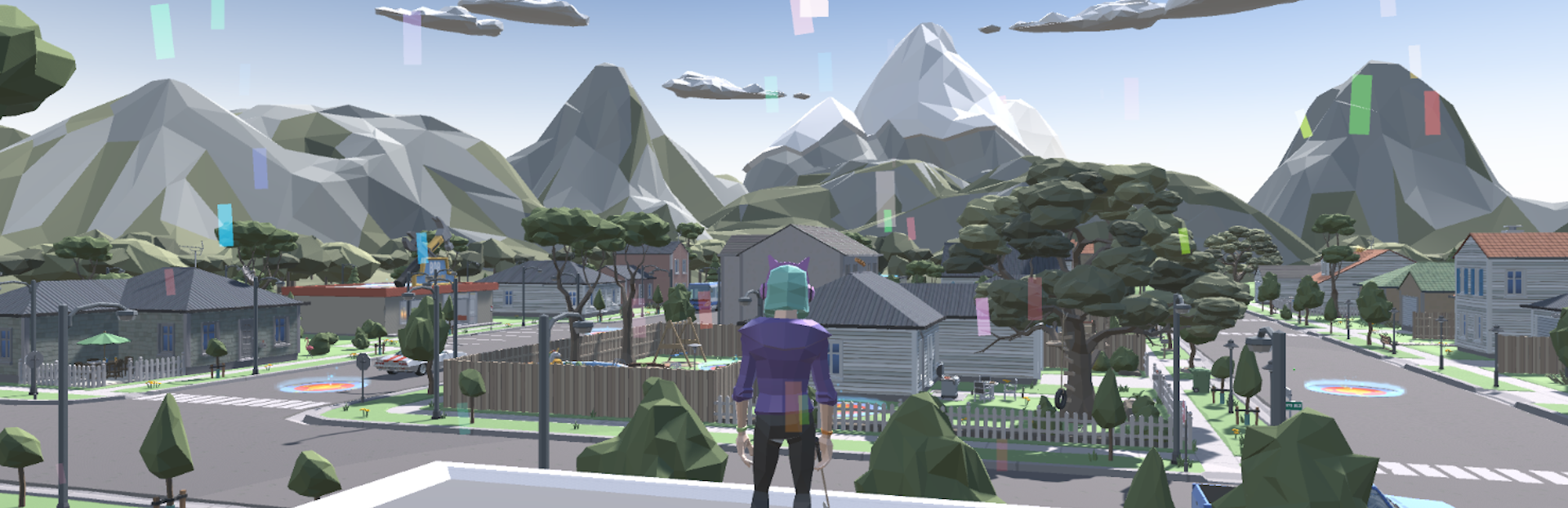
When a game mode is completed, confetti will now fall from the sky on the game complete screen.

Finally, and perhaps most pointlessly, if you manage to hit a car with your golf ball, it will now beep in anger… because why not 😄

I hope you enjoy the new update!

As always, if you have any feedback, please feel free to share it in my Discord using the icon below, or drop me an email at

UrbanGolfFeedback@gmail.com

.

Source

Steam News / 13 January 2026

Open original post

Changelog.gg summarizes and formats this update. How we read updates.