Repeated intro
Hello everyone, update 10 is released and it adds a bunch of new content to the game. Update 9, which was released a couple of months ago, had a lot of backend and QOL improvements. The patch notes from both updates are included in this post.
What changed
0 fixes6 additions3 changes1 removal
- Gameplay
- Maps
- UI and audio
- Balance
addedHello everyone, update 10 is released and it adds a bunch of new content to the game. Update 9, which was released a couple of months ago, had a lot of backend and QOL improvements. The patch notes from both updates are included in this post.
addedElectronics tierThe electronics tier is now implemented in update 10. It adds higher tier buildings, resources and items like electronic components, batteries, solar buildings, etc. It also introduces new types of buildings, a new armor set and weapons. Each tier, now has a decorative building which is used only as a decoration and doesn't do anything else. There is a new biome and a set of new resources. One of those new resources are Glowflies, which are required for crafting lights in the metal tier. There is also a new boss in the new biome.
changedMap iconsIn the previous updates, finding the boss spawn points was unintuitive and relatively complicated. In update 9, the boss spawn points have icons on the map. So now it's pretty straight forward to find them. And the building icons are now simpler and fit better with the overall look of the map UI.
removedControlsStarting with update 9, you no longer need to hold the button to pickup items or collect resources. Just press and release. Attacking however, still requires holding the button (this might change in the next update). The baseline player movement speed is increased. And the animations for picking up items and collecting resources are faster.
addedControlsI watched Rye Games play Unknown Planet on YouTube and at one point in the video, he was trying to pickup an item behind a palm tree and thought he couldn’t pick it up, even though he could. So, if you are a new player and you read this: you don’t need to point the mouse to an item, to pick it up. You just need to be near it.
addedInventory slotThe controls for interacting with an inventory slot are now rebindable in the settings. And there are a couple of new QOL controls. Middle Click grabs a half stack. Right Click equips and de-equips weapons, tools and armor equipment. Left Shift + Left Click quickly transfers an item between the player’s inventory and an opened building (storage chests, crafters, etc.)
Unknown Planet changes
addedHello everyone, update 10 is released and it adds a bunch of new content to the game. Update 9, which was released a couple of months ago, had a lot of backend and QOL improvements. The patch notes from both updates are included in this post.
addedThe electronics tier is now implemented in update 10. It adds higher tier buildings, resources and items like electronic components, batteries, solar buildings, etc. It also introduces new types of buildings, a new armor set and weapons. Each tier, now has a decorative building which is used only as a decoration and doesn't do anything else. There is a new biome and a set of new resources. One of those new resources are Glowflies, which are required for crafting lights in the metal tier. There is also a new boss in the new biome.
changedIn the previous updates, finding the boss spawn points was unintuitive and relatively complicated. In update 9, the boss spawn points have icons on the map. So now it's pretty straight forward to find them. And the building icons are now simpler and fit better with the overall look of the map UI.
removedStarting with update 9, you no longer need to hold the button to pickup items or collect resources. Just press and release. Attacking however, still requires holding the button (this might change in the next update). The baseline player movement speed is increased. And the animations for picking up items and collecting resources are faster.
addedI watched Rye Games play Unknown Planet on YouTube and at one point in the video, he was trying to pickup an item behind a palm tree and thought he couldn’t pick it up, even though he could. So, if you are a new player and you read this: you don’t need to point the mouse to an item, to pick it up. You just need to be near it.
Electronics tier
The electronics tier is now implemented in update 10. It adds higher tier buildings, resources and items like electronic components, batteries, solar buildings, etc. It also introduces new types of buildings, a new armor set and weapons. Each tier, now has a decorative building which is used only as a decoration and doesn't do anything else. There is a new biome and a set of new resources. One of those new resources are Glowflies, which are required for crafting lights in the metal tier. There is also a new boss in the new biome.
Map icons
In the previous updates, finding the boss spawn points was unintuitive and relatively complicated. In update 9, the boss spawn points have icons on the map. So now it's pretty straight forward to find them. And the building icons are now simpler and fit better with the overall look of the map UI.
Controls
Starting with update 9, you no longer need to hold the button to pickup items or collect resources. Just press and release. Attacking however, still requires holding the button (this might change in the next update). The baseline player movement speed is increased. And the animations for picking up items and collecting resources are faster.
I watched Rye Games play Unknown Planet on YouTube and at one point in the video, he was trying to pickup an item behind a palm tree and thought he couldn’t pick it up, even though he could. So, if you are a new player and you read this: you don’t need to point the mouse to an item, to pick it up. You just need to be near it.
Timestamped at 12:37 https://www.youtube.com/watch?v=NidvHTFVst0&t=757
Inventory slot
The controls for interacting with an inventory slot are now rebindable in the settings. And there are a couple of new QOL controls. Middle Click grabs a half stack. Right Click equips and de-equips weapons, tools and armor equipment. Left Shift + Left Click quickly transfers an item between the player’s inventory and an opened building (storage chests, crafters, etc.)
Graphics
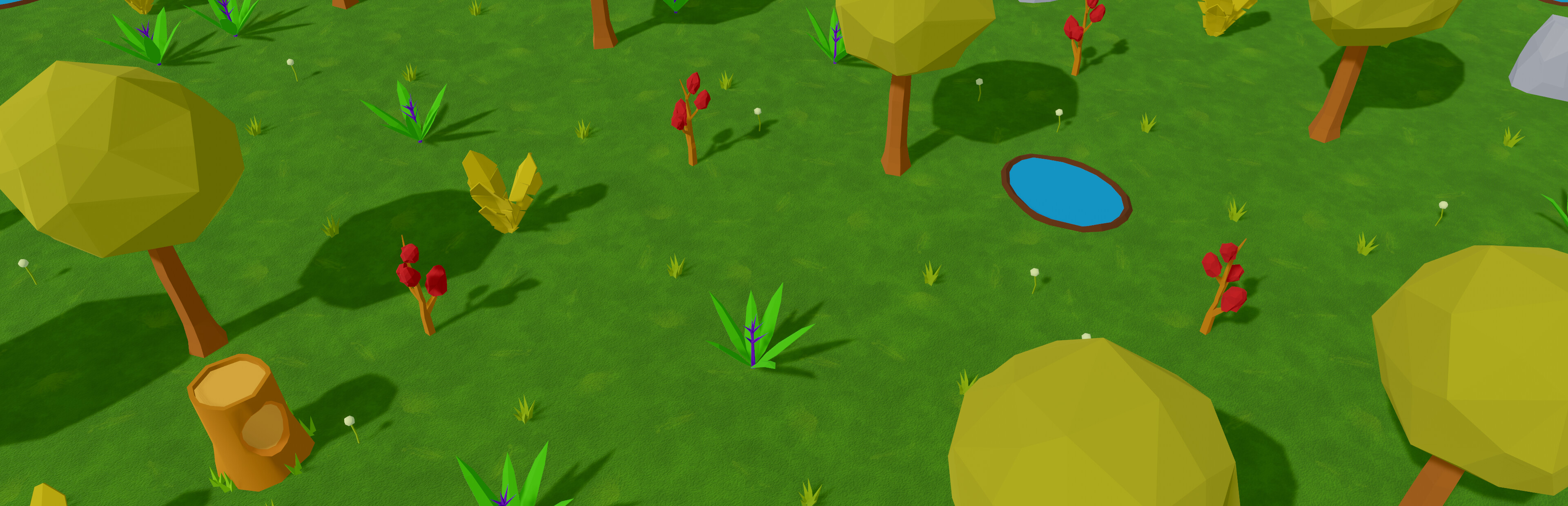
The graphics for some of the existing biomes have been updated and have higher resolution textures. The game now uses a different renderer and tonemapper and it looks brighter. The UI was revamped and has new icons, colors, buttons, rounded corners, etc.
Plants
The plants don’t have a generic 3D model anymore. They each have their own miniature version of the 3D model which grows over time. That way, they are distinguishable right away at a glance. The plant collision was reworked as well, so now you can plant them in a grid even if they overlap with each other. You can hold Left Ctrl while planting them to snap them to a grid.
Enemies
Enemies that spawn periodically to attack the player, now spawn pretty close to the player and have a spawn animation, rather than just appearing out of nowhere. They also attack buildings if they get near one.
Food and water
Update 9 introduced 3 new types of items for cooking: vegetable, food and water. The cooking mechanic has been revamped and cooking is done by combining types of items, rather than specific items. So, you can combine food + water or vegetable +