
Full notes
Full TRAIN CREW update
Read the full published notes in a cleaner layout. The original post stays linked below.
What changed
- Gameplay
- Performance
- UI and audio
- Fixes
TRAIN CREW changes
■ Major Changes
-Added the "Unusual Route Scenario Add-on Pack".
A total of 28 new timetables have been added, including those in the new pack.
-Fixed a performance configuration issue for the Type 3000 series (3000 and 3020) in high-speed ranges.
-Revamped the UI, updated the display methods, and expanded the available settings.
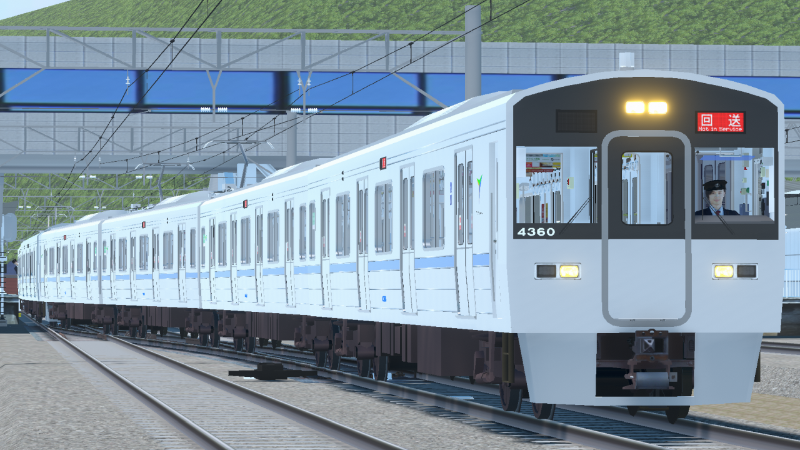
■ Type 3000 Series Performance Changes
In the May 1st update, the performance settings—particularly in the low-current range—were abnormally strong. We have readjusted these settings to bring them within a reasonable and realistic range compared to VVVF-equipped trains.
As part of this adjustment, the field-weakening steps have been changed to 6 steps:
Notch 4 engages up to field-weakening step 3.
Notch 5 engages up to field-weakening step 6.
*Deceleration performance remains largely unchanged from previous versions.
■ UI Changes and Expansions
Added the following items to the Display Settings:
-Show train information: (Off / On)
-Show next stop name: (Off / On)
-Show scheduled time: (Off / On)
-Show current time: (Off / On)
-Show speed Limit: (Off / On (No Advance Warning) / On (No Remaining Distance) / On (With Advance Warning))
"Yes(unannounced)": Displays only the current speed limit.
"Yes(without distance)": Displays only the upcoming speed limit, hiding the remaining distance to it.
"Yes": Displays all information as before.
-Show current speed: (Off / On)
-Remaining distance unit: (m / cm / m ⇔ cm / m ⇔ cm ⇔ mm)
"m ⇔ cm ⇔ mm": Automatically switches to millimeter (mm) display when within 1 meter.
-Show gradient: (Off / On)
-Show notch setting: (Off / On)
-Show emergency brake switch: (Off / On)
-Show door switch: (Off / On)
-Diagram size: (Numerical Value)
-Separated the display unit settings from the Remaining Distance Display into a dedicated Remaining Distance Unit setting.
-Added a new "Only when stopped at stations" option to the Remaining Distance Display (in addition to "Off" and "On"). This displays the distance only when stopped at a station or when a stop position error occurs.
-Changed the Speed Limit and Current Speed text colors to dynamically change based on the speed limit status:
-The Speed Limit display turns yellow if the current speed exceeds the upcoming warned speed limit.
-Both the Speed Limit and Current Speed displays turn red during speeding conditions (current speed is +1 km/h or more over the limit, or when the speed limit is 0 km/h).
-Changed the Gradient Display color to dynamically change based on the gradient rate and direction (ascending/descending):
-Upgrades (ascending) are shown in green, and downgrades (descending) in red. The color intensifies as the gradient becomes steeper.
-Changed the UI so that if the next timing point is a pass-through station, that station's name will be shown in the Scheduled Time and Remaining Distance displays. (Display on the Remaining Distance UI is available in Japanese only).
-Rearranged the menu order within the Display Settings.
-Adjusted the UI font used during gameplay.
■ Regarding Train Sway
Train sway in the rolling direction (side-to-side tilt) is now visually noticeable during gameplay.
As this may cause motion sickness for some players, please adjust the intensity as needed under HUD setting > Train Sway.
The center of the slider bar represents the default value.
■ Other Changes
-Added a shortcut button on the timetable selection screen that allows players to jump directly to the preceding or succeeding train when it is playable.
-Added "Sort by Percentage" to the sorting options in the timetable list.
-The game now automatically returns to the timetable selection screen after finishing a drive.
-Fine-tuned the train sway in the rolling direction.
-Added a repeating signal (repeater) to the Down-line Block Signal No. 203.
-Adjusted the operational timetables and arrival/departure track numbers for certain trains.
-Delayed the scheduled arrival time at Komano Station for Train 681D.
-Moved Train 698B from its current category to the "Morning Rush Timetable Expansion Pack 1".
-Added physical movement animations to the electrical coupler covers.
-Placed ambient automobiles/vehicles on the roads.
-Added ambient audio loops to certain stations.
-Added a "Zoom" option to the Key Bindings configuration.
■ Bug Fixes
-Fixed a bug where the conductor switch key remained inserted at platforms/locations where no station platform existed on One-Man (driver-only) trains.
-Fixed an issue at the Takamizawa Crossing where disembarking passengers would not cross the tracks even when the crossing gates were open.
-Fixed a bug where callouts (shant/announcements) were being triggered abnormally for the Shin-Nozaki 23L/24L Shunting Signals (the shunting signals attached to the Second Home Signal).
-Fixed an issue where pressing the Space key after clicking the Fast-Forward button with the mouse would inadvertently trigger the Fast-Forward button again.
-Fixed an issue in Conductor Mode where the guidance incorrectly instructed the player to open the doors if they made a perfect emergency stop at a section with a very small remaining distance.
-Fixed the display trigger conditions for "Scheduled Arrival Time" and "Scheduled Departure Time".
-Fixed a bug where NFB (No-Fuse Breaker) and other switches became un-interactable if the player unpaused the game while hovering the mouse cursor over a button on the pause menu.
*Note: The interaction detection for NFBs and other switches is now properly disabled while the pause screen is active.
-Fixed an issue where the sound effect for operating the headlight dimmer switch was too quiet.
-Controller API: Fixed a bug where the output value of the Train Selection Type display did not match the actual display in the cab.
-Controller API: Modified the system to directly output the values currently being displayed.
-Controller API: Fixed an issue where track information for the Komano Station Track 1 Up-line Departure Signal could not be retrieved.
-Controller API: Fixed an issue where the suppressive brake (holding brake) remained engaged even after switching from suppressive braking to P5.
-Unified the key binding option previously labeled "Door Cut Switch" to "Hagoromobashi Switch" across the settings menu.
*Originai text (Japanese)*
ダイヤ追加&3000系列性能再変更&UI変更・拡充&車両の揺れなどのアップデート
■主な変更点
・「珍走行経路ダイヤ追加パック」を追加しました。
追加されたパックを含め、28ダイヤを追加しました。
・3000形(3000と3020)について、高速域などでの性能設定に誤りがあったため修正しました。
・UIについて、表示方法の変更、設定の拡充を行いました。
■3000系列性能変更について
5/1に実施した変更では、特に低電流域において、性能設定が異常に強くなっておりました。
再度調整を行い、VVVF車と比較して概ね妥当な範囲になるよう調整しています。
調整の過程で、弱め界磁段については6段に変更となりました。
4ノッチで弱め界磁3段、5ノッチで弱め界磁6段まで入ります。
※減速についてはほぼ従来通りです。
■UI変更・拡充拡充について
・表示設定に以下の項目を追加しました。
列車情報表示(なし/あり)
次駅表示(なし/あり)
予定時刻表示(なし/あり)
現在時刻表示(なし/あり)
制限速度表示(なし/あり(予告なし)/あり(残り距離なし)/あり(予告あり))
「あり(予告なし)」:現在の制限速度のみ表示
「あり(残り距離なし)」:次の制限速度のみ表示、次の制限速度までの残り距離は非表示
「あり(予告あり)」:従来通り全て表示
現在速度表示(なし/あり)
残り距離単位(m/cm/m⇔cm/m⇔cm⇔mm)
「m⇔cm⇔mm」:1m以内でmm表示となる
勾配表示(なし/あり)
ノッチ表示(なし/あり)
非常ブレーキSW表示(なし/あり)
ドアSW表示(なし/あり)
ダイヤグラムサイズ(数値)
・残り距離表示から表示単位の設定を残り距離単位に分離しました。
・残り距離表示は「なし」と「あり」に加えて、駅停車時、または停止位置誤り時のみに表示する「駅停車中のみ」を追加しました。
・制限速度の状態によって制限速度表示や現在速度表示の色が変化するように変更しました。
・予告されている制限速度よりも現在速度が大きい場合、制限速度表示が黄色に変化します。
・速度超過状態である(現在速度が制限速度+1km/h以上、または制限速度が0km/h)場合、制限速度表示と現在速度表示が赤色に変化します。
・勾配表示の色が勾配率や上下によって変化するように変更しました。
上りは緑、下りは赤で勾配率が大きいほど濃い色に変化します。
・次の採時が通過駅の場合は予定時刻表示と残り距離表示にその駅名が表示されるように変更しました。(残り距離表示への表示は日本語のみ)
・表示設定について順序の入れ替えを行いました。
・運転中UIのフォントの調整を行いました。
■車両の揺れについて
ローリング方向の揺れについて、見た目などでわかる程度に出るようになりました。
場合によって酔いやすくなる可能性がありますので、適宜「表示設定>車両の揺れ」にて調整してください。
バーが中央の地点が規定値です。
■その他変更点
・時刻表でのダイヤ選択画面において折り返し前、折り返し後の列車が運転できる場合にその列車へジャンプするボタンを追加しました。
・時刻表でのソートに「評価順」を追加しました。
・運転終了後は時刻表選択画面に遷移するようにしました。
・下り閉塞203信号機に中継を追加しました。
・一部列車の運転時刻・発着番線を変更しました。
・681D列車において、駒野到着時刻を遅くしました。
・698Bのダイヤ追加パックの所属を「朝ラッシュダイヤ追加パック1」へ移動しました。
・連結器の電気連結器カバーの動きを追加しました。
・道路に自動車を配置しました。
・一部駅でループ音を追加しました。
・キー割り当てに「ズーム」を追加しました。
■不具合修正
・ワンマン列車でホームのない箇所において、車掌スイッチに鍵が刺さっている問題を修正しました。
・高見沢渡り踏切で、踏切が開いているときに降車客が踏切を渡らない問題を修正しました。
・新野崎23L/24L入換信号機(第二場内信号機据付の入換信号機)に対して、喚呼が異常に行われていた問題を修正しました。
・マウスで早送りボタンを押した後、スペースキーを押すと早送りボタンが反応してしまう問題を修正しました。
・車掌モードにおいて、残距離が小さい箇所に丁度良く非常停止した場合、ドアを開けるようガイダンスされる問題を修正しました。
・「停車予定時刻」と「出発予定時刻」の表示条件を修正しました。
・ポーズ画面のボタンにマウスカーソルを重ねたままポーズ解除するとNFBなどが操作できなくなる不具合を修正しました。
ただしポーズ画面中はNFB等の操作判定が無くなるように変更しています。
・前灯減光スイッチの操作音が小さい問題を修正しました。
・コントローラーAPIにて、列選種別表示の出力値が、実際の表示と一致しない問題を修正しました。
・コントローラーAPIへの出力では、現在の表示の値を直接出力するように変更しました。
・コントローラーAPIで、駒野駅1番線上り出発信号機の情報が取得できない問題を修正しました。
・コントローラーAPIで、抑速からP5へ切り替えても、抑速が継続してしまう問題を修正しました。
・設定項目のキー割り当てにて「ドアカットスイッチ」と表示していた項目を「羽衣橋スイッチ」に統一しました。
Source
Changelog.gg summarizes and formats this update. How we read updates.