
Full notes
Full Thrive update
Read the full published notes in a cleaner layout. The original post stays linked below.
What changed
- Balance
- Gameplay
- Performance
- Maps
- Events
- Security
Thrive changes
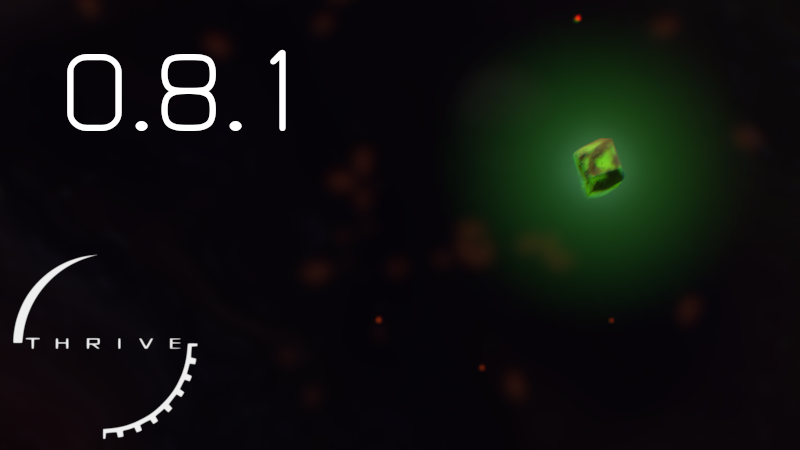
Environmental interactions get a lot more varied in this new latest version of Thrive. The first major change is that there are now environmental tolerances to consider. This means that your species needs to be adapted to the conditions of the environment you want to live in: temperature, pressure, UV, and even the presence of oxygen. Also added are new environmental chunks like the radioactive chunk shown in the first image. It will cause damage to microbes that cannot resist radiation.
Also in this release we finally have a fully finished thermosynthesis gameplay, though it might not be exactly fully balanced yet as we didn’t get that much balance feedback on the public test build last week. And of course along with the major new features we have a ton of small tweaks, graphics and GUI improvements as well as bug fixes. One highlight is that we now have an exclusive fullscreen option which should help anyone wanting to play in fullscreen mode on Windows.
Read on for more details or play the new update now.
Freezing, Crushed, And Overheating – Environmental Tolerances
A long awaited feature, environmental tolerances are now implemented in Thrive. Life in Thrive now must adapt to different conditions across their planet, simulating an important aspect of your species’ evolutionary story.
There is now a section of the editor devoted to environmental tolerances, where players will be able to examine and control their preferred environmental conditions. Inhabit a patch with unfavorable conditions, and you will suffer penalties in gameplay and auto-evo performance. Adapt well to a patch, and gameplay bonuses will be received by your species.
This feature will make patch migration and player movement more strategic in nature, and – combined with other features in 0.8 – will provide an engaging simulation of life’s story on a young, changing planet. Balancing is an important part of making this feature as fun as possible, so feedback is deeply appreciated.
Radiation-Eating Cells
Be wary of a strange, green light: radiotrophy is finally in Thrive.
Radiotrophy – a unique metabolic strategy undertaken by some fungal species here on Earth – involves the generation of energy from captured radioactivity. In Thrive, we have introduced radioactive chunks, found in hydrothermal vents and caves.
Absorbing too much radiation is dangerous, especially to unadapted cells – however, cells with melanosomes are able to metabolize a certain amount of radiation, providing a powerful source of energy. Be careful though: even cells with melanosomes can overdo it. Though, with enough melanosomes extreme amounts of radiation can be overcome.
Along with being an engaging metabolic pathway, radioactive material also serves as an interesting environmental hazard. So if your organism lives in a patch with radioactive material, tread carefully!
Full Thermosynthesis Implementation
Along with radiotrophy, thermosynthesis represents another unique metabolic pathway added to Thrive.
Thermosynthesis generally involves the use of heat gradients in order to generate energy. In Thrive, players with thermosynthesizing proteins are now able to toggle a thermal display of their environment showing local fluctuations in temperature. Players must navigate between cold and warm spots in order to generate energy – going from colder to warmer spots specifically generates energy.
Thermosynthesis is currently a theoretical diet, and thus is only accessible in non-LAWK playthroughs (toggleable setting when starting a game). However, thermosynthesis is theorized to have been very important for the most ancient of lifeforms on Earth – so future research might make this diet available in a standard, LAWK Thrive playthrough.
One of our developers evolved an organism fully dependent on radiotrophy and thermosynthesis, calling it an exciting yet challenging existence. We challenge our community members to replicate such a fad diet!
Improved Patch Map
Some work has been put into our patch map to better increase player accessibility. Most notably, connections between patch regions are now much more visible, allowing players to better understand where to move in order to escape a region. Graphs in the report have also been moved around in a way approximating importance in order to increase readability.
Additional Features
Added microbe background blur and enabled distortion effect by default
Added an option to select between the different fullscreen modes supported by Godot Engine. When using exclusive fullscreen mode this fixes a one pixel border problem on Windows.
Late multicellular was split into its own full stage: Macroscopic
Implemented multicellular organism statistics panel
Various improvements to auto-evo to allow it to evolve new organelles / upgrades. And improved the microbe AI to be able to use newer features of the game.
Fixes to the organelle suggestions feature to make it not suggest the nucleus too early
Improved cell image generation to make it less likely for the images to be cutoff
Tutorial and Thriveopedia tips page improvements
A full list of changes is at the end of this post.
What’s Next
As always remember to join us for our developer Thrivestream later today, where we’ll cover the changes in this release and answer any questions you might have about the future of development. We’ll also answer the usual question of what’s coming in the next releases.
You can visit our feedback thread to give your thoughts on this update or post your feedback in the comments below. And to report the sure-to-still-exist bugs in the tolerances system.
p.s. if someone missed our previous art contest, the results were published here.
Full Patch Notes
Added environmental tolerances, which means cells need to be adapted to the temperature, pressure and other stats of the patch they live in or otherwise they get various negative effects. Conversely perfect adaptation leads to bonuses.
Added radiotrophy as a new food source, which allows using radioactive rocks to generate energy
Thermosynthesis is now finally fully implemented. The feature now requires moving between local hot and cold areas to generate energy only when the cell's temperature is going up.
Added microbe background blur and enabled distortion effect by default
Added region connection lines to the patch map and tweaked its visuals to make it clear which patches link together
Added an option to select between the different fullscreen modes supported by Godot Engine. When using exclusive fullscreen mode this fixes a one pixel border problem on Windows.
Late multicellular was split into its own full stage: Macroscopic
Implemented multicellular organism statistics panel
Added per cell type ATP balance bars to the multicellular editor
Increased auto-evo population change effect strength on the player from 20% to 50% and made it a configurable difficulty option
Changing organelles back to their base state no longer refunds the upgrade cost. This fixed an infinite MP exploit with the refunds
Improved the accuracy of the algorithm used by organelle suggestions, this should make the suggestions more accurate and no longer suggest adding a nucleus too early
Made environmental light match the gameplay light cycle to make the environment darker during the night
Marine snow density now depends on existing species instead of always being there
Improved microbe AI to be able to use the feature to enter engulf mode even if out of ATP
Tweaked thermosynthesis related text and icons
Updated various icons to be SVG files to no longer be blurry at high resolutions
Added displays in the editor to show reproduction cost in terms of ammonia and phosphates
Improved cell image generation to make it less likely for the images to be cutoff
Updated various tooltip and tutorial text to be more clear and accurate in relation to new game features
Added a new overall tips Thriveopedia page to help new players
Added the miche viewer to the auto-evo prediction explanation popup
Added sulfur chunks as energy sources to auto-evo
Added a new sulfur chunk variant
Auto-evo can now evolve the slime jet
Auto-evo can now evolve the mucocyst
Added lysosome effects to auto-evo and made auto-evo able to evolve them
Added a tutorial about early goals to the microbe editor (finding a good patch and then getting the nucleus)
Added a tooltip for the cell rotation rate stat to explain that organelle placement affects it
Added an option to the growth order menu to show organelle coordinates, which now defaults to off for clearer look
Reordered the charts in the report tab to have more important ones at the top and environmental conditions last
Increased efficiency of organelle position finding code for organelle growth so that big cells don't cause lag spikes
Added Banana Biome Easter Egg
Changed migration button to say "Migration Manager" to hopefully clear up the functionality
Increased efficiency of position calculation for new organelles in auto-evo which should increase overall simulation speed by about 20%
Fixed the organelle suggestions system sometimes suggesting unavailable organelles like myofibril
Fixed the alternative compound balance mode not working at all
Fixed membrane stat comparisons in tooltips and made them only show stats that are different to the currently selected membrane
Fixed auto-evo prediction not updating on patch change or on behaviour slider change
Fixed tutorial lines that pointed to nothing by allowing tutorials to temporarily hide the lines if there is nothing to point to
Fixed the editor sometimes needing multiple clicks after closing a popup menu by making sure our input manager always forwards key up events to all listeners
Fixed patch events showing on undiscovered patches
Fixed sprint strain bar continuing to go up when engulfed
Fixed the lysosome upgrade GUI being slightly too short and having a scrollbar
Fixed hitting floating toxins in engulf mode triggering a message about being too small to engulf them
Fixed the game getting locked up when trying to move the rigidity slider when you have exactly 0 MP
Fixed inventory icons being behind some windows when dragging them
Fixed patch notes popup not grabbing focus correctly
Fixed modal popups staying open when moving on from an editor component
Fixed an error in multicellular editor when clearing the cell selection
Fixed an issue in our native lib management tool incorrectly checking for Mac libraries in certain usage situations
Refactored MP system to calculate things as floats to make smaller edits work better (especially with lowered mutation cost)
Endosymbiosis processes are now cleared when entering multicellular to not permanently lock the player out of a potential food source
Added clarification in chemoreceptor tooltip that it can also be used to detect cells
Added a tooltip for the compound handling modes in the new game setup to try to explain the rough idea behind each mode
Improved zoom behaviour in the evolutionary tree and tweaked the dragging limits
Updated all of the social media buttons in the main menu
Removed an unnecessary memory allocation in auto-evo organelle upgrade attempt code
Made our custom modal dialog manager close open dialogs when changing scenes as the old parent GUI is deleted
Changed direct multicellular starter cell to work with the new no oxygen environment
Removed extra data calculations from auto-evo energy balance calculations
Refactored code related to the microbe editor organism panel
Removed trailing spaces from the chromatic shader
- Steamupdated the wording on our thanks for buying the game message to avoid negative undertones. The thanks popup also now defaults to being permanently dismissed after clicking OK once.
Added a new translation: Japanese. Only a little bit of the game has been translated yet so please help out if you can.
Added Tatar language to be selectable, though the translation work hasn't started yet. If anyone can help out this translation, please do.
Updated Thriveopedia content
Updated setup instructions to tell to install dotnet 9
Bumped license year to 2025
Tweaked Dependabot configuration for dependency updates
Updated AngleSharp from 1.1.2 to 1.2.0
Updated Harmony to 2.3.5
Updated Nix build flake
Updated System.IO.Hashing from 9.0.0 to 9.0.2
Updated translations
Source
Changelog.gg summarizes and formats this update. How we read updates.