
Full notes
Full The Unfolding Engine: Paint a Game update
Read the full published notes in a cleaner layout. The original post stays linked below.
What changed
- Gameplay
The Unfolding Engine: Paint a Game changes
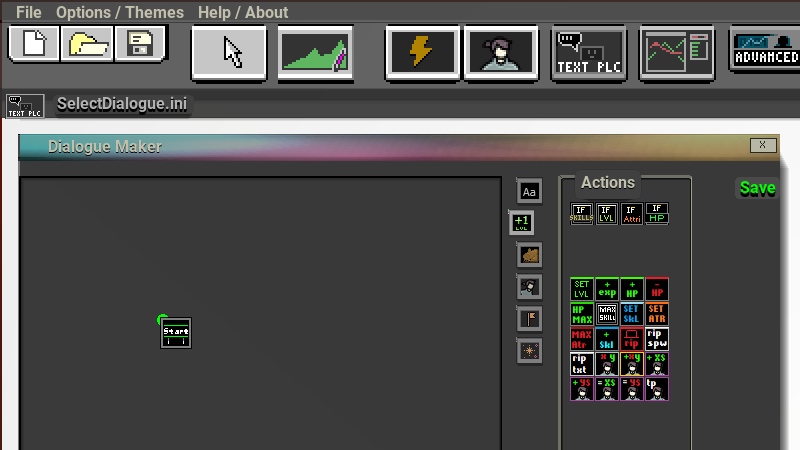
Having items that are too heavy for the player now causes the player to become more and more encumbered - Items now can use dialogues and be right clicked - Item quantities can now be split by holding ctr - Items can now specify how many of an object you want to destroy by right clicking - Items can now be examined to see their stats / value / description. - Incrementals now can specify how much items are collected instead of having all items at once as well as specify how much weight will come out of it. - TeamQuest Project Manager now has its headings correctly going to the correct menu - Dialogue now has if statements that allow you to build conditions for levels, item levels, attributes. - Dialogue now has more effects that it can bring such as teleporting the player, spawning items or adding exp or stats. - Menubar is now double the size allowing for icons to become more readable. - Menubar now has more icons popout per category.
Source
Changelog.gg summarizes and formats this update. How we read updates.