
Full notes
Full Temtem: Pioneers update
Read the full published notes in a cleaner layout. The original post stays linked below.
What changed
- Maps
- Balance
- Workshop
- Gameplay
- Events
- UI and audio
Temtem: Pioneers changes
HIIIII Tamers! Veeeery exciting update today because we’re going to talk about creating a home away from home: building and housing in the Downbelow.
Building is another feature we’ve spent a lot of time designing and trying to perfect, so it's definitely a big leg of Temtem: Pioneers, even if it’s less prominent than exploration and combat. Picture this: you just fell from an airship, no people around, only Tems. Sleeping in the open is rough, so you decide to build a house.
Congratulations on wanting to become a homeowner! First you’ve got to locate the plot for your dream house. You can build a house in any Biome in Temtem: Pioneers, but there are some terrain limitations! You cannot build directly on top of water, or on the slope of a mountain, so you need to find a surface that’s more or less flat. Most terrain inclination can, however, be circumvented with the use of what we currently call “foundations”. These building pieces sink into the earth so that you can build walls, floors and stairs on top of them, allowing you to overcome some of the limitations related to the terrain. These foundations, and pillars, will also help you build houses that are partially over water and other liquids.
As a case in point, take a look at this beautiful house: its foundations allow it to be partially constructed over water, including its beautiful deck over the river!
You will also notice that buildings in Downbelow can have more than one floor. Layer another floor on top of your walls instead of opting for a roof, repeat, and profit! You’ll have to keep this sensible, as the game does have limits on building height: no Babel towers reaching for the Archipelago, thank you!
Let’s say you’ve found the right plot, and you have an idea of how many floors you want and the general disposition of your house: you’re ready to build! Oh, but before that, you’ll need a hammer: this nifty tool can be crafted manually and will allow you to commence the house designing Fest! The next step would be making sure you have the resources for it, or, in case you don’t, gathering or crafting them!
The resources used for building in Temtem: Pioneers are those you naturally find around the Downbelow, like stone, wood, fiber, etcetera. These resources will be used in crafting with a recipe, a sort of blueprint for each construction piece, that will require certain resources. You only need to unlock the recipe once to have the resulting building piece available, but placing a piece will always consume the resources needed for that particular piece. To give you a practical example, let’s say a wooden roof section is made of 1 piece of wood and 1 piece of fiber: once the recipe is unlocked, every time you place a wooden roof you’ll be deducted 1 piece of wood and 1 piece of fiber from your inventory.
We group building pieces under sets: a set is a group of construction pieces that share resources and go well together, but you’re free to experiment with pieces from different sets, as you can mix and match! We said it before, but let us say it again! You can’t build a construction piece if you don’t have the resources it needs, so keep an eye out on your resources before you go big. But don’t give up! Just go harvesting for a while and come back with renewed energy! Different biomes will give you different kinds of resources, although not all biomes provide a new set of building pieces, with some being more focused on providing upgrades for your workstations, or decoration pieces.
Want to hear another veeeery cool fact about building in Temtem: Pioneers? We’ve kept in mind the natural-born architects, but also those who, like me, struggle with placement, spatial vision, or patience. Those in the latter categories can enjoy what we currently call “the magic system” (final name TBD!), which works by automatically (and magically) adapting pieces, so that you (and I) can construct simple, good-looking structures faster.
Magic mode aims for effective and practical simplicity, so the pool of pieces will be limited, but meant to fit perfectly together. Instead of having the player struggle to perfectly match them, the system will choose the building piece that perfectly fits that space and construct it. Pieces satisfactorily snap to each other and the result is low-effort, high-reward. You can think of it as the system sensing your desired outcome and making it come true for you magically. You’ll be able to see a preview of the piece you’re about to build, and the final shape it will take to magically adapt to the surrounding pieces. For ease of access, during building you’ll always know if you can place a piece or not via easy-to-understand color coding.
Good examples of the magic system would be turning two individual roof pieces into a complete roof, a wall adapting to the length of a flight of stairs, or the automatic trimming of a wall so that it fits a certain shape already defined (like the triangle caused by two roof panels joined together. I know explaining it is a drag, so here’s an image where you can see it in action, and there's a gif above that also showcases magic mode!
This system, which might seem simple at first, has a lot of internal rules about which cases are valid or not, or what combination it will prioritize if there’s more than one and more, and there’s a lot to be defined and designed yet! We’ll save this for a possible future devblog!
The temporarily-called magic system is the default system set for all players, since it’s a perfect way to learn the ropes! But if you want to have full control and access to all the options, you can choose to build in what we currently call the “advanced mode”, where the system will not interfere with your creative process. You have access to all the building pieces (as long as you have unlocked the recipe for them) and no restrictions, so if you know what you’re doing you’ll be able to create more complex structures. Pure, raw building, entirely under your control, for those who excel at planning, designing and constructing!
We haven’t mentioned it so far, but you can absolutely destroy your building pieces at any point during the construction. It’s as simple as pressing a different button, and the resources invested in that piece will be automatically returned to you, so don’t be afraid to try things out and renovate!
By now you might be thinking “but why do I want a house, Tsukki?”. Valid, young Tamer, but you have to know that your house is a place of rest and progression. Like we mentioned in a previous update, sleeping will create a spawn point. If something happens to you while out in the wild Downbelow, you’ll return to the last spawn point you used, aka the last bed you used. You can have more than one house across the land, though! Plan ahead to make sure your re-spawn point is one you wanna return to.
The furniture you place in your home also plays a role in the way you advance through your journey. Some furniture will have very useful practical applications: from storing your items and resources, to creating new ones. That’s right! You can craft, upgrade and place what we call workstations, furniture that serves a purpose!
We casually name-dropped them a couple of sentences ago, but workstations require their own section. This is the furniture that will open the door to so many progression steps! The initial workbench is your center of operation for a while, since you’ll use it for crafting most tools, required to gather resources which in turn can be crafted into, well, everything you’ll need. We’ll give you a fuller rundown on resources in the Harvesting update, but for now, let’s go back to furniture.
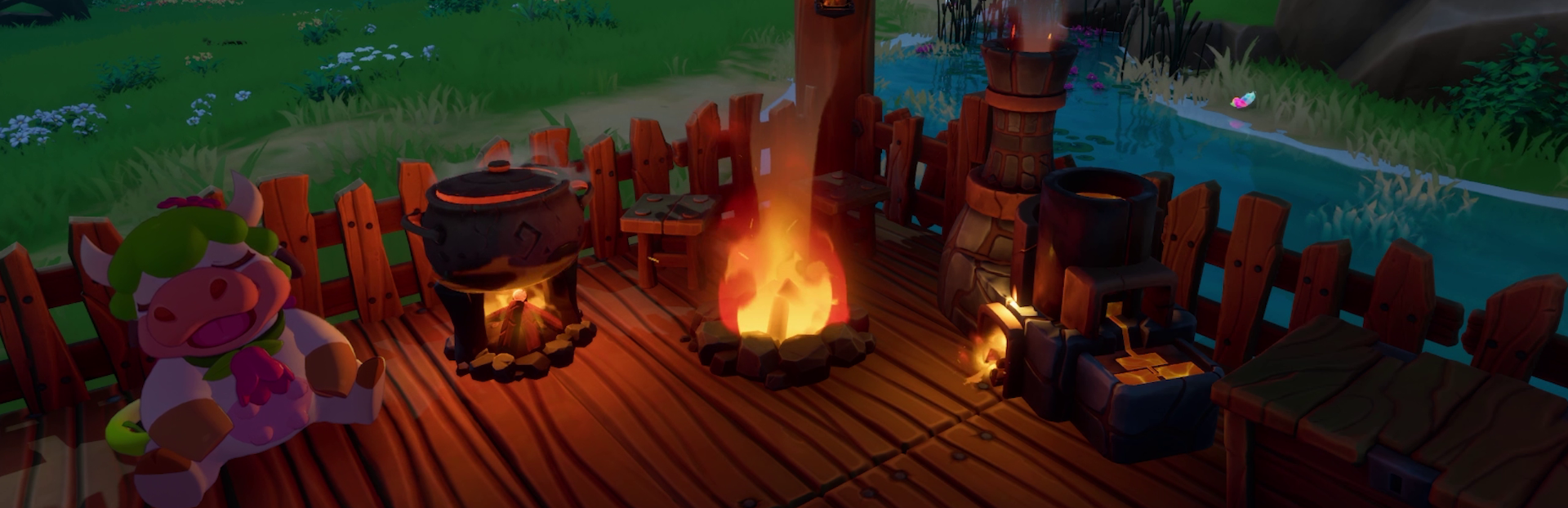
Besides crafting and storing items, other workstations focus on cooking, smelting, providing light, and more, so they’re definitely a necessity when it comes to surviving the Downbelow. You can place your workstations outside your buildings, or anywhere for that matter! That said, with workstations being something you’ll want to use frequently, and considering they require resources to be built, we always recommend placing them close to a spawn point!
More useful pieces of furniture you can craft? There is both day and night in the Downbelow, so you have to keep your crib well-illuminated! And do you want your friends to sit on the floor? Come on, give them a table and some chairs. Oh, and this one doesn’t have any gameplay value, but tons of sentimental value: a bed for your Tems to rest while you go inside your home 🥺 Due to technical reasons, Tems are not planned to go inside houses, so if making them a resting place while you’re not together is not a priority I don’t think anything is!
Glad to see you’ve gotten this far! There really is a lot to say about building, and this is still just a WIP! Also, while there's nothing done or properly designed for now, we're contemplating the idea of including some sort of raids on your base home in the future. This would add another layer of development to building and housing, like defining stats for each set, etc. But, since we’re still not final on it, we'll tell you more about it if or when we flesh out the idea!
For now, we hope you’re already planning which Biome you’re going to choose as your neighborhood, and drafting up those blueprints! Can’t wait to see the architectural wonders you come up with, and the many creative ways you find to make the most of the building feature!
If you'd like to start planning out your neighborhood please head over to our Discord server to see where everyone is planning to land.
And if you can, add Temtem: Pioneers to your Steam or Epic Games Store wishlist! It's the next best thing after becoming a Backer :)
https://store.steampowered.com/app/2961930/Temtem_Pioneers/
Get your building hat on, and Temtem up!
Source
Changelog.gg summarizes and formats this update. How we read updates.