
HomeGamesUpdatesPricingMethodology
Steam News26 October 20241y ago

Now watch this drive

Hello all! Releasing a new update for the Take The Wheels! demo today! Featuring some new and improved replay functionality, as well as much more improved navigation of the UI with a controller!

Full notes

Full Take The Wheels! update

Read the full published notes in a cleaner layout. The original post stays linked below.

Repeated intro

Hello all! Releasing a new update for the Take The Wheels! demo today! Featuring some new and improved replay functionality, as well as much more improved navigation of the UI with a controller! So you no longer need to rely on using your mouse to move through menus before you start racing!

What changed

1 fix4 additions4 changes1 removal
  • UI and audio
  • Gameplay
  • Fixes
addedHello all! Releasing a new update for the Take The Wheels! demo today! Featuring some new and improved replay functionality, as well as much more improved navigation of the UI with a controller! So you no longer need to rely on using your mouse to move through menus before you start racing!
removedUpdated foliage No longer has a full bright/unlit look anymore No longer has the hologram effect
changedToggle HUD option made more clear There is now a checkbox that also affects all HUD elements, including the checkpoint indicator
changedChanged square/X to be used for boost Circle/B is now used for change camera R1 is still used for boost (this change is for people using the triggers to accelerate)
changedSettings can be adjusted with the controller now (like graphics settings and stuff)
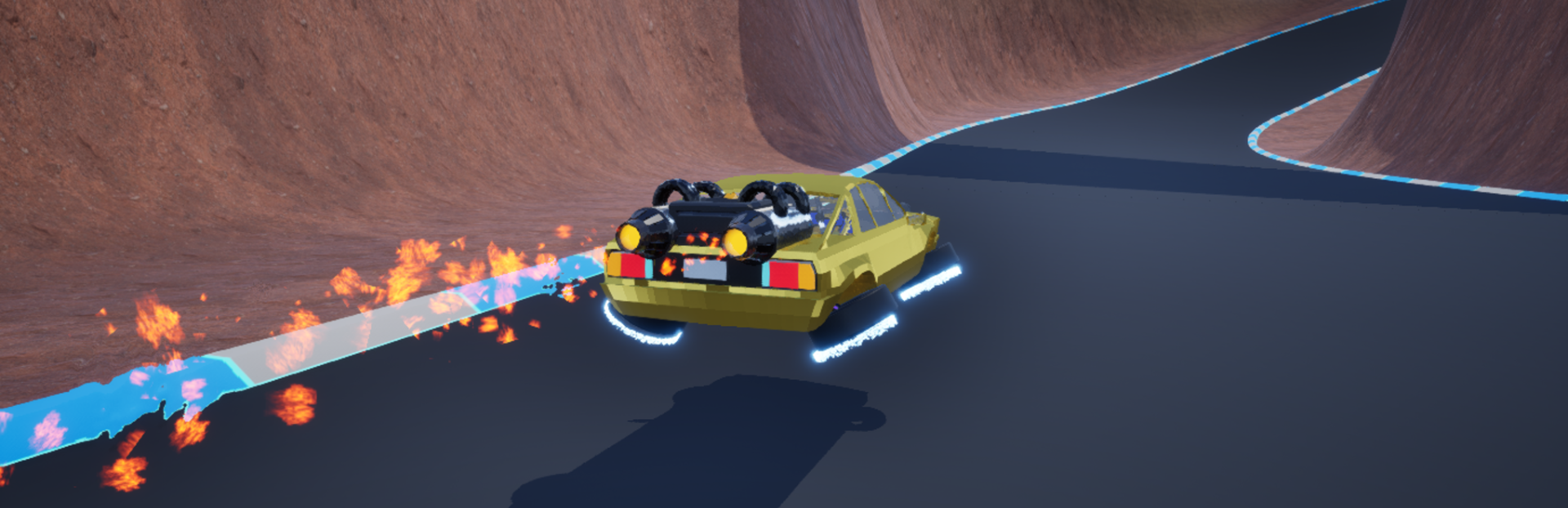
addedAdded glow to the track edge This is to help with track readability

Take The Wheels! changes

addedHello all! Releasing a new update for the Take The Wheels! demo today! Featuring some new and improved replay functionality, as well as much more improved navigation of the UI with a controller! So you no longer need to rely on using your mouse to move through menus before you start racing!
removedUpdated foliage No longer has a full bright/unlit look anymore No longer has the hologram effect
changedToggle HUD option made more clear There is now a checkbox that also affects all HUD elements, including the checkpoint indicator
changedChanged square/X to be used for boost Circle/B is now used for change camera R1 is still used for boost (this change is for people using the triggers to accelerate)
changedSettings can be adjusted with the controller now (like graphics settings and stuff)

Check out the changes below!

  • Updated foliage

    • No longer has a full bright/unlit look anymore

    • No longer has the hologram effect

  • Toggle HUD option made more clear

    • There is now a checkbox that also affects all HUD elements, including the checkpoint indicator

  • Changed square/X to be used for boost

    • Circle/B is now used for change camera

    • R1 is still used for boost (this change is for people using the triggers to accelerate)

  • Settings can be adjusted with the controller now

    • (like graphics settings and stuff)

  • Clicking back into the game now keeps the controller cursor input instead of losing it

  • Added glow to the track edge

    • This is to help with track readability

  • Added new orbiting spectator functionality

    • This lets you keep a fixed distance from cars when spectating them (similar to an orbiting 3rd person camera in some games)

  • Changed the spectator UI layout

    • Added text options on what some keys now do, as well as a new way to change who you are spectating

  • Fixed car not having the correct colour when racing

Other than that, more is being worked on for the full release of the game (which is why the replay interface has changed slightly)

Keep setting those blisteringly fast lap times, and perfecting your control of the car in Take The Wheels!

Source

Steam News / 26 October 2024

Open original post

Changelog.gg summarizes and formats this update. How we read updates.