
In this update1
Full notes
Full Sven Co-op update
Read the full published notes in a cleaner layout. The original post stays linked below.
What changed
- Server
- Maps
- Gameplay
Sven Co-op changes
An update for Sven Co-op has been released. If you are running a dedicated server please use SteamCmd to update your servers.
Search 'n Destroy
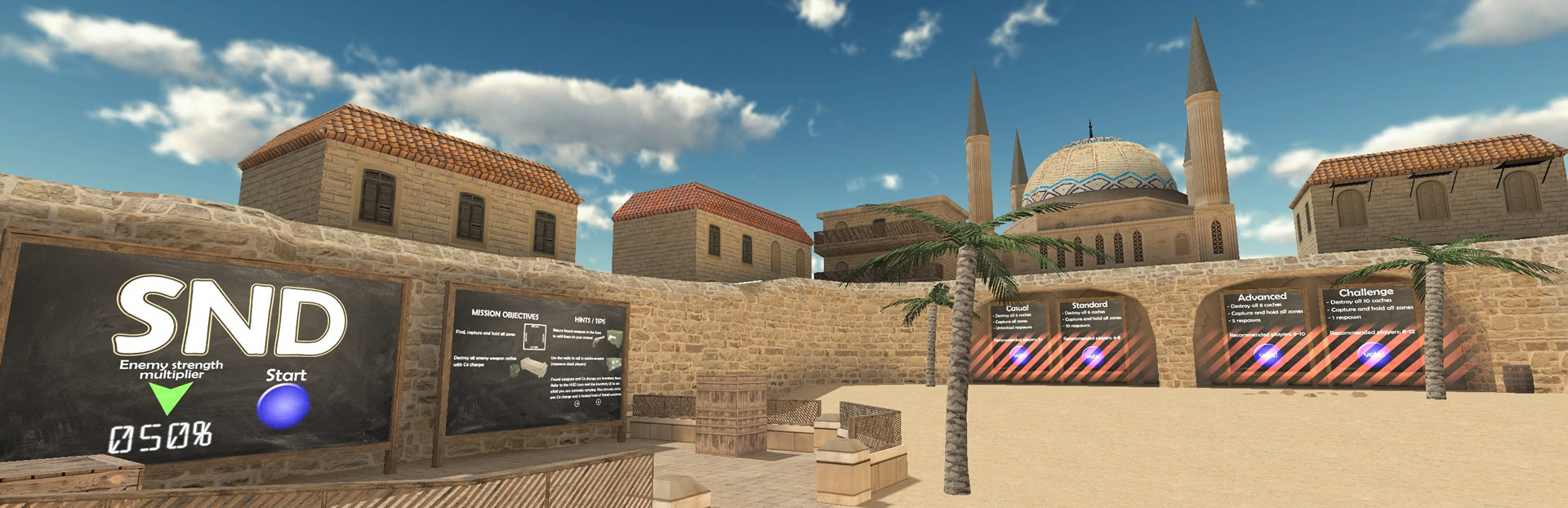
First and foremost, Hezus has built a brand new map "Search 'n Destroy", featuring a combination of assault and territory control styles of game play with up-to 4 playable classes to choose from.
Steam post image Steam post image Steam post image
Vote to play one of four difficulty levels based on your teamwork and toughness.
Steam post image Steam post image Steam post image
Please have a play with any amount of players and let us know what you think. -- The map's difficulty will dynamically adjust according to the player count. Beware that a late joiner on insane difficulty will use up the single spare ticket though, so be sure to have at least one medic playing.
Steam post image Steam post image
Changes
Notable changes are as follows:
New map: Search 'n Destroy, by Hezus
Do not expose values of protected CVARs in auto-completion (e.g. "rcon_password"), show "***PROTECTED***" instead.
Fixed server browser not showing any results immediately after updating video settings. (No longer requires game to be restarted.)
RPG rockets are now flagged to not collide with allies by relationship. (E.g. players firing their RPG no longer need to worry about suicide due to another player running in front of them.)
You can find hundreds of more changes in the full change log on our Wiki.
Support requests
As with any release please do not use the comments thread to report an issue or request support. This is very easily missed, so to get an answer as promptly and detailed as possible please submit your issue or query to any of the following channels:
Version details
Steam build ID numbers: Game 6008644, dedicated server tool 6008647, SDK tool 6008648.
Please use the steam build ID number as a reference when posting an issue or query on our message boards. You can find the build number you currently have within Steam by right clicking our game or tools, selecting Properties, then selecting the Local Files tab.
Source
Changelog.gg summarizes and formats this update. How we read updates.